
How to Build a High-Converting eCommerce Store Using Wix Studio
Building an eCommerce store today is not just about uploading products online—it’s about creating an experience that converts visitors into loyal customers. A well-designed store can dramatically increase sales, reduce cart abandonment, and build a strong brand presence online.
Wix Studio is one of the most flexible and beginner-friendly platforms for creating high-converting eCommerce stores. With its drag-and-drop editor, customizable templates, and built-in marketing tools, it provides everything you need to start and grow your online business.
In this ultimate guide, we’ll go step by step and show you how to design, optimize, market, and scale your Wix eCommerce store for maximum conversions.
1. Choose the Perfect Template for Your Store
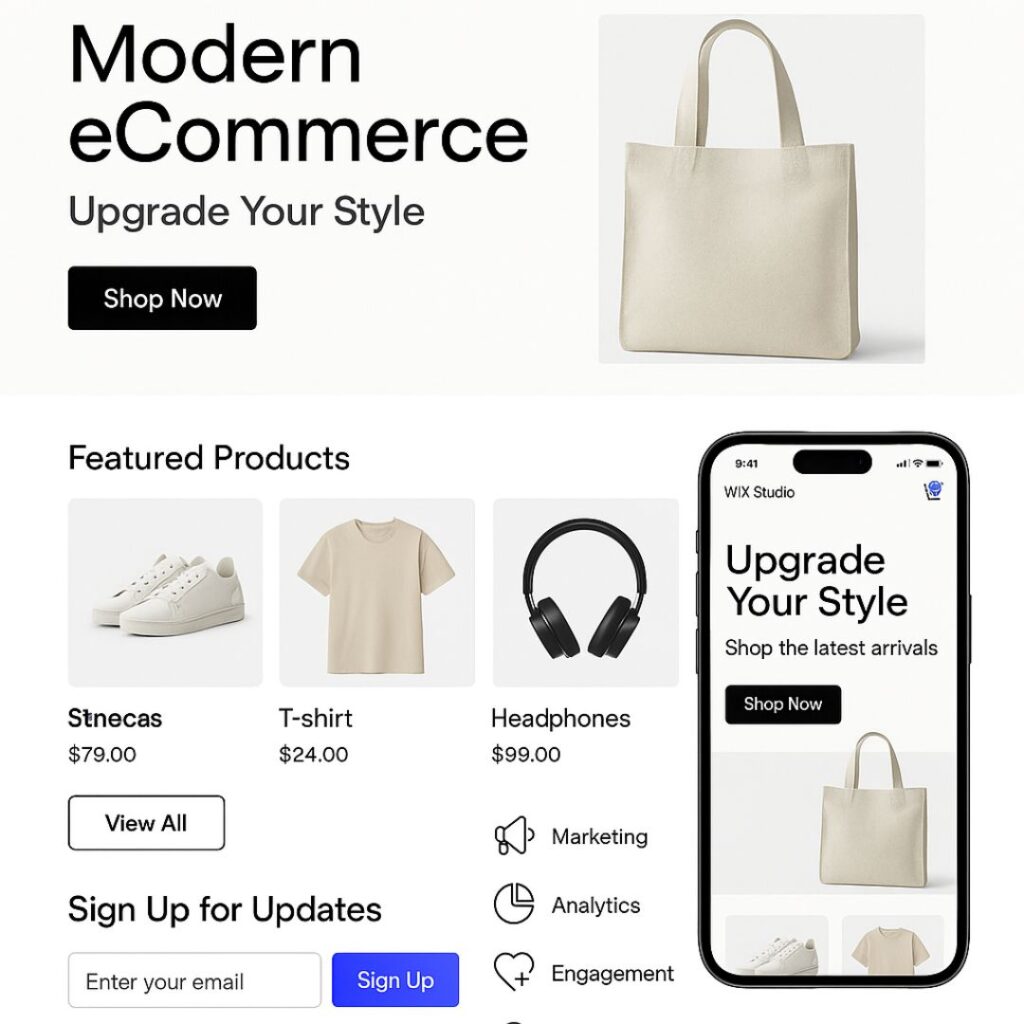
Your template sets the foundation for your store’s design, layout, and user experience. Wix Studio offers hundreds of professionally designed templates, but choosing the right one is crucial.
Key Points to Consider:
Niche-specific templates: Wix Studio offers templates for fashion, electronics, beauty, home decor, and more. Choosing one specific to your niche ensures that the layout, features, and imagery align with your audience.
Mobile-first design: Over 70% of eCommerce traffic comes from mobile devices. Ensure your template is mobile-optimized to prevent lost sales.
Conversion-focused layout: Look for templates with large product images, prominent call-to-action (CTA) buttons, and intuitive navigation.
Example: A fashion store template with a sliding hero banner for best-sellers, clear category menus, and quick “Add to Cart” buttons will likely convert better than a cluttered design.
Pro Tip: Don’t stick with the template exactly as it is. Customize fonts, colors, and layout to align with your brand identity.
2. Create Strong Branding That Builds Trust
Branding is more than just a logo—it’s how your customers perceive your store. Consistent branding builds trust, which is essential for conversions.
Branding Tips:
Logo & colors: Use consistent colors that match your brand personality. For instance, luxury brands often use black and gold, while eco-friendly stores use green and earthy tones.
Typography: Choose readable fonts for product titles and descriptions. Make headings bold to grab attention.
Hero images & banners: Use high-quality visuals that immediately communicate your value proposition.
Brand story: Add an “About Us” page to explain your story, values, and what sets your store apart. Customers are more likely to buy when they connect with your brand emotionally.
Example: A store selling handmade candles can include a hero image of a cozy room with candles, plus a story about the founder’s journey in creating the products.
3. Strategically Add Products for Maximum Conversions
Your products are the core of your store, and how you present them affects sales.
Product Listing Best Practices:
Compelling descriptions: Focus on benefits, not just features. Instead of “100% cotton shirt,” say, “Soft, breathable cotton keeps you comfortable all day.”
High-quality images: Include multiple angles, zoom features, and lifestyle images.
Product variants: Show size, color, or bundle options clearly.
Pricing strategy: Consider psychological pricing (e.g., $29.99 instead of $30) to encourage purchases.
Videos: Product videos showing usage or demonstration increase conversions by up to 80%.
Pro Tip: Include customer reviews and ratings directly under each product. Social proof is a major factor in eCommerce success.
4. Optimize for User Experience (UX)
A smooth shopping experience increases the chances of conversion.
UX Optimization Tips:
Simplify navigation: Use categories, filters, and search bars to make it easy for customers to find what they need.
Clear CTAs: Buttons like “Buy Now” or “Add to Cart” should stand out and be visible without scrolling.
Checkout process: Reduce friction by enabling guest checkout and minimizing the number of steps.
Trust signals: Include secure payment badges, money-back guarantees, and easy return policies.
Page speed: Optimize images and avoid heavy scripts. A 1-second delay can reduce conversions by 7%.
Example: A clean layout with sticky “Add to Cart” buttons and easy filter options allows shoppers to find products quickly and complete their purchase without frustration.
5. Implement Strong SEO Practices
SEO ensures your store attracts the right traffic organically. Wix Studio has built-in tools to help with this.
SEO Strategies:
Keyword optimization: Use tools like Google Keyword Planner to find keywords for product titles, descriptions, and blog content.
Meta titles & descriptions: Write unique meta tags for every page to improve visibility in search results.
Clean URLs: Use product names in URLs rather than numbers or codes.
Structured data: Implement schema markup for product details, prices, and reviews to get rich snippets in search results.
Content marketing: Consider creating a blog with guides, tips, or news related to your products. This drives organic traffic and improves SEO rankings.
Pro Tip: Optimize image alt texts with keywords to improve SEO and accessibility.
6. Integrate Marketing Tools for Sales Growth
Marketing is crucial to attract traffic and increase conversions. Wix Studio provides seamless integrations for marketing automation.
Marketing Tips:
Email marketing: Send newsletters, promotions, and abandoned cart reminders to keep customers engaged.
Social media: Share products on Instagram, Facebook, and Pinterest. Enable social login for faster checkouts.
Discounts & loyalty programs: Encourage first-time and repeat purchases with special offers.
Analytics tracking: Monitor user behavior, conversions, and top-selling products to improve strategies.
Example: Sending an abandoned cart email with a 10% discount can recover up to 15% of lost sales.
7. Test, Analyze, and Continuously Improve
Even after launching, your work isn’t done. High-converting stores are continuously optimized.
Optimization Tips:
A/B testing: Test different layouts, CTA buttons, and product page designs to see what converts best.
Collect feedback: Ask customers for reviews and suggestions to improve your store.
Monitor analytics: Use Wix’s built-in analytics to track traffic, bounce rates, and conversion funnels.
Update content regularly: Refresh product images, write new blogs, and run seasonal campaigns to stay relevant.
Pro Tip: Track heatmaps to see where customers click most, helping you place important buttons in the right spots.
8. Advanced Tips to Maximize Conversions
Upsells & cross-sells: Suggest related products or bundles on product pages or at checkout.
Live chat support: Immediate assistance can reduce cart abandonment and answer customer questions in real-time.
Exit-intent popups: Capture visitors leaving your store by offering discounts or email subscriptions.
Retargeting ads: Use Facebook or Google Ads to bring back visitors who didn’t convert the first time.
Example: A cosmetics store can show a “You may also like” section on product pages to increase average order value.
FAQ's
Q1: Can beginners build a professional eCommerce store on Wix Studio?
Yes! Wix Studio is beginner-friendly but offers advanced features for experienced users.
Q2: Can I sell both physical and digital products?
Absolutely. Wix Studio supports all product types.
Q3: How do I increase conversion rates on my store?
Focus on clear CTAs, high-quality visuals, trust signals, simplified navigation, and urgency tactics like limited-time offers.
Q4: Does Wix Studio provide SEO tools?
Yes, including meta tags, URL customization, structured data, and blog integration for content marketing.
Q5: Can I integrate my store with social media platforms?
Yes. Wix Studio allows seamless integration with Facebook, Instagram, Pinterest, and more.
Final Thoughts and Takeaways
Building a high-converting eCommerce store requires attention to design, branding, user experience, SEO, and marketing. Wix Studio makes this process simple, flexible, and scalable.
By carefully choosing a template, optimizing every product page, integrating marketing tools, and continuously testing, you can create a store that not only attracts visitors but converts them into loyal customers.
The key is consistency: a well-branded, user-friendly, and constantly optimized store will drive sales and grow your online business over time.