Email Marketing Strategies for Wix Studio Online Stores

Email Marketing Strategies for Wix Studio Online Stores

Email marketing remains one of the highest-ROI marketing channels for eCommerce, and with Wix Studio, store owners now have powerful built-in tools to automate, personalize, and scale their email campaigns efficiently.

In this in-depth guide, you’ll learn proven email marketing strategies for Wix Studio online stores that help increase traffic, boost conversions, recover abandoned carts, and build long-term customer relationships.
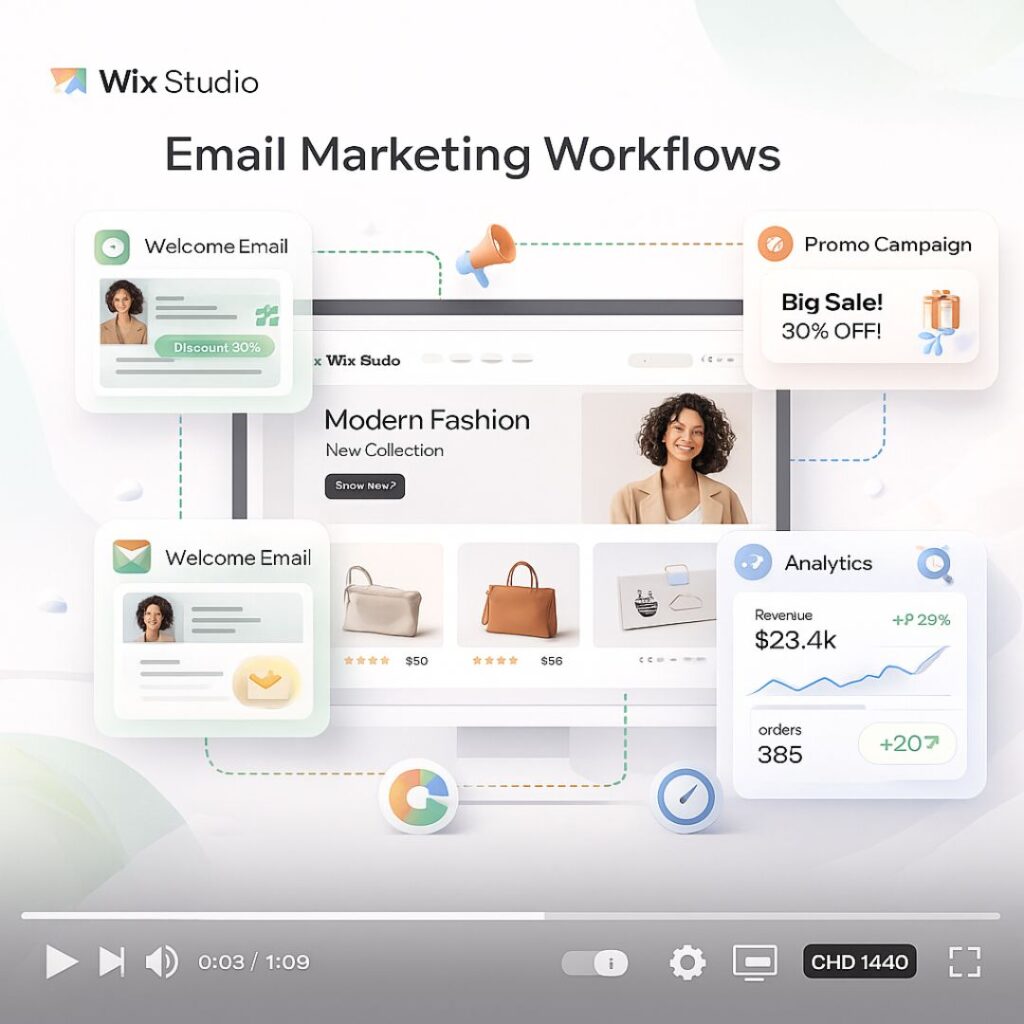
Why Email Marketing Is Crucial for Wix Studio eCommerce

Unlike social media or paid ads, email marketing gives you direct access to your customers. Wix Studio integrates email marketing with automation, CRM, analytics, and AI tools—making it ideal for modern online stores.

Benefits of email marketing for Wix Studio stores:

  • High ROI with low cost

  • Full ownership of your audience

  • Personalized customer journeys

  • Automated sales recovery

  • Strong customer retention


1. Build a High-Quality Email List in Wix Studio

Before sending emails, you need the right audience.

Best Ways to Collect Emails:

  • Signup forms on homepage and product pages

  • Exit-intent popups offering discounts

  • Checkout opt-in for updates and offers

  • Lead magnets (free guides, coupons, early access)

💡 Tip: Wix Studio allows you to design fully responsive forms that match your brand identity.


2. Segment Your Email Audience for Better Results

One of the biggest mistakes store owners make is sending the same email to everyone.

Smart Segmentation Ideas:

  • New subscribers

  • First-time buyers

  • Repeat customers

  • High-value customers

  • Cart abandoners

  • Inactive users

With Wix Automations, you can create segments based on user behavior, purchase history, and engagement level.


3. Set Up Essential Email Automations in Wix Studio

Automation is where Wix Studio truly shines.

Must-Have Email Automations:

  • Welcome Email Series – Introduce your brand and offer a first-purchase incentive

  • Abandoned Cart Emails – Recover lost sales automatically

  • Order Confirmation & Shipping Updates – Build trust and transparency

  • Post-Purchase Follow-Ups – Request reviews or suggest related products

  • Re-Engagement Campaigns – Win back inactive customers

Automated emails often outperform manual campaigns because they’re timely and personalized.


4. Write High-Converting Email Content

Great design means nothing without compelling content.

Email Copywriting Best Practices:

  • Use clear and benefit-focused subject lines

  • Personalize with customer names and product details

  • Keep paragraphs short and scannable

  • Focus on one main CTA per email

  • Create urgency using limited-time offers

Example CTA ideas:

  • “Shop Now”

  • “Complete Your Purchase”

  • “Claim Your Discount”


5. Design Mobile-Friendly Emails in Wix Studio

Most users open emails on mobile devices.

Design Tips:

  • Use single-column layouts

  • Large, clickable buttons

  • Clear product images

  • Minimal text with strong visuals

Wix Studio’s responsive editor ensures your emails look perfect on desktop, tablet, and mobile.


6. Use Personalization to Increase Sales

Personalized emails can increase conversion rates significantly.

Personalization Options in Wix Studio:

  • Product recommendations

  • Recently viewed items

  • Location-based offers

  • Birthday and anniversary emails

The more relevant your emails feel, the higher the engagement.


7. Run Promotional Campaigns Strategically

Promotional emails still work—when done correctly.

Best Campaign Types:

  • Flash sales

  • Seasonal promotions

  • New product launches

  • Exclusive subscriber discounts

  • Holiday campaigns

Avoid over-sending. Focus on value, not volume.


8. Analyze Performance Using Wix Analytics

Data helps you improve.

Key Metrics to Track:

  • Open rate

  • Click-through rate (CTR)

  • Conversion rate

  • Revenue per email

  • Unsubscribe rate

Wix Studio analytics let you test subject lines, content, and timing to optimize future campaigns.


9. Combine Email with Other Wix Marketing Tools

For best results, integrate email with:

  • Wix SEO tools

  • Wix CRM

  • Wix Automations

  • Wix Analytics

  • Social media campaigns

An omnichannel strategy creates a smoother customer journey.


10. Common Email Marketing Mistakes to Avoid

  • Sending emails without segmentation

  • Ignoring mobile optimization

  • Overloading emails with text

  • No clear CTA

  • Not testing subject lines

Avoiding these mistakes can dramatically improve your results.

FAQ's

1. What is email marketing for Wix Studio online stores?

Email marketing for Wix Studio online stores is a strategy to send targeted, personalized, and automated emails to customers to increase sales, engagement, and brand loyalty.

2. How can I collect email addresses for my Wix Studio store?

You can collect emails using signup forms, checkout opt-ins, popups, lead magnets, and special offers—all integrated directly in Wix Studio.

3. What types of email campaigns work best for eCommerce stores?

Best-performing campaigns include welcome series, abandoned cart emails, post-purchase follow-ups, promotional offers, re-engagement campaigns, and seasonal promotions.

4. How can I segment my email audience in Wix Studio?

Wix Studio allows segmentation based on purchase history, engagement, location, subscriber type (new vs returning), and behavior, helping you send more relevant emails.

5. Why is automation important in Wix Studio email marketing?

Automation ensures timely and personalized emails are sent without manual effort, such as abandoned cart recovery, order confirmation, and customer re-engagement.

Final Thoughts and Takeaways

Email marketing for Wix Studio online stores is not just about sending newsletters—it’s about building automated, personalized customer experiences that drive consistent sales.

When used strategically, Wix Studio’s email marketing tools can help you:

  • Increase revenue

  • Improve customer retention

  • Build brand loyalty

  • Scale your eCommerce business

Common eCommerce Mistakes Wix Studio Store Owners Make

Common eCommerce Mistakes Wix Studio Store Owners Make

Running an online store with Wix Studio gives you powerful design freedom, advanced performance tools, and built-in marketing features. However, many store owners fail to unlock its full potential because of avoidable mistakes. These issues don’t just affect design — they directly impact traffic, conversions, SEO rankings, and sales.

In this guide, we’ll break down the most common eCommerce mistakes Wix Studio store owners make and show you exactly how to fix them so your store can grow faster, rank higher, and convert better in 2025.

Ignoring SEO Setup from Day One

One of the biggest mistakes Wix Studio store owners make is launching their store without a proper SEO foundation. Many assume Wix automatically handles SEO completely, but while Wix Studio provides strong tools, they still need to be configured correctly.

Without optimized meta titles, descriptions, structured URLs, and indexable pages, your products struggle to appear in search results. This leads to low organic traffic and heavy reliance on paid ads.

How to fix it:
Use Wix Studio’s SEO Settings to customize meta titles and descriptions for every product, collection, and page. Ensure your URLs are clean and keyword-focused. Submit your sitemap to Google Search Console and enable automatic indexing. Focus on optimizing for the Common eCommerce Mistakes Wix Studio Store Owners Make keyword naturally across your content.


Poor Product Page Optimization

Many Wix Studio stores fail because product pages are treated like simple catalogs instead of sales pages. Thin descriptions, missing keywords, low-quality images, and no trust signals significantly reduce conversions.

Google also prioritizes content-rich product pages, so weak descriptions hurt both SEO and sales.

How to fix it:
Write detailed, benefit-focused product descriptions that naturally include your focus keyword and related search terms. Use high-resolution images, lifestyle photos, and videos where possible. Add FAQs, reviews, and clear return policies to build trust and improve dwell time.


Overusing Heavy Animations and Effects

Wix Studio allows advanced animations and interactions, but excessive use can slow down your store and confuse users. Many store owners prioritize visual effects over usability, which negatively affects page speed and mobile experience.

Slow-loading pages increase bounce rates and reduce rankings on Google.

How to fix it:
Use animations purposefully. Optimize images, reduce unnecessary transitions, and test your site using Wix’s performance tools. Focus on fast load times, smooth scrolling, and clear navigation rather than visual overload.


Not Optimizing for Mobile Users

A large portion of eCommerce traffic comes from mobile devices, yet many Wix Studio store owners design primarily for desktop. This results in broken layouts, unreadable text, and difficult checkout experiences on mobile.

Google also uses mobile-first indexing, meaning poor mobile performance hurts SEO directly.

How to fix it:
Use Wix Studio’s responsive design controls to optimize every breakpoint. Test your store on multiple devices and screen sizes. Ensure buttons are tappable, text is readable, and checkout flows smoothly on mobile.


Complicated Checkout Process

Another common mistake is adding unnecessary steps, fields, or distractions during checkout. A complex checkout process leads to cart abandonment and lost revenue.

Customers expect fast, frictionless purchasing — anything that slows them down costs you sales.

How to fix it:
Enable guest checkout, minimize form fields, and clearly display shipping costs and delivery timelines. Use trust badges, secure payment icons, and a clean checkout layout to reassure buyers and increase completion rates.


Neglecting Wix Marketing Tools

Many store owners build their store but never take advantage of Wix’s built-in marketing tools. Ignoring email automation, abandoned cart recovery, and CRM features leaves money on the table.

These tools are designed specifically to increase retention and repeat purchases.

How to fix it:
Set up abandoned cart emails, automated follow-ups, and promotional campaigns using Wix Marketing Tools. Segment your audience and personalize offers to boost conversions without increasing ad spend.


Weak Internal Linking and Site Structure

Poor site structure makes it harder for users and search engines to navigate your store. Many Wix Studio stores lack proper internal linking between products, collections, and blogs.

This reduces crawlability and weakens SEO authority.

How to fix it:
Create logical categories, link related products, and connect blog content to relevant collections. Strong internal linking improves SEO and keeps users engaged longer.


Not Tracking Performance and Analytics

Some store owners rely on guesswork instead of data. Without tracking traffic, conversions, and user behavior, it’s impossible to identify what’s working and what’s not.

This leads to repeated mistakes and slow growth.

How to fix it:
Connect Google Analytics, Google Search Console, and Wix Analytics. Monitor conversion rates, bounce rates, and keyword performance regularly. Use this data to continuously optimize your store.

FAQ's

What is the most common mistake Wix Studio eCommerce store owners make?

The most common mistake is ignoring SEO setup during the early stages. Many Wix Studio store owners rely on default settings and fail to optimize meta titles, descriptions, URLs, and product content, which limits organic traffic and visibility.


Does Wix Studio support SEO for eCommerce stores?

Yes, Wix Studio offers strong built-in SEO tools for eCommerce stores, including customizable meta tags, SEO patterns, structured data, and Google Search Console integration. However, these tools must be configured correctly to achieve real results.


Why do Wix Studio stores struggle with low conversion rates?

Low conversion rates often occur due to poor product page optimization, slow page speed, weak trust signals, and complicated checkout processes. These issues create friction for users and reduce buyer confidence.


How can I improve product page SEO on Wix Studio?

You can improve product page SEO by writing detailed, keyword-rich descriptions, optimizing image alt text, adding FAQs and reviews, and ensuring fast load times. Internal linking between related products and collections also helps boost rankings.


Is Wix Studio good for mobile eCommerce?

Yes, Wix Studio is excellent for mobile eCommerce, but only if responsive settings are properly configured. Many store owners fail to optimize layouts for mobile breakpoints, which negatively impacts user experience and search rankings.

Final Thoughts and Takeaways

Avoiding these Common eCommerce Mistakes Wix Studio Store Owners Make can dramatically improve your store’s performance, visibility, and revenue. Wix Studio is a powerful platform, but success depends on how strategically you use it.

By focusing on SEO, performance, mobile optimization, and smart marketing automation, you can turn your Wix Studio store into a scalable and high-converting eCommerce business in 2025.

How to Use Wix Marketing Tools to Boost Your eCommerce Sales in 2025

How to Use Wix Marketing Tools to Boost Your eCommerce Sales in 2025

In the ever-evolving world of eCommerce, staying ahead of the competition means mastering the tools that help you attract, engage, and convert your customers. Wix, a leading website builder, offers a comprehensive suite of marketing tools designed specifically for online stores. In 2025, leveraging these tools effectively can make a significant difference in your sales and brand visibility.

In this guide, you’ll learn practical steps to boost your store’s visibility on search engines and increase conversions from visitors to paying customers.

Optimize Your Wix Store for SEO to Drive Organic Traffic

Search engine optimization is the backbone of eCommerce growth. Wix offers the SEO Wiz tool, which simplifies the process of making your online store search-friendly. Implementing relevant keywords in product titles, descriptions, meta tags, and headings helps your store rank higher in search results, attracting potential customers who are actively searching for your products. Adding descriptive alt text to images not only improves accessibility but also boosts search engine indexing. Structured product pages enhance search engine understanding, making your content more discoverable. Additionally, optimizing for local search can drive targeted traffic to your store, especially if your business serves specific geographic areas.

In 2025, voice search optimization is also becoming essential. Wix allows you to structure content with conversational phrases and long-tail keywords that align with how people speak when using voice assistants. This ensures your store appears in relevant search results when users ask questions like “best leather jackets for women online” or “affordable tech gadgets for home delivery.”

Boost Your eCommerce Sales with Personalized Email Marketing

Email marketing remains one of the highest ROI strategies for online stores. Wix Ascend enables you to create fully personalized email campaigns that target specific segments of your audience. Sending relevant product recommendations, exclusive discounts, and tailored offers increases the chances of conversions and builds brand loyalty. Automated workflows, such as abandoned cart reminders, post-purchase follow-ups, and welcome sequences, allow you to maintain consistent engagement with your customers without manual effort.

Using dynamic content in emails, such as product recommendations based on browsing history, makes customers feel understood and valued. This personalization leads to higher open rates, click-through rates, and ultimately, sales. In 2025, email marketing is not just about promotions—it’s about creating meaningful connections with your audience.

Leverage Social Media Integration for Maximum Reach

Social media platforms continue to be a major driver of eCommerce traffic. Wix makes it easy to connect your store to Instagram, Facebook, TikTok, and Pinterest, allowing products to reach audiences where they spend most of their time. Shoppable posts enable customers to browse and purchase products directly from social platforms, reducing friction in the buying journey.

Integrating social media marketing with your Wix store also allows you to track engagement, measure conversions, and refine campaigns based on real-time data. Paid social campaigns through Wix enable precise targeting using demographics, interests, and shopping behavior. This ensures marketing budgets are spent efficiently and reach potential buyers with high purchase intent.

Make Data-Driven Decisions Using Wix Analytics

Understanding your store’s performance is essential for optimizing marketing strategies. Wix Analytics provides detailed insights into visitor behavior, conversion rates, and traffic sources. By analyzing this data, store owners can identify high-performing products, discover potential bottlenecks in the buying process, and optimize their store layout and content.

Analytics also enables businesses to evaluate the success of marketing campaigns, from email promotions to social media ads. With this information, store owners can make informed decisions, allocate budgets effectively, and refine strategies to maximize ROI. In 2025, data-driven decision-making is no longer optional—it’s essential for sustainable growth.

Increase Customer Retention with Promotions and Loyalty Programs

Encouraging repeat purchases is vital for long-term success. Wix allows businesses to create promotions, limited-time offers, and loyalty programs that reward returning customers. Promotions create urgency and incentivize immediate purchases, while loyalty programs build a sense of belonging and increase customer lifetime value.

By tracking the performance of promotions and loyalty initiatives through analytics, businesses can adjust strategies to improve engagement and profitability. Combining these tactics with personalized email campaigns and social media announcements ensures maximum visibility and impact.

Automate Marketing Efforts to Save Time and Increase Efficiency

Marketing automation is a game-changer for eCommerce store owners. Wix Ascend provides automation features for email campaigns, social media scheduling, and promotional messaging. Automating workflows ensures that new subscribers receive welcome emails, abandoned cart reminders are sent promptly, and post-purchase follow-ups are delivered consistently.

Automation frees up time for store owners to focus on product development, customer service, and strategic planning, while ensuring that marketing efforts remain consistent and timely. In 2025, leveraging automation tools is essential for maintaining engagement, improving conversions, and scaling your online store effectively.

FAQ's

Q1: Can Wix marketing tools work for small businesses?

Yes, Wix’s tools are designed for businesses of all sizes, including small eCommerce stores. They are easy to use and require no technical expertise.

Q2: Do I need a paid plan to access Wix marketing tools?

Most tools have free versions, but premium plans offer advanced features like enhanced email campaigns, Google Ads credits, and automation capabilities.

Q3: How does Wix SEO Wiz improve sales?

Wix SEO Wiz helps optimize your site for search engines, improving visibility and attracting organic traffic, which increases the chances of more sales.

Q4: Can I track my marketing performance on Wix?

Yes, Wix Analytics tracks sales, traffic, and customer behavior so you can make data-driven decisions.

Q5: Are Wix Ads effective for eCommerce stores?

Yes, Wix Ads allow you to create targeted campaigns on Google and social media, which can drive high-quality traffic to your store.

Final Thoughts and Takeaways

Wix offers a comprehensive set of built-in marketing tools that make it easier for eCommerce store owners to boost traffic, increase sales, and grow their brand. From email marketing and SEO optimization to social media integration and automated workflows, Wix provides everything you need to run an effective online business. By leveraging these tools consistently and strategically, you can maximize your eCommerce potential and stay ahead of competitors in 2025.

Wix SEO Wiz for US Startups

Wix SEO Wiz for US Startups: Boost SEO on a Budget

Wix SEO Wiz for US Startups: SEO on a Budget

Introduction

Starting a business in the U.S. can feel like juggling fire—especially when it comes to visibility online. Search engine optimization (SEO) is a game-changer for startups, but let’s face it—most entrepreneurs don’t have thousands to spend on agencies or fancy SEO software.

That’s where Wix SEO Wiz swoops in like a superhero. If you’re a startup using Wix, this free, built-in tool gives you the power to show up on Google—without breaking the bank or breaking your brain.

Let’s explore how.


Why SEO Matters for Startups

  • 93% of online experiences start with a search engine.

  • Ranking on Google builds credibility, traffic, and trust.

  • Organic SEO leads convert better than paid ads.

Yet most startups ignore it because… well, it seems expensive and technical. Not anymore.

Wix SEO Wiz for US Startups

What is Wix SEO Wiz?

A Brief Overview

Wix SEO Wiz is a built-in SEO assistant for Wix users. It guides you through creating a personalized SEO plan based on your business goals and website content.

Who Is It For?

  • New startups with limited budget

  • Entrepreneurs without coding skills

  • Small teams wearing multiple hats

Why US Startups Are Turning to It

  • Free to use

  • Fast setup

  • Made for beginners

  • Google integrations included


How Wix SEO Wiz Works

Step-by-Step Breakdown

1. Answer SEO Questions

You’ll start by entering your business name, keywords, and location. This helps Wix tailor your SEO plan.

2. Auto-Generated SEO Plan

Based on your inputs, Wix creates a checklist:

  • Meta tags

  • Image alt texts

  • Page URLs

  • Mobile settings

3. Tracking and Progress Updates

It even checks off tasks as you go and lets you track indexing with Google.


Core Features of Wix SEO Wiz

Keyword Optimization

It recommends high-impact keywords relevant to your industry and region.

Title & Meta Tag Suggestions

Wix auto-suggests optimized title tags and descriptions for your pages.

Google Indexing Made Easy

You can instantly connect your site to Google and submit it for indexing.

Mobile Optimization

Ensures your site is mobile-friendly—critical for SEO rankings.

Structured Data Support

Helps you show rich results (like reviews or FAQs) on Google.


Advantages for Budget-Conscious Startups

No Need for Expensive SEO Tools

Forget Ahrefs or SEMrush subscriptions—Wix SEO Wiz covers the basics.

No Technical Skills Required

It’s beginner-friendly with no need for coding or backend access.

Fast Setup, Faster Results

Get your SEO plan in under 10 minutes and start optimizing instantly.


SEO Strategy Using Wix SEO Wiz

Choosing the Right Keywords

Use keywords that align with buyer intent. Example:

  • Short-tail: “shoes”

  • Long-tail: “affordable running shoes for women in NYC”

Optimizing Pages

Each page should target one main keyword and include it in:

  • Title tag

  • H1

  • URL

  • First paragraph

Blog Strategy for Organic Traffic

Write blogs targeting informational searches. Example topics:

  • “How to choose your first yoga mat”

  • “Startup business tips in Austin”

Local SEO for US Markets

Add your business address, opening hours, and city keywords to rank locally.


LSI, Long-tail, and Short-tail Keywords

What Are They and Why They Matter

  • LSI keywords: Related terms like “startup marketing,” “online visibility”

  • Short-tail keywords: Broad terms like “marketing”

  • Long-tail keywords: Niche phrases like “free SEO tools for startups”

How Wix Helps with Keyword Relevance

Wix suggests keywords based on your business type and helps you integrate them naturally.


Integrating Google Search Console and Analytics

  • Track which pages rank

  • See bounce rate, click-through rate (CTR), and impressions

  • Make data-backed decisions to improve rankings


Real-World Success Stories

Case Study: US Startup Scaling with Wix SEO Wiz

A small tech startup in Miami went from 0 to 5,000 organic visits/month by:

  • Completing their SEO plan in 1 week

  • Posting 2 blogs/week targeting long-tail keywords

  • Leveraging Google My Business for local SEO


Limitations and What to Watch Out For

Where Wix SEO Wiz Might Fall Short

  • Lacks deep backlink analysis

  • Limited competitive insights

When to Consider Hiring a Pro

If you’re targeting highly competitive keywords like “insurance” or “lawyer,” you might need extra firepower.


Best Practices for Wix SEO Wiz Users

Keep Content Fresh

Update blogs and pages every 3–6 months.

Internal Linking Techniques

Link blog posts to service pages using relevant anchor text.

Image Optimization Tips

Use descriptive file names and alt text (e.g., startup-seo-guide.jpg).


Wix SEO Wiz vs Traditional SEO Agencies

FeatureWix SEO WizSEO Agency
CostFree$500–$5000/month
Ease of UseBeginner-FriendlyRequires Management
Speed to LaunchInstantDays to Weeks
Customization LevelLimitedFully Custom
SEO DepthBasic-MidAdvanced

FAQ's

1. Is Wix SEO Wiz enough for ranking on Google?

Yes, for most startups targeting low to medium competition keywords, it’s very effective.

2. Can I use it without technical experience?

Absolutely! It’s built for non-tech founders and DIY entrepreneurs.

3. How long until I see results?

Typically, 4–12 weeks depending on your niche, keyword difficulty, and content frequency.

4. Is it suitable for eCommerce startups?

Yes! Wix SEO Wiz supports product pages, collections, and mobile optimization.

5. Does Wix SEO Wiz work for local SEO?

Yes. You can easily target city-specific keywords and connect Google My Business.

Conclusion: Wix SEO Wiz for US Startups

If you’re a U.S. startup looking to grow your online presence without draining your funds, Wix SEO Wiz is your best friend. It simplifies the entire SEO process, from planning to execution, and allows you to rank higher on Google—no coding, no stress, no fluff.

Just you, your goals, and a clear SEO plan that gets you seen.

For businesses seeking creative and technical excellence without the bloat of legacy systems, partnering with a Contra-vetted agency like IZMHS might just be the smartest move in 2025.