How to Get Freelance Clients with Wix Studio Marketplace

Why Wix Studio Is the Best Platform for Freelancers and Small Agencies

If you’re a freelancer or run a small web agency in the U.S., choosing the right platform is one of the most consequential decisions you’ll make. It affects speed, margins, client satisfaction, and — ultimately — how many projects you can deliver per month. In 2025, Wix Studio has emerged as a compelling all-in-one option tailored specifically to designers, developers, and agencies. This post explains why Wix Studio often outperforms alternatives (including WordPress) for small teams and independent pros, with practical examples, pricing notes, and migration tips. wix.com+1

Quick Summary: What This Post Covers

  • What Wix Studio is and who it’s built for. wix.com

  • A practical Wix Studio vs WordPress comparison focused on freelancers. wix.com+1

  • Real-world workflows and pricing guidance for U.S. market needs. wix.com


What Is Wix Studio?

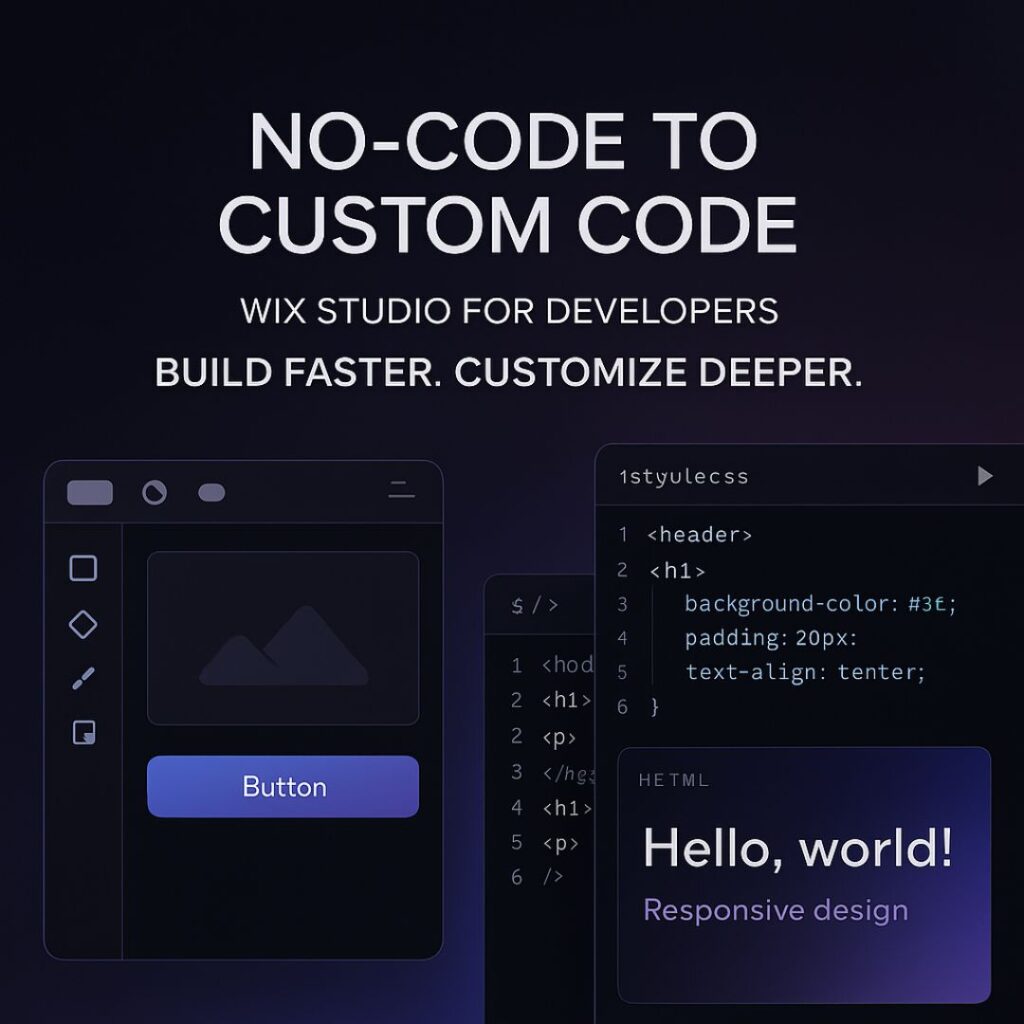
Wix Studio is Wix’s professional platform designed for agencies, freelancers, and web pros who need advanced design tools, streamlined client workflows, and a managed infrastructure. Unlike Wix’s entry-level website builder, Wix Studio provides enterprise-grade features — from Figma import tools to a full-stack dev environment and AI-assisted design capabilities — that help teams produce polished, responsive client sites quickly. wix.com+1

Built for Designers, Developers, and Agencies

The platform positions itself as a middle ground between drag-and-drop ease and professional control. Designers can import Figma files and preserve pixel-perfect layouts; developers can add custom code and backend logic; project managers can monitor multiple client sites from a centralized dashboard. These features reduce friction across handoffs and shrink turnaround time for client revisions. wix.com

Key Capabilities at a Glance

  • Figma-to-Studio export for fast prototyping. wix.com

  • AI design helpers and content tools for layouts and blogs. The Verge

  • Managed hosting & centralized dashboard for multiple clients. wix.com


Why Freelancers and Small Agencies Need a Specialized Platform

Freelancers and small agencies juggle multiple roles: designer, developer, account manager, and sometimes marketer. You don’t have time to wrestle with plugin conflicts, server updates, or complex dev ops. A specialized platform like Wix Studio handles those technical burdens so you can focus on delivering value to clients — designs, strategy, and conversion-focused UX.

Common pain points a platform should solve:

  • Long setup and deployment times.

  • Client change requests that break layouts.

  • Time lost on security patches and plugin updates.

  • Fragmented workflows across design, dev, and content teams.

Wix Studio reduces these headaches by combining design tools, hosting, and client management in one place. wix.com


Wix Studio vs WordPress: Head-to-Head

Below is a practical comparison focused on what matters to U.S. freelancers and small agencies.

Ease of Use vs Flexibility

  • Wix Studio: Excellent UI, visual design control, Figma import, and built-in tools. Less time spent troubleshooting. Great for rapid delivery. wix.com

  • WordPress: Extremely flexible and extensible via plugins and themes, but requires more maintenance (hosting, security, plugin compatibility). Ideal when full control and custom PHP development is needed. Cloudways

Cost and Maintenance

  • Wix Studio offers predictable, all-in-one pricing and managed hosting, which helps agencies price retainers more confidently. WordPress can be cheaper up front but variable over time (hosting, premium plugins, developer hours). wix.com+1

SEO and Performance

  • Wix has invested heavily in SEO tooling and blog features; for small business SEO needs and content marketing, Wix Studio’s native tools are robust and user-friendly. Advanced SEO specialists might prefer WordPress plugins (Yoast, Rank Math) for granular control, but Wix’s built-in approach covers the majority of real-world needs for local U.S. businesses. wix.com+1

Quick Comparison Table (high-level)

FactorWix StudioWordPress
Setup speedFastModerate to slow
Design fidelity (Figma)Native supportRequires plugins/manual work
MaintenanceManagedSelf-managed
FlexibilityHigh for most sitesVery high (custom apps)
Predictable costYesVariable
SEO toolsBuilt-in, easyPlugin ecosystem, granular

Sources: Wix Studio docs and independent comparisons. wix.com+2wix.com+2


Top Wix Studio Features That Matter to Freelancers

  1. Figma-to-Studio Workflow
    Exporting designs directly from Figma preserves spacing and layout, which speeds up the handoff from design to production. For agencies that bill by the hour, this can cut dozens of hours per project. wix.com
  2. AI-Powered Design and Content Tools
    Wix’s newer AI features can generate draft copy, image options, and layout suggestions — useful for landing pages or when clients need quick iterations. These are especially helpful for small teams that don’t have a dedicated copywriter. The Verge
  3. Centralized Client Dashboard & Site Management
    Manage multiple client sites, publish updates, and monitor performance from a single interface. This reduces overhead and makes it easy to set up maintenance retainers. wix.com
  4. Built-in Analytics & Marketing Integrations
    Easy integrations with Google tools, email platforms, and marketing stacks make it simple to deliver measurable results to U.S. clients. HubSpot Blog

  1. Pricing & Plans: What Freelancers Should Know
  2. Wix Studio offers tiered plans tailored to agencies, with predictable monthly or annual fees and managed hosting included. By contrast, WordPress costs depend on hosting choice, premium plugins, and developer time — which can make quoting harder for fixed-price jobs. For many U.S. freelancers, predictable recurring revenue from Wix Studio retainers beats variable WordPress support costs. See Wix’s Studio pricing for specifics. wix.com

Cost Comparison Example (illustrative):

  • Wix Studio (annual): Fixed monthly fee + site/feature tiers.

  • WordPress (annual): Hosting ($5–$50/month) + premium plugins ($100–$500/year) + occasional dev time.


Workflow and Productivity: Real Agency Use Cases

Example 1 — Rapid Prototyping with Figma Export
A small agency receives a project brief, designs in Figma, exports into Studio, customizes interactions, and hands off to the client for review — all within a week. The same workflow on WordPress might add extra days to integrate a theme and match CSS.

Example 2 — Client Revisions and Staged Publishing
Wix Studio’s preview and staging tools allow clients to see updates in a controlled environment. Freelancers can apply edits without worrying about plugin conflicts breaking live pages.

SEO & Marketing Tools in Wix Studio

Wix has matured its SEO toolkit: customizable meta tags, friendly URL structure, sitemaps, schema markup, and built-in blog features that align with content marketing — an essential service many freelancers sell to American small businesses. Wix’s SEO capabilities are now competitive for most SMB use cases. For enterprise SEO professionals, WordPress still offers highly granular plugin-driven control, but Wix Studio removes many common friction points for smaller teams. wix.com+1

Practical SEO Checklist for Wix Studio Sites:

  • Set unique meta titles/descriptions.

  • Configure clean permalink structure.

  • Use built-in schema and local business markup for U.S. clients.

  • Connect Google Search Console and Analytics. wix.com


Security, Hosting, and Reliability

Wix Studio includes managed hosting, automatic updates, and platform-level security. That removes the responsibility of handling server patches and plugin vulnerabilities from freelancers — a big advantage if you’re managing many clients. Wix’s recent financial and product growth indicates continued investment in Studio and AI features, which is a positive sign for freelancers relying on the platform. Reuters+1

When WordPress Might Still Be the Better Option

WordPress still wins for:

  • Large custom applications that require custom backend logic or unique database structures.

  • Teams comfortable with server management, custom PHP development, and heavy plugin customization.

  • Projects that must avoid vendor lock-in at all costs.

If a client demands a bespoke SaaS-like web app, WordPress (or a headless approach) might be a better fit. For standard agency websites, portfolios, and eCommerce storefronts, Wix Studio is often faster and more cost-effective. Cloudways


Step-by-Step: How to Move a Client to Wix Studio

  1. Audit the current site — content, SEO, integrations.
  2. Export assets and prepare Figma mockups.
  3. Rebuild in Wix Studio using Figma import and templates.
  4. Test forms, analytics, and tracking scripts.
  5. Staged review with client; collect feedback.
  6. Launch and monitor for 7–14 days.

This checklist minimizes downtime and ensures a smooth migration.


Pricing Strategy: How to Charge Clients for Wix Studio Sites

  • Fixed Project Fee + Launch: Include design, development, and two rounds of revisions.

  • Monthly Maintenance Retainer: For updates, backups, SEO tweaks.

  • Value-based Pricing: Charge based on the projected ROI the website will generate for the client (recommended for U.S. SMBs).


Pros, Cons, and Final Recommendation

Pros of Wix Studio for Freelancers:

  • Faster delivery via Figma integration and visual tools. wix.com

  • Managed hosting and predictable costs. wix.com

  • Built-in AI and marketing tools to support content creation. The Verge

Cons / Considerations:

  • Less total extension flexibility vs WordPress for highly custom apps. Cloudways

  • Platform dependency — migrating complex sites away may require effort.

Verdict for U.S.-based Freelancers & Small Agencies: For the majority of client projects — local businesses, consultants, small eCommerce, and creative portfolios — Wix Studio offers the best balance of speed, design control, and predictable costs. If you need deep backend customization or want an entirely open-source stack, WordPress remains a solid choice. wix.com+1

FAQ's

Q1: Is Wix Studio better than WordPress for agencies?

A1: For many agencies focused on client delivery speed and predictable costs, Wix Studio is better. For projects needing deep backend customizations, WordPress may be more suitable. wix.com+1

Q2: Can I import Figma designs to Wix Studio?

A2: Yes — Wix Studio supports a Figma-to-Studio workflow that preserves design fidelity and speeds up production. wix.com

Q3: Does Wix Studio include SEO tools?

A3: Yes. Wix Studio includes built-in SEO features, blog tools, and integrations that cover most SMB SEO needs. wix.com

Q4: How does pricing compare between Wix Studio and WordPress?

A4: Wix Studio offers predictable, all-in-one pricing with managed hosting. WordPress costs vary by hosting and plugins and can be less predictable over time. wix.com+1

Q5: Will Wix Studio scale for enterprise clients?

A5: Wix Studio includes enterprise-grade tools and is being positioned for larger clients as well, but very large-scale or highly custom platforms might still require bespoke solutions. Reuters+1

Final Thoughts and Takeaways

Wix Studio moves the needle where it matters for freelancers and small agencies: faster delivery, fewer technical headaches, and native tools that replace dozens of plugins and third-party services. For U.S. web pros who want to scale without hiring extra sysadmin or devops help, Studio is a practical, modern platform that aligns well with client expectations and American market trends. If your goal is to increase billable hours and deliver consistent quality, Wix Studio is worth serious consideration.

Wix Studio for Freelancers: The Ultimate Guide

Wix Studio for Freelancers: The Ultimate Guide to Building Client Websites Faster

Freelancers across the United States are turning to Wix Studio to design, develop, and deliver client websites with greater speed and precision. Thanks to seamless Figma integration, GitHub connectivity, and built-in marketing tools, the platform streamlines every stage of the workflow. As a result, freelancers can manage multiple projects efficiently, collaborate effortlessly, and launch high-performing websites without delays.

Unlike traditional builders, Wix Studio unites design freedom, developer tools, and marketing integrations within a single workspace. This unified approach helps you deliver polished, conversion-focused sites for American businesses—without switching between multiple tools.

In this complete guide, you’ll learn how to use Wix Studio end-to-end, featuring U.S.-specific workflows, SEO tips, and a seven-day launch checklist.


Key Wix Studio Features Every Freelancer Needs

Advanced Responsive Editor and Templates

Wix Studio includes a grid-based responsive editor that automatically adjusts layouts across desktop, tablet, and mobile screens. Moreover, it offers an extensive template library tailored to key U.S. industries such as law, real estate, dining, and local services.
By combining flexibility with industry-ready templates, freelancers can cut design time dramatically and publish client websites much faster.

Grid-Based Responsive Design

The built-in grid system keeps layouts visually consistent across all devices. Consequently, you’ll spend less time fixing mobile views and more time refining user experience.

Template Library for U.S. Niches

Choose a pre-designed layout that matches your client’s niche, then customize branding, copy, and visuals. This strategy not only saves time but also strengthens local SEO—for example, ranking for terms like “Austin hair salon website.”

Figma Integration and Design Handoff

For designers who rely on Figma, Wix Studio’s official plugin exports layouts directly into the editor while preserving layers, fonts, and hierarchy. Therefore, you can bridge the gap between design and development without rebuilding pages from scratch.

GitHub Integration and Developer Workflows

If you prefer hands-on coding, Wix Studio supports GitHub integration and the Wix CLI. These tools bring version control and team collaboration into your freelance environment, giving you an agency-level workflow while working solo.

Built-In Business and Marketing Tools

Wix Studio comes with everything you need to optimize and market client sites, including:

  • Google Analytics and Google Tag Manager

  • Meta Pixel, TikTok Ads, and Zapier connections

  • The Wix App Market for eCommerce, booking, and CRM solutions

Together, these integrations eliminate the need for multiple paid subscriptions and help you go live faster.

AI-Assisted Tools for Faster Delivery

The platform also provides AI-powered helpers such as wireframe generators, content assistants, and layout suggestions. With these, freelancers can brainstorm page structures and craft draft copy quickly—then fine-tune each element to match the client’s unique brand voice.


How Wix Studio Speeds Up Freelance Projects

Project Intake and Scoping

Begin each project with a clear intake form that collects logos, brand colors, target audiences, and example websites. Once gathered, outline milestones such as wireframe, design, development, quality assurance, and final launch.

Rapid Prototyping: From Figma to Wix Studio

First, create wireframes inside Figma.
Next, export them through the official plugin into Wix Studio.
Then, adjust responsiveness, add animations, and refine hover effects.
Finally, your prototype will be ready for client preview—saving hours of manual setup.

Real-Time Collaboration and Feedback

Clients can comment directly within Wix Studio’s interface, keeping feedback centralized and revisions organized. This real-time communication shortens review cycles and enhances transparency throughout the project.

QA, Testing, and Launch Automation

Before publishing, use staging URLs for review and connect analytics for performance tracking. After approval, Wix Studio’s automation features handle testing and deployment, making launches smoother and error-free.

FAQ's

Is Wix Studio good for freelancers?

Absolutely. It’s designed to streamline client website creation with integrated design and dev tools.

Can I import my Figma design into Wix Studio?

Yes. Use the official plugin to transfer your layout directly into Studio.

Does Wix Studio support GitHub?

Yes, it integrates with GitHub for version control and safer experimentation.

How much does Wix Studio cost?

Pricing varies by tier — check the latest plans on Wix’s official site.

Is Wix Studio SEO-friendly for U.S. businesses?

Yes. It supports schema markup, SEO metadata, and Google integrations ideal for U.S. markets.

Final Thoughts and Takeaways

Wix Studio gives freelancers a complete toolkit to design, develop, and launch client websites faster — without sacrificing quality or SEO. With features like Figma integration, GitHub, and AI assistance, it’s tailor-made for U.S. freelancers serving small businesses.

Start today: Export your next design from Figma into Wix Studio and experience how quickly you can deliver a polished, client-ready site.

How to Design Pixel-Perfect Websites in Wix Studio (2025 Guide)

How to Design Pixel-Perfect Websites in Wix Studio (2025)

Wix Studio is now one of the top professional builders for agencies and freelancers who deliver client sites in the U.S. market. It combines a precision design editor, custom breakpoints, and tools built for agency workflows, making it a strong choice for pixel-perfect design and fast client delivery.


Step 1 — Planning & Brief

Define project goals, understand U.S. audience intent, and set conversion targets before opening the editor. Create a sitemap, color system, and asset library so your workflow remains structured. Pixel perfection starts with clarity and consistency at the planning stage.


Step 2 — Setting Up Wix Studio Project

Use consistent project naming and folder structures. Assign proper roles for designers, developers, and content editors. Connect analytics and ensure the correct time zone for your client’s U.S. location.


Step 3 — Pixel Grid, Typography & Color System

Set a 12-column grid, define container widths, and establish a solid typography hierarchy. Choose accessible color palettes that meet WCAG contrast standards. Wix Studio’s font library (expanded in 2025) gives designers more flexibility to build professional brands.


Step 4 — Building Responsive Layouts and Breakpoints

Start from the desktop layout and adjust down for smaller devices. Wix Studio’s custom breakpoints help maintain design accuracy across all screens. Use fluid typography and anchor UI elements to the grid for consistent spacing and alignment.


Step 5 — Working with Images & Media for Crispness

Use WebP or AVIF formats for faster load times. Optimize hero and gallery images without sacrificing quality. Use SVGs for logos and icons to ensure crisp visuals on high-density displays.


Step 6 — Interactions, Animations & Microcopy

Add purposeful animations to create smoother user experiences. Keep motion subtle and accessible. Write clear microcopy — every button label, placeholder, and tooltip should speak directly to the U.S. audience in natural language.


Step 7 — Performance, SEO & Accessibility

Test Core Web Vitals (LCP, FID, CLS). Optimize meta tags, headings, and structured data. Add local SEO elements such as city, state, and phone details for U.S. businesses. Ensure keyboard navigation and strong color contrast for full accessibility.

Step 8 — Developer Workflows & Git Integration

Wix Studio supports GitHub and local development through its CLI. Agencies can branch, review, and merge updates seamlessly. Automate deployments using GitHub Actions for smooth CI/CD pipelines.


Step 9 — QA Checklist & Cross-Device Testing

Test your site on major U.S. devices and browsers. Verify visuals, forms, and links. Run performance and accessibility audits using Lighthouse or axe tools. Document and fix issues with screenshots and device info.


Step 10 — Launch, Tracking & Handoff

Before launch, confirm analytics, Search Console, redirects, and caching. Provide a training guide for clients and a short tutorial video showing how to edit text and images. Offer post-launch SEO maintenance to retain performance.


Templates & Example Process

Typical U.S. agency timeline:

  • Week 1 – Discovery & Sitemap

  • Week 2-3 – Design Mockups

  • Week 4-5 – Build & Responsive Adjustments

  • Week 6 – QA & Client Review

  • Week 7 – Launch & Handoff


Common Mistakes & Fixes

MistakeFix
Designing only for desktopPlan and test responsive breakpoints early
Heavy hero imagesUse modern formats and compression
Ignoring content hierarchyFinalize copy before adjusting layouts
Skipping accessibilityPerform automated and manual checks

FAQ's

1. What is Wix Studio and is it good for agencies in the U.S.?

Wix Studio is a professional-grade platform with responsive design tools, custom breakpoints, and advanced workflows for agencies serving U.S. clients.

2. Can I use custom breakpoints in Wix Studio?

Yes, Wix Studio lets you set custom breakpoints for precise design control across devices.

3. Does Wix Studio support GitHub integration?

Yes. Connect your Wix Studio site to GitHub for version control and automated deployments.

4. How can I make my images look crisp in Wix Studio?

Use modern formats like WebP or AVIF, and SVGs for icons. Compress and resize images properly before upload.

5. How do I improve SEO for my Wix Studio site?

Optimize titles, meta descriptions, schema markup, and local search data. Test performance with Lighthouse and maintain fast load times.

Final Thoughts and Takeaways

Pixel-perfect design in Wix Studio combines art, structure, and precision. For U.S. businesses, it means faster load times, stronger branding, and higher conversions. Focus on responsive systems, optimized assets, and clear workflows to create stunning professional results.

AI-Powered Chat & Automation: The 2025 Trend for Wix Studio Websites

AI-Powered Chat & Automation: The 2025 Trend for Wix Studio Websites

In 2025, the way businesses connect with customers online has completely changed. With the rise of AI chat for Wix Studio websites, brands are moving beyond static designs — they’re creating smart, interactive experiences that engage visitors 24/7. This trend isn’t just popular; it’s shaping the future of web design and user interaction in the U.S. market.

Why AI Chat is Trending in Wix Studio

Wix Studio is already known for giving creators full design control and advanced performance. But now, AI-powered chat tools are taking center stage.
Here’s why they’re trending:

  • Instant Support: Users get quick answers without waiting for human help.

  • Lead Generation: Smart chatbots automatically capture user details for sales teams.

  • Personalized Experience: AI learns from visitor behavior and responds accordingly.

  • 24/7 Availability: Businesses never miss a potential customer — day or night.

With tools like Wix AI Site Chat, small businesses can now deliver enterprise-level support with just a few clicks.

Benefits of AI Chat Integration in Wix Studio

  1. Higher Engagement: Visitors stay longer when they can interact with your site.
  2. Improved Conversion Rates: Chatbots guide users to take actions like booking, buying, or subscribing.
  3. Lower Workload: Automate FAQs and basic support tasks.
  4. Better Insights: Track what customers ask most and improve your offerings.

Whether you’re a freelancer or agency, adding AI chat for Wix Studio websites can instantly boost your project’s value and attract modern clients.

How to Add AI Chat in Wix Studio

Adding an AI chatbot is simple:

  1. Go to the Wix App Market and open the Trending Now section.
  2. Search for AI Chat or Wix AI Site Chat.
  3. Click Add to Site and customize your chat style, greeting, and responses.
  4. Connect it with tools like email, CRM, or analytics for automation.

You can personalize every part of the chatbot — tone, script, and behavior — to match your brand vibe.


Why Freelancers Should Offer AI Chat Setup Services

If you’re a web designer or developer using Wix Studio, this trend is a goldmine.
Businesses are actively looking for professionals who can set up, style, and automate AI chat on their websites.
Offering an “AI Chat Setup Service” can make you stand out on Fiverr, Upwork, or even Wix Marketplace.


Future of AI Automation in Web Design

As AI continues to evolve, automation will become a standard part of every modern website. From chat to email sequences, personalization will define online success. Wix Studio developers who adapt early will lead the new wave of smart web experiences.

FAQ's

1. What is AI chat in Wix Studio?

AI chat in Wix Studio refers to intelligent chatbots that use artificial intelligence to communicate with website visitors. These bots can answer questions, guide users, and even collect leads — all without human help.


2. Why is AI chat trending on Wix Studio in 2025?

Because U.S. businesses are focusing on automation and customer experience. AI chat helps websites engage visitors 24/7, reduce support costs, and boost conversions — making it a must-have feature in 2025.


3. How do I add AI chat to my Wix Studio website?

You can install it directly from the Wix App Market. Go to Trending Now → choose Wix AI Site Chat → click Add to Site → customize your chat design and responses.


4. Can I customize the chatbot design and messages?

Yes! Wix Studio allows full customization — you can change the chatbot’s color, tone, greeting, and automated responses to match your brand’s style and voice.


5. Does AI chat help increase website sales?

Absolutely. AI chat guides visitors through the buying journey, recommends products, and answers questions instantly. This helps convert more visitors into paying customers.

Final Thoughts and Takeaways

The demand for AI chat for Wix Studio websites is growing rapidly in 2025. Whether you run a small business or design websites for clients, integrating AI chat and automation is the easiest way to boost engagement, improve conversions, and stay ahead in the competitive digital space.

Now is the time to embrace this trend — and turn your Wix Studio projects into smart, AI-driven experiences.

Why U.S. Freelancers Choose Wix Studio for Client Projects

Why U.S. Freelancers Are Switching to Wix Studio for Client Projects

The freelance web design industry in the U.S. is evolving rapidly, and Wix Studio has emerged as one of the most talked-about platforms in 2025. Built specifically for designers, developers, and digital agencies, Wix Studio provides freelancers with advanced tools that simplify client management, boost productivity, and improve overall project quality.

So, what’s behind this major shift? Let’s dive into the reasons why U.S. freelancers are switching to Wix Studio for client projects.

Tailored for Professional Freelancers

Unlike the traditional Wix editor, Wix Studio is designed with professionals in mind. It offers:

  • A flexible drag-and-drop builder with pixel-perfect precision

  • Custom responsive layouts for different screen sizes

  • Reusable design libraries to save time across multiple projects

Freelancers love that it combines the simplicity of Wix with the control and customization needed for professional-grade websites.

Advanced AI Tools That Save Time

Wix Studio’s AI-powered tools are a game changer. Freelancers can now:

  • Generate smart layouts and wireframes instantly

  • Auto-create blog content or SEO descriptions

  • Use AI design suggestions to enhance visual appeal

This reduces manual work, allowing freelancers to complete projects up to 50% faster and take on more clients — increasing income without increasing hours.

Seamless Collaboration with Clients

  • Wix Studio offers built-in collaboration features that simplify communication:

    • Clients can leave live comments directly on the design

    • Real-time edits keep everyone on the same page

    • Shared dashboards make it easy to track progress

    For U.S. freelancers handling multiple clients, this collaboration system reduces revisions and misunderstandings, leading to happier customers.

All-in-One Workflow Management

Freelancers no longer need to juggle multiple tools for project management, billing, and hosting. Wix Studio combines it all:

  • Project tracking and timelines

  • Invoicing and payments

  • Domain management and site publishing

This centralized setup streamlines business operations — perfect for solo freelancers who manage everything themselves.

Strong SEO and Marketing Features

SEO remains crucial for clients, and Wix Studio provides built-in optimization tools:

  • Automatic schema markup

  • Custom meta tags for each page

  • Fast loading and mobile optimization

These features help freelancers deliver SEO-ready websites that rank higher on Google, adding more value to their client projects.

Premium Performance for Enterprise Clients

For freelancers targeting larger businesses, Wix Studio scales beautifully:

  • Enhanced site speed and performance

  • API integrations and custom code options

  • Enterprise-level security and hosting reliability

This means freelancers can confidently pitch to high-paying corporate clients, expanding their business opportunities.

A Growing U.S. Community of Freelancers

The Wix Studio community in the U.S. is rapidly growing. Through forums, webinars, and online groups, freelancers share templates, client tips, and workflows.
This sense of support and collaboration helps new freelancers learn faster and establish stronger portfolios.

Better Earnings and Client Retention

By delivering faster results and higher-quality websites, freelancers using Wix Studio report increased client satisfaction and repeat business.
More clients mean steady income, and the ability to scale services makes Wix Studio an essential platform for 2025 freelancers.

FAQ's

1. What is Wix Studio?

Wix Studio is a next-generation website creation platform by Wix, designed specifically for professional freelancers, agencies, and developers. It combines advanced design flexibility, AI tools, and team collaboration features for managing multiple client projects efficiently.


2. Why are freelancers switching to Wix Studio?

Freelancers are switching to Wix Studio because it saves time with AI automation, offers professional design tools, supports team collaboration, and provides built-in SEO and performance features — all in one place.


3. Is Wix Studio better than the regular Wix Editor?

Yes. While the regular Wix Editor is great for beginners, Wix Studio is built for professionals. It offers more control over responsive design, reusable assets, client collaboration tools, and workflow automation.


4. Can I use custom code in Wix Studio?

Absolutely. Wix Studio allows developers and freelancers to add custom code, APIs, and integrations, giving full creative and technical freedom to build advanced, dynamic websites.


5. How does Wix Studio help with SEO?

Wix Studio comes with built-in SEO optimization tools, including meta tags, schema markup, mobile optimization, and fast-loading pages — helping your clients rank higher on Google and other search engines.

Final Thoughts and Takeaways

Wix Studio has become the go-to choice for U.S. freelancers looking to grow their businesses, streamline workflows, and impress clients.
With AI-driven tools, built-in collaboration, and enterprise-ready performance, it’s not just another builder — it’s a full professional ecosystem.

If you’re a freelancer aiming to stay competitive in 2025, it’s time to explore Wix Studio for Freelancers and see how it can transform your client projects.

Wix Studio Guide 2025: Build a Website for U.S. Businesses

Wix Studio Guide 2025: Build a Website for U.S. Businesses

Wix Studio Guide 2025: Build a Website for U.S. Businesses

If you’re a small business owner or entrepreneur in the U.S. looking to build your first website, Wix Studio is the ultimate starting point. In 2025, it’s become the go-to tool for U.S. businesses — fast, SEO-optimized, and powered by AI. This step-by-step guide will show you exactly how to build your website on Wix Studio like a pro, even if you’ve never coded before.

Create Your Wix Studio Account

Head to Wix Studio’s official site and create your account. Once signed in, you’ll have access to professional templates, collaboration tools, and AI features that make web design faster and easier.

Choose a Responsive Template

Pick a responsive and SEO-optimized template that fits your niche — whether it’s a business, portfolio, or online store.

Pro Tip: Choose templates with clean layouts, mobile-friendly designs, and built-in SEO structure. Wix Studio templates are optimized for performance across all devices.

Wix Studio Guide 2025: Build a Website for U.S. Businesses

Customize Your Design

With Wix Studio’s drag-and-drop editor, you can easily modify colors, fonts, and sections to match your brand identity. Add your logo, navigation bar, and a clear H1 title like:

“Build Your Website on Wix Studio for Your U.S. Business.”

This helps Google understand your content focus and improves your site’s SEO score.

Add Essential Pages

Include key pages:

  • Home

  • About

  • Services/Portfolio

  • Blog

  • Contact

Use clear, SEO-friendly URLs like /about or /contact.

Optimize for SEO

Before publishing, follow this quick SEO checklist:
✅ Add keywords in titles and headings
✅ Write meta descriptions (120–155 chars)
✅ Add alt text to all images
✅ Connect to Google Search Console

This ensures your Wix Studio site ranks higher on Google.

Preview for Mobile

More than 60% of users browse via mobile. Use the responsive preview to check how your site looks on phones and tablets.

Publish and Promote

Hit Publish and share your site on social media, Google Business Profile, and local directories. You can connect a custom domain for a more professional look.

FAQ's

Q1. Is Wix Studio free to use?

Yes, Wix Studio offers a free plan to start. You can later upgrade for custom domains and premium features.

Q2. Do I need coding skills to build a website on Wix Studio?

No! Wix Studio is 100% beginner-friendly with a drag-and-drop interface.

Q3. Can I connect my domain to Wix Studio?

Yes, you can easily connect your domain or buy one directly from Wix.

Q4. Is Wix Studio SEO-friendly?

Absolutely. Wix Studio provides built-in SEO settings to help your website rank on Google.

Q5. How long does it take to build a website on Wix Studio?

With templates and AI tools, most beginners can launch their website in just a few hours.


Final Thoughts and Takeaways

Wix Studio is changing how beginners build websites — it’s fast, flexible, and designed for SEO success. Start your web journey today and make your first site stand out online.

👉 Need help building a professional Wix Studio website? Contact IZMHS — your partner in SEO and web design excellence.

Expertise in Wix Studio

Revolutionizing Web Design in 2024: How IZMHS Supports USA Entrepreneurs

Revolutionizing Web Design in 2024: How IZMHS Supports USA Entrepreneurs

In the fast-paced digital world of 2024, having a strong online presence is more crucial than ever for entrepreneurs. However, creating a high-quality website that stands out in a competitive market can be a daunting challenge. That’s where Wix Studio steps in with its revolutionary features and tools, designed to streamline the web design process for entrepreneurs.

But technology alone isn’t enough. Entrepreneurs need experts who can harness these powerful tools effectively. This is where IZMHS, an award-winning design agency, excels—combining creativity and technical expertise to deliver outstanding websites tailored to the unique needs of USA-based entrepreneurs.

Expertise in Wix Studio

Key Features of Wix Studio That Benefit USA Entrepreneurs

Wix Studio’s 2024 updates are game-changing, offering unparalleled features that cater to modern business needs. Here are some highlights:

Advanced Customization:

Wix Studio’s intuitive interface allows for seamless customization, empowering businesses to create websites that reflect their unique brand identity.

Wix Team Collaboration Tools:

With the new Wix Team feature, collaboration becomes a breeze. Entrepreneurs can work closely with designers, developers, and team members in real-time to bring their vision to life.

Performance and SEO Optimization:
Built-in tools ensure websites are optimized for speed, mobile responsiveness, and search engine rankings—essential for reaching a wider audience in today’s digital-first world.

Industry-Specific Templates and Tools:
Wix Studio provides industry-tailored templates and functionalities that simplify the creation of websites for various niches, from e-commerce to professional services.


The Impact of Wix Studio on USA Entrepreneurs

Wix Studio’s innovations are transforming the way entrepreneurs approach web design. By providing powerful tools and automation, it reduces the time and effort required to build a high-quality website.

Cost-Effective Solutions:
With advanced features at an affordable price, Wix Studio empowers small businesses to compete with larger enterprises.

Simplified Design Process:
Entrepreneurs can now focus on growing their business while Wix Studio handles the technical complexities.

Success Stories:
Many USA-based entrepreneurs have already achieved remarkable growth using Wix Studio’s tools to enhance their online presence.


How IZMHS Can Amplify the Power of Wix Studio for Entrepreneurs

While Wix Studio provides the tools, IZMHS brings the expertise. As an award-winning design agency recognized as the Best Design Agency of 2024, IZMHS specializes in crafting websites that don’t just look great but also drive results. Here’s how we can help:

Leveraging Advanced Features: With our in-depth knowledge of Wix Studio, we can maximize the platform’s capabilities to deliver unique, high-performing websites.

Tailored Solutions: We understand that every business is different. Our team creates customized designs that align with your goals and industry trends.

Proven Expertise: As a Wix Icon-level partner, IZMHS has a track record of delivering exceptional projects and outstanding client satisfaction.


Why Choose IZMHS for Your Wix Studio Project?

Award-Winning Agency: Our recognition as the Best Design Agency 2024 speaks to our commitment to excellence.

Client-Centric Approach: We prioritize your vision, ensuring every website we create resonates with your audience.

Results-Driven Designs: Our focus isn’t just on aesthetics but also on creating impactful websites that drive growth and engagement.


Conclusion: Get Started with IZMHS Today!

Wix Studio’s 2024 features are setting new standards in web design, offering entrepreneurs powerful tools to create stunning websites with ease. Paired with the expertise of IZMHS, these tools become even more impactful, helping USA-based businesses achieve their digital goals efficiently and effectively.

If you’re ready to elevate your online presence and unlock the full potential of Wix Studio, let’s collaborate! At IZMHS, we’re dedicated to turning your vision into reality.

Contact us today to start your journey toward a powerful, customized website that drives success.

Ready to dominate the US eCommerce market? Partner with IZMHS and let’s build an eCommerce website that attracts, engages, and converts American shoppers. Visit IZMHS.com to get started today!

If you’re ready to transform your online presence, don’t wait any longer. Contact IZMHS, your reliable Wix Studio Certified Designer in the USA, today. Let us bring your vision to life!

FAQ's


1. What is Wix Studio’s 2024 Revolution?
Wix Studio’s 2024 Revolution is an advanced web design platform launched by Wix, offering cutting-edge tools to streamline the web design process. It includes AI-powered design assistants, seamless integrations, and innovative features tailored for entrepreneurs looking to create professional, scalable, and interactive websites efficiently.


2. Why is Wix Studio significant for USA entrepreneurs?

Wix Studio is specifically designed to address the needs of modern businesses. It enables USA entrepreneurs to:

  • Save time with intuitive design tools.
  • Improve online presence with customizable, SEO-optimized websites.
  • Enhance user experience with advanced functionality.


3. How does Wix Studio differ from the traditional Wix platform?


Wix Studio includes:

  • Advanced AI-powered design features.
  • Dynamic content creation tools.
  • Enhanced collaboration options for teams.
  • Tailored solutions for industries such as e-commerce, services, and more.


4. What is IZMHS, and how can it help?
IZMHS (Innovative Zone for Marketing and High Solutions) is a consulting agency specializing in helping entrepreneurs leverage digital tools like Wix Studio. IZMHS provides services such as:

  • Custom website design using Wix Studio.
  • Training sessions for entrepreneurs to maximize the platform’s potential.
  • Strategy and optimization for digital marketing campaigns.


5. What are the benefits of using IZMHS for Wix Studio projects?
By partnering with IZMHS, entrepreneurs can:

  • Save time and resources with expert assistance.
  • Get tailored website solutions specific to their business needs.
  • Improve ROI with guidance on leveraging Wix Studio’s advanced features.


Wix Studio website creation

Design a High-Converting Homepage with Wix Studio in USA & Luxembourg

How to Design a High-Converting Homepage with Wix Studio (USA & Luxembourg

Creating an effective homepage is a critical step in ensuring your website’s success, whether you’re targeting audiences in the USA or Luxembourg. Your homepage serves as the digital front door to your business. If it fails to grab the attention of visitors quickly, you risk losing potential customers. Using Wix Studio, you can design a high-converting homepage that not only attracts visitors but also guides them towards taking desired actions.

Wix Studio website creation

1. What Makes a High-Converting Homepage?

A high-converting homepage does more than look aesthetically pleasing. It strategically combines elements like compelling headlines, intuitive navigation, engaging visuals, and persuasive calls-to-action (CTAs) to guide visitors. Let’s explore how Wix Studio helps you achieve this.

2. Start with a Clear Value Proposition

2.1. Why It Matters

Your value proposition is what sets you apart from competitors. It should clearly communicate the benefits of your products or services.

2.2. How to Create It

In Wix Studio, use a bold headline to make your value proposition clear and concise. For example, if your business operates in Luxembourg, you might highlight your unique local services or expertise in the region.

3. Choose the Right Layout with Wix Studio

3.1. User-Centered Design Approach

Your homepage layout should prioritize user experience (UX). Wix Studio offers pre-designed layouts and intuitive drag-and-drop features that help you create a seamless experience.

3.2. Best Practices for USA and Luxembourg Audiences

For USA audiences, focus on layouts that highlight key information upfront, while for Luxembourg visitors, emphasize multilingual support to cater to the country’s diverse linguistic landscape.

4. Compelling Visuals: First Impressions Matter

4.1. Visual Storytelling Techniques

Wix Studio allows you to integrate visuals like banners, videos, and high-quality images easily. Use these to create a story that resonates with your audience. For example, a local Luxembourg business could showcase scenic visuals or culturally relevant imagery to connect better.

5. Crafting Engaging Call-to-Action (CTA)

5.1. Why CTAs are Critical

Your CTA should compel visitors to take action. Wix Studio offers customizable buttons with different colors, shapes, and sizes to help draw attention.

5.2. Example CTAs for USA and Luxembourg Audiences

For the USA, focus on strong CTAs like “Get Started Now” or “Book a Free Demo.” In Luxembourg, incorporate localized elements by offering CTAs such as “Explore Our Local Services” or “Contactez-Nous.”

6. Incorporate Testimonials for Trust

6.1. Importance of Social Proof

People trust recommendations. Use Wix Studio’s tools to add client testimonials or case studies on your homepage to establish credibility.

7. Leverage SEO to Boost Visibility

7.1. Optimize for Search Engines

With Wix Studio, you can easily add meta tags, alt text, and optimized headings to improve your site’s visibility on Google. Use localized keywords for your target location (USA or Luxembourg) to increase relevance.

8. Navigation that Guides, Not Confuses

8.1. Simple and Intuitive Navigation

A cluttered navigation menu can frustrate users. Keep it simple by only highlighting essential pages. For example, ensure the “Services” or “About Us” pages are easily accessible for visitors.

9. Focus on Mobile Responsiveness

9.1. Mobile-First Approach

With more users accessing sites via mobile, having a responsive homepage is key. Wix Studio automatically adapts your design for mobile devices, but it’s still good practice to manually test how it looks on different screens.

10. Speed is Key: Optimize Loading Times

10.1. Keep Your Homepage Fast

Wix Studio’s integrated tools can help you compress images and manage scripts efficiently, ensuring that your homepage loads quickly.

11. Add Interactive Elements to Engage Visitors

11.1. Make Your Homepage More Engaging

Incorporate features like animated buttons, hover effects, or chat widgets to make your homepage more interactive. Wix Studio makes it easy to add these elements without needing any coding skills.

12. Highlight Key Services or Products

12.1. Spotlight Your Best Offerings

Feature your most popular services or products prominently. Use Wix Studio’s dynamic content blocks to create eye-catching displays.

13. Localize Content for Different Audiences

13.1. Tailoring Content for Luxembourg

If you’re targeting audiences in Luxembourg, consider offering multilingual options and incorporating local imagery to make a connection. Wix Studio’s multilingual support can help you create separate versions of your homepage for different languages.

14. Include Contact Information and Social Proof

14.1. Keep Contact Information Visible

Your homepage should clearly display contact details or a contact form. This is crucial for local businesses in Luxembourg to build trust with potential customers.

15. Regularly Update and Test Your Homepage

15.1. A/B Testing and Updates

Wix Studio provides analytics tools to track your homepage’s performance. Regularly update your homepage with fresh content and conduct A/B tests to see which design elements work best.

Conclusion:

A high-converting homepage is more than just visually appealing; it’s a strategic combination of design, messaging, and user experience. With Wix Studio, you have all the tools you need to create a homepage that engages visitors, builds trust, and drives conversions, regardless of whether your audience is in the USA or Luxembourg. So, take the time to experiment, test, and refine your design until it achieves your business goals.

FAQs

1. How does Wix Studio help with SEO for my homepage?

Wix Studio offers a variety of SEO tools, including meta tag customization, alt text for images, and mobile optimization. These features help your homepage rank higher on search engines.

2. What is the best CTA to use on my homepage?

The best CTA depends on your audience. For USA audiences, strong and direct CTAs like “Get Started Now” work well. For Luxembourg, localized CTAs like “Découvrez nos services” may be more effective.

3. How can I make my homepage responsive using Wix Studio?

Wix Studio’s responsive design capabilities automatically adjust your homepage to fit various screen sizes. You can preview and manually adjust layouts to ensure a consistent experience across devices.

4. Should I include testimonials on my homepage?

Yes, testimonials or case studies build credibility and establish trust with visitors. Use Wix Studio to create a dedicated section on your homepage for this purpose.

5. How do I choose the right layout for my homepage?

Choose a layout that focuses on simplicity and clarity. Wix Studio offers a range of pre-designed layouts tailored to various industries and needs, making it easy to select one that fits your goals.