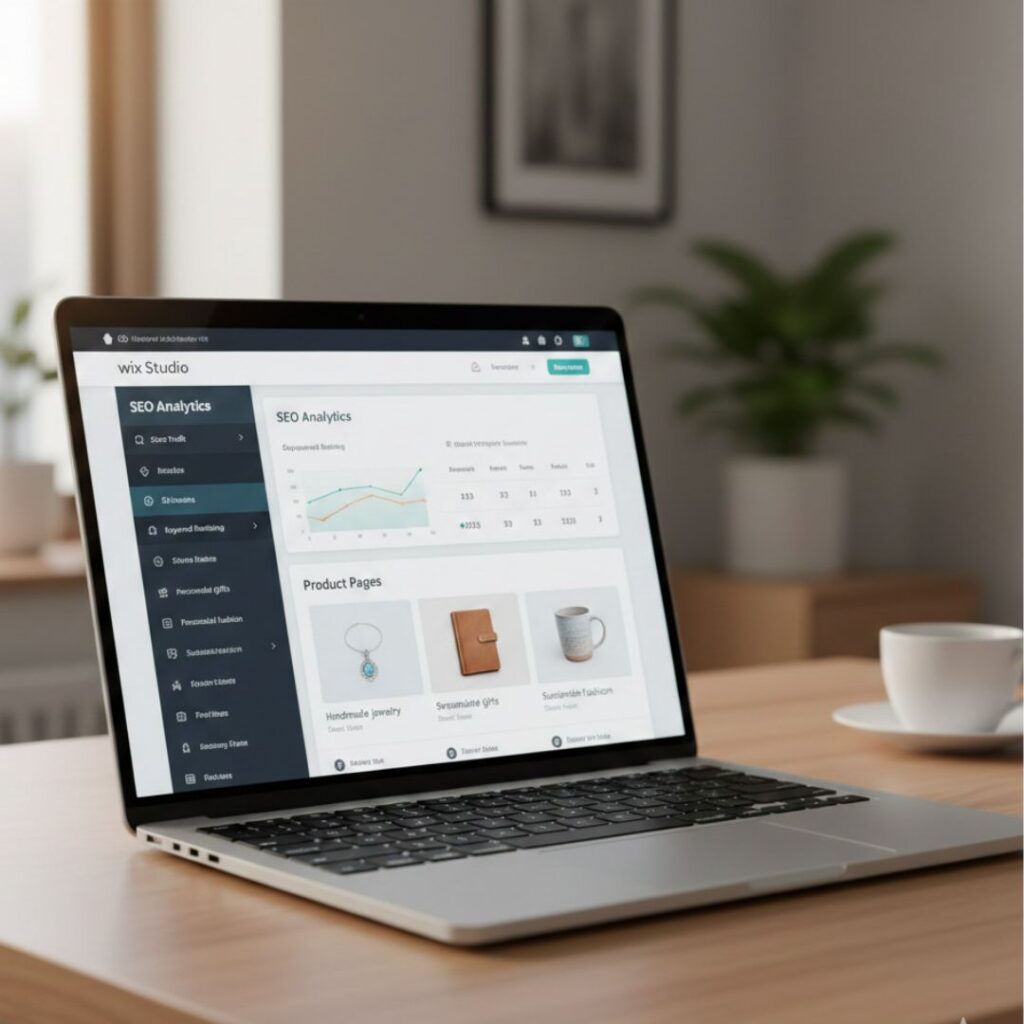
Wix Studio SEO in the AI Era: AI Visibility, ChatGPT Search & Optimization Tips

Wix Studio SEO in the AI Era: How IZMHS Optimizes Websites for ChatGPT & AI Search

SEO has entered a new phase. In 2025 and beyond, ranking on Google alone is no longer enough. With the rise of AI-powered search engines, ChatGPT-style answers, and generative discovery, websites must be optimized for how AI understands, evaluates, and recommends content.

At IZMHS, we specialize in building and optimizing Wix Studio websites that are not only visually powerful but also AI-search ready. This blog explains how Wix Studio fits perfectly into the AI era and how businesses can stay ahead with the right SEO strategy.

Understanding AI-Powered Search

What Is AI Search?

AI-powered search uses machine learning and natural language processing to:

  • Understand user intent

  • Analyze context instead of keywords

  • Generate direct answers instead of links

  • Recommend trusted sources

Unlike traditional search engines, AI systems prefer well-structured, authoritative, and genuinely helpful content.

This means SEO today is about:

  • Depth, not density

  • Clarity, not complexity

  • Authority, not tricks


Why Wix Studio Is Built for the AI Era

Wix Studio is not just a design tool — it’s a professional development platform designed for scalable, high-performance websites.

1. Semantic & Clean Code Structure

AI systems rely heavily on:

  • Proper HTML hierarchy

  • Clear heading structures

  • Logical content flow

Wix Studio automatically produces clean, semantic markup. At IZMHS, we enhance this structure further to ensure AI systems can easily interpret your website’s content.


2. Advanced SEO Controls for Precision Optimization

Wix Studio allows full control over:

  • Meta titles and descriptions

  • URL slugs and redirects

  • Canonical tags

  • Indexing rules

  • Structured data (schema)

IZMHS uses these tools to align your website with AI and search engine standards, not just basic SEO requirements.


3. Performance, Speed & Core Web Vitals

Speed and usability remain crucial ranking and trust signals.

Wix Studio supports:

  • Responsive design

  • Optimized asset loading

  • Strong mobile performance

Our team at IZMHS ensures your website meets Core Web Vitals benchmarks, improving both AI trust and user experience.


How ChatGPT & AI Systems Discover Websites

AI tools do not randomly browse the internet. They rely on:

  • Indexed, high-quality sources

  • Trusted domains

  • Consistent topical authority

  • Clear answers to real questions

To increase AI visibility, your website must:

  • Cover topics comprehensively

  • Use natural, conversational language

  • Provide structured explanations

  • Maintain updated, accurate content

This is why content strategy is central to AI-era SEO.


IZMHS Approach to Wix Studio SEO in the AI Era

At IZMHS, we follow a future-proof SEO framework designed specifically for Wix Studio websites.


1. Human-First, AI-Optimized Content Strategy

We create content that:

  • Educates users

  • Answers real search intent

  • Feels natural and professional

  • Is easy for AI systems to summarize and reference

AI rewards content that genuinely helps people.


2. Topic Clusters & Authority Building

Instead of isolated blog posts, IZMHS builds topic ecosystems, such as:

  • Wix Studio SEO fundamentals

  • AI optimization for Wix websites

  • ChatGPT visibility strategies

  • Wix Studio eCommerce SEO

This approach signals expertise and authority, increasing AI trust over time.


3. Structured Headings & Scannable Layouts

We design content with:

  • One clear H1

  • Logical H2 and H3 sections

  • Question-based headings

  • Short, readable paragraphs

This structure improves:

  • User experience

  • Search rankings

  • AI comprehension


4. FAQ Optimization for AI Answers

FAQs play a critical role in AI discovery.

IZMHS integrates FAQ sections that:

  • Match conversational queries

  • Increase chances of featured snippets

  • Improve AI-generated answers

  • Support voice search visibility


5. Internal Linking & Semantic Relationships

Internal links help AI understand:

  • Content relationships

  • Topic depth

  • Page importance

We strategically link Wix Studio pages to strengthen topical relevance and crawl efficiency.


Common Wix Studio SEO Mistakes in the AI Era

Many businesses struggle with AI visibility due to avoidable mistakes:

❌ Writing generic or thin content
❌ Ignoring structured data
❌ Overusing animations that reduce performance
❌ Poor heading hierarchy
❌ No clear brand authority or expertise signals

IZMHS audits and resolves these issues to unlock full SEO potential.


How IZMHS Helps Businesses Succeed with Wix Studio

IZMHS is a digital agency focused on modern SEO, AI readiness, and scalable growth.

Our Wix Studio SEO services include:

  • AI-focused SEO audits

  • Content strategy & authority planning

  • ChatGPT and AI search optimization

  • Technical SEO and performance optimization

  • Ongoing updates for evolving AI algorithms

We don’t chase short-term rankings — we build long-term digital authority.


The Future of Wix Studio SEO

SEO is evolving rapidly:

  • Keywords → Context

  • Rankings → Visibility

  • Traffic → Trust

  • Search engines → AI assistants

Businesses that adapt now will lead tomorrow’s digital marketplace. Wix Studio, combined with expert execution by IZMHS, is a powerful foundation for future-ready SEO.

FAQ's

1. What is Wix Studio SEO in the AI era?

Wix Studio SEO in the AI era refers to optimizing Wix Studio websites not only for traditional search engines like Google, but also for AI-powered platforms such as ChatGPT, AI search assistants, and generative search results. This approach focuses on content clarity, structured data, performance, and authority rather than just keywords.


2. How does AI-powered search differ from traditional SEO?

Traditional SEO focuses mainly on keyword rankings and backlinks, while AI-powered search prioritizes:

  • User intent and context

  • Content depth and accuracy

  • Structured and well-organized information

  • Trust and expertise signals
    AI systems aim to deliver direct answers, not just links.


3. Can Wix Studio websites appear in ChatGPT and AI search results?

Yes. Wix Studio websites can be referenced by AI tools when they:

  • Are properly indexed

  • Provide high-quality, structured content

  • Demonstrate topical authority
    At IZMHS, we optimize Wix Studio sites specifically to improve their chances of being recognized by AI-powered search systems.


4. Is Wix Studio better than the classic Wix Editor for SEO?

Yes. Wix Studio offers:

  • Cleaner semantic structure

  • Advanced SEO customization

  • Better performance optimization

  • Scalable design systems
    These features make Wix Studio more suitable for AI-era SEO strategies compared to the traditional Wix Editor.


5. How important is content structure for AI visibility?

Content structure is critical. AI systems rely on:

  • Proper heading hierarchy (H1–H3)

  • Clear sections and subtopics

  • Logical content flow
    Well-structured content is easier for AI to understand, summarize, and recommend.

Final Thoughts and Takeaways

The AI era has reshaped how websites are discovered, evaluated, and recommended. Success now depends on clarity, authority, and strategic optimization.

With Wix Studio’s advanced capabilities and IZMHS’s AI-driven SEO expertise, businesses can position themselves at the forefront of AI-powered discovery.

Optimizing today means dominating tomorrow — and Wix Studio SEO in the AI era is the key.
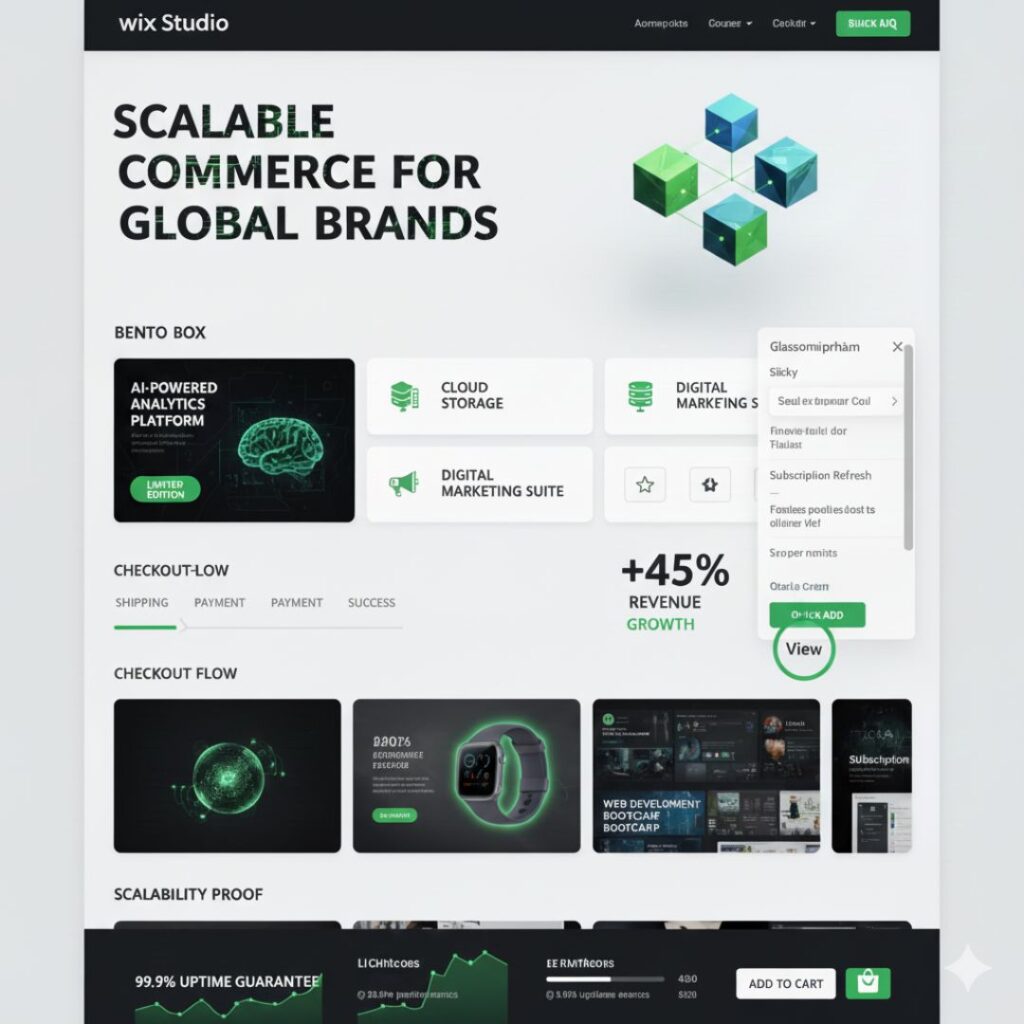
Why Businesses Choose Wix Studio for Their eCommerce Websites

Why Businesses Choose Wix Studio for Their eCommerce Websites

Building an eCommerce website today requires more than just listing products online. Businesses need speed, scalability, SEO optimization, and a seamless user experience. This is where Wix Studio stands out as a powerful platform that simplifies eCommerce website development for brands, startups, and agencies alike.

At IZMHS, we use Wix Studio to design, develop, and scale high-performing eCommerce websites that are not only visually impressive but also optimized for growth and conversions.

Understanding Wix Studio as an eCommerce Platform

Wix Studio is not just an upgrade to traditional Wix—it is a professional-grade platform designed for modern digital experiences. It offers advanced layout systems, responsive controls, and deep customization options, making it ideal for complex eCommerce projects.

Unlike basic website builders, Wix Studio allows businesses to:

  • Build fully custom storefronts

  • Maintain brand consistency across devices

  • Scale features as the business grows

At IZMHS, we use Wix Studio to create tailored eCommerce solutions that align with business goals, user behavior, and industry trends.


1. Advanced Design Freedom for Brand-Focused eCommerce

Design plays a critical role in eCommerce success. A well-designed store builds trust, improves engagement, and increases conversions. Wix Studio provides unmatched design flexibility that allows brands to stand out in crowded markets.

Key design advantages:

  • Fully responsive breakpoints

  • Custom animations and interactions

  • Flexible grid systems

  • Brand-specific layouts and UI elements

IZMHS designs eCommerce websites that reflect a brand’s identity while guiding users smoothly from product discovery to checkout.


2. Powerful Built-In eCommerce Functionality

Wix Studio includes robust eCommerce features that eliminate the need for multiple third-party plugins. This ensures better performance, security, and stability.

Core eCommerce capabilities:

  • Product and inventory management

  • Multiple secure payment gateways

  • Custom product options and variations

  • Shipping, tax, and discount configurations

  • Order tracking and customer management

With IZMHS, businesses get professionally configured eCommerce systems that are optimized for efficiency and future growth.


3. Scalability That Supports Business Growth

As businesses grow, their eCommerce platforms must grow with them. Wix Studio is built to handle increased traffic, expanded product catalogs, and advanced integrations.

Businesses can:

  • Add new features without redesigning the entire site

  • Expand into international markets

  • Manage large inventories efficiently

IZMHS ensures that every Wix Studio eCommerce website is built with scalability in mind—so businesses don’t outgrow their platform.


4. SEO-Optimized Structure for Higher Search Rankings

Visibility is one of the biggest challenges in eCommerce. Wix Studio provides full control over SEO elements, allowing businesses to compete in search engine results.

SEO benefits of Wix Studio:

  • Editable meta titles and descriptions

  • Clean, search-friendly URLs

  • Image optimization and lazy loading

  • Structured data support

  • Fast page speeds

At IZMHS, SEO is integrated into every stage of development, ensuring that eCommerce websites are optimized for organic growth from launch.


5. High Performance and Fast Loading Speeds

Website speed directly impacts user experience and conversion rates. Wix Studio uses modern performance optimization technologies to deliver fast, smooth browsing experiences.

Performance highlights:

  • Optimized asset loading

  • Advanced caching mechanisms

  • Smooth animations without lag

  • Stable performance across devices

IZMHS fine-tunes performance settings to ensure Wix Studio eCommerce websites meet both user expectations and Google performance standards.


6. Seamless Integrations and Automation

Modern eCommerce businesses rely on multiple tools to manage marketing, sales, and operations. Wix Studio supports seamless integration with essential third-party platforms.

Common integrations include:

  • Email marketing tools

  • CRM systems

  • Analytics and tracking tools

  • AI-powered marketing platforms

IZMHS helps businesses automate workflows and connect the right tools, improving efficiency and reducing manual work.


7. Enhanced Security and Reliability

Security is critical for eCommerce websites handling customer data and payments. Wix Studio provides enterprise-level security features, including SSL encryption and secure payment processing.

Businesses benefit from:

  • Secure checkout experiences

  • Regular platform updates

  • Data protection compliance

With IZMHS, security best practices are implemented from day one, ensuring safe and reliable online transactions.


8. Ideal Platform for Agency-Led eCommerce Development

Wix Studio is designed for professional agencies that deliver high-quality digital solutions. This makes it the perfect platform for IZMHS to build conversion-focused eCommerce websites.

Working with IZMHS gives businesses:

  • Strategic planning and consultation

  • Custom UX/UI design

  • SEO-driven development

  • Ongoing optimization and support

Why Businesses Trust IZMHS for Wix Studio eCommerce Projects

IZMHS specializes in building high-performing, SEO-optimized, and scalable eCommerce websites using Wix Studio. Our approach combines design strategy, technical expertise, and business insight to deliver measurable results.

We don’t just build websites—we build digital assets that support long-term growth.

FAQ's

1. What is Wix Studio and how is it different from Wix?

Wix Studio is a professional web development platform designed for agencies and growing businesses. Unlike regular Wix, it offers advanced design flexibility, responsive controls, scalability, and performance features ideal for complex eCommerce websites.


2. Is Wix Studio good for eCommerce websites?

Yes, Wix Studio is an excellent choice for eCommerce websites. It provides built-in eCommerce tools, secure payment options, inventory management, SEO features, and performance optimization, making it suitable for both small and large online stores.


3. Why do businesses prefer Wix Studio over other eCommerce platforms?

Businesses choose Wix Studio because it combines design freedom, scalability, SEO optimization, and ease of management in one platform. It allows brands to create custom, high-converting eCommerce websites without heavy reliance on third-party plugins.


4. Can Wix Studio handle large and scalable eCommerce stores?

Absolutely. Wix Studio is built to support business growth, large product catalogs, high traffic volumes, and advanced integrations, making it a scalable solution for expanding eCommerce businesses.


5. Is Wix Studio SEO-friendly for eCommerce?

Yes, Wix Studio is highly SEO-friendly. It allows full control over meta titles, descriptions, URLs, site structure, and performance optimization, helping eCommerce websites rank better on search engines.

Final Thoughts and Takeaways

Wix Studio has become the go-to platform for businesses seeking professional, scalable, and SEO-friendly eCommerce websites. Its advanced design flexibility, powerful features, strong performance, and seamless integrations make it ideal for modern online businesses.

When paired with expert implementation from IZMHS, Wix Studio becomes a complete eCommerce solution that drives visibility, conversions, and sustainable growth.

How Wix Studio Simplifies eCommerce Website Development

How Wix Studio Simplifies eCommerce Website Development

Building an eCommerce website today requires more than just listing products online. Businesses need speed, scalability, SEO optimization, and a seamless user experience. This is where Wix Studio stands out as a powerful platform that simplifies eCommerce website development for brands, startups, and agencies alike.

At IZMHS, we use Wix Studio to design, develop, and scale high-performing eCommerce websites that are not only visually impressive but also optimized for growth and conversions.

What Is Wix Studio?

Wix Studio is a next-generation web development platform designed for professionals, agencies, and growing businesses. It offers advanced design control, responsive layouts, built-in performance optimization, and powerful eCommerce tools—all without the complexity of traditional development platforms.

For eCommerce website development, Wix Studio eliminates technical barriers while giving full creative freedom.


Why eCommerce Website Development Is Challenging

Traditional eCommerce development often involves:

  • Heavy plugins and third-party tools

  • Technical maintenance and updates

  • Performance and speed issues

  • SEO limitations

  • High development and hosting costs

Wix Studio simplifies this entire process by offering an all-in-one solution.


How Wix Studio Simplifies eCommerce Website Development

1. All-in-One eCommerce Platform

Wix Studio combines hosting, design, development, security, and eCommerce features in one platform. There’s no need to manage multiple tools or plugins.

This allows faster project delivery and fewer technical complications.


2. Advanced Design Freedom Without Coding

With Wix Studio, developers and designers can create:

  • Custom product pages

  • Dynamic layouts

  • Interactive animations

  • Fully responsive designs

All without writing complex backend code.

At IZMHS, this means we can design unique brand-focused eCommerce stores instead of using generic templates.


3. Built-In eCommerce Functionality

Wix Studio includes powerful eCommerce features such as:

  • Product and inventory management

  • Secure checkout

  • Multiple payment gateways

  • Tax and shipping setup

  • Discount codes and promotions

These features are ready out of the box, reducing development time significantly.


4. SEO-Friendly Architecture (Yoast-Optimized)

SEO is critical for eCommerce success. Wix Studio is built with SEO best practices, including:

  • Editable meta titles and descriptions

  • Clean, SEO-friendly URLs

  • Image alt text optimization

  • Structured data (schema)

  • Mobile-first performance

At IZMHS, we implement advanced on-page SEO strategies on top of Wix Studio’s built-in tools to help stores rank higher on Google.


5. Performance and Speed Optimization

Website speed directly impacts conversion rates. Wix Studio automatically optimizes:

  • Hosting performance

  • Image loading

  • Core Web Vitals

  • Mobile responsiveness

This ensures fast-loading eCommerce websites that keep users engaged.


6. Scalability for Growing Online Stores

Whether you’re launching a small online store or scaling to hundreds of products, Wix Studio supports business growth without requiring platform migration.

This makes it ideal for startups and long-term brands.


7. Easy Maintenance and Updates

Unlike traditional platforms, Wix Studio handles:

  • Security updates

  • Hosting management

  • Platform improvements

This allows businesses to focus on sales and marketing instead of technical issues.


How IZMHS Uses Wix Studio for eCommerce Success

At IZMHS, we specialize in building conversion-focused Wix Studio eCommerce websites tailored to business goals.

Our approach includes:

  • Custom eCommerce UI/UX design

  • SEO-optimized product and category pages

  • Speed and performance optimization

  • Mobile-first store development

  • AI-powered workflows and automation

  • Ongoing support and scalability planning

We don’t just build stores—we build growth-ready eCommerce solutions using Wix Studio.


Why Businesses Choose IZMHS for Wix Studio eCommerce

  • Certified Wix Studio expertise

  • SEO-driven development strategy

  • Custom, brand-focused designs

  • Transparent pricing

  • Long-term growth support

By combining Wix Studio’s powerful capabilities with our agency expertise, we deliver eCommerce websites that perform, convert, and scale.

FAQ's

Is Wix Studio good for eCommerce website development?

Yes, Wix Studio is ideal for modern eCommerce websites due to its flexibility, performance, and built-in business tools.

Can Wix Studio handle SEO for online stores?

Absolutely. Wix Studio is SEO-friendly, and when combined with professional SEO strategies, it delivers strong ranking potential.

Is Wix Studio suitable for agencies?

Yes, Wix Studio is designed specifically for agencies managing multiple client projects efficiently.

Does IZMHS provide Wix Studio eCommerce services?

Yes, IZMHS offers complete Wix Studio eCommerce design, development, and SEO services.

Final Thoughts and Takeaways

Wix Studio has transformed the way eCommerce websites are designed and developed. By combining advanced design flexibility, built-in eCommerce functionality, SEO-friendly architecture, and performance optimization, Wix Studio removes many of the technical challenges traditionally associated with online store development.

For businesses looking to launch or scale an online store, Wix Studio offers a future-ready solution that is fast, secure, and easy to manage. When paired with the expertise of a professional agency, its true potential is unlocked.

At IZMHS, we leverage Wix Studio to build high-performing, conversion-focused eCommerce websites that are tailored to business goals. From custom design and SEO optimization to performance tuning and scalability planning, we help brands turn their online stores into powerful revenue-generating platforms.

If you’re looking for a simplified yet professional approach to eCommerce website development, Wix Studio—backed by IZMHS—provides the perfect combination of technology and expertise.

SEO Strategies for Wix Studio eCommerce Stores

SEO Strategies for Wix Studio eCommerce Stores That Actually Work

In today’s competitive digital market, simply launching an eCommerce store is not enough. If your Wix Studio eCommerce store is not optimized for search engines, you are leaving traffic and sales on the table. Wix Studio offers powerful built-in SEO tools, but success depends on how strategically you use them. This guide covers practical SEO strategies that actually work and help your store rank higher, attract the right audience, and convert visitors into customers.

1. Optimize Your Wix Studio Site Structure

Search engines love clean, logical site structures.

Best Practices:

  • Keep your navigation simple and clear

  • Use SEO-friendly URLs (example: /women-leather-jackets)

  • Organize products into well-defined categories

  • Avoid duplicate pages or unnecessary filters

A clean structure improves crawlability and enhances user experience, which directly impacts rankings.


2. Use Wix Studio SEO Settings Properly

Wix Studio provides advanced SEO controls — use them fully.

Key Actions:

  • Customize meta titles and descriptions for every page

  • Enable SEO patterns for product and category pages

  • Optimize heading hierarchy (H1 for page title, H2/H3 for sections)

  • Turn on indexing for important pages only

These settings ensure search engines understand your content correctly.


3. Keyword Research Focused on Buyer Intent

Ranking is not just about traffic — it’s about relevant traffic.

Effective Keyword Strategy:

  • Use long-tail keywords (e.g., “handmade leather jackets for women”)

  • Target commercial and transactional keywords

  • Include keywords naturally in titles, descriptions, and content

  • Avoid keyword stuffing

Buyer-intent keywords bring visitors who are ready to purchase.


4. Optimize Product Pages for SEO & Conversions

Product pages are the backbone of your Wix Studio eCommerce store.

Must-Have Optimizations:

  • Unique product descriptions (avoid manufacturer copy)

  • Keyword-rich but natural product titles

  • Optimized image alt text

  • Clear pricing, reviews, and FAQs

  • Internal links to related products

Well-optimized product pages rank higher and convert better.


5. Improve Site Speed & Performance

Page speed is a confirmed Google ranking factor.

Speed Optimization Tips:

  • Compress images before uploading

  • Use modern image formats

  • Avoid unnecessary animations

  • Limit third-party apps

A faster site improves SEO, user experience, and sales.


6. Mobile Optimization Is Non-Negotiable

Google uses mobile-first indexing.

Ensure That:

  • Your Wix Studio design is fully responsive

  • Buttons are easy to tap

  • Text is readable on small screens

  • Checkout process is mobile-friendly

A poor mobile experience will hurt both rankings and revenue.


7. Content Marketing for Long-Term SEO Growth

Blogs attract organic traffic and build authority.

Content Ideas for Wix Studio eCommerce:

  • Buying guides

  • Product comparisons

  • Industry trends

  • How-to tutorials

  • Seasonal shopping tips

Well-written content helps your store rank for informational keywords and nurtures buyers.


8. Leverage AI & Wix SEO Tools

Wix Studio integrates AI-powered SEO features.

Use AI to:

  • Generate optimized meta tags

  • Improve content readability

  • Analyze SEO gaps

  • Track performance trends

AI helps you scale SEO faster and smarter.


9. Build Quality Backlinks

Backlinks remain a strong ranking signal.

Ways to Earn Backlinks:

  • Guest blogging

  • Partner collaborations

  • Publishing original research or guides

  • Submitting to business directories

Quality backlinks increase your domain authority and visibility.


10. Track, Measure, and Improve

SEO is not a one-time task.

Monitor Using:

  • Google Search Console

  • Wix Analytics

  • Keyword ranking tools

Regular analysis helps you refine your strategy and stay ahead of competitors.

FAQ's

1. Is Wix Studio good for eCommerce SEO?

Yes, Wix Studio is highly effective for eCommerce SEO. It offers advanced SEO settings, clean site architecture, customizable meta tags, and built-in performance optimization tools.

2. How long does SEO take to work for a Wix Studio eCommerce store?

SEO typically takes between 3 to 6 months to show measurable results, depending on competition, keyword difficulty, and content consistency.

3. Can Wix Studio stores rank on the first page of Google?

Yes, Wix Studio eCommerce stores can rank on the first page of Google when proper SEO strategies, quality content, and performance optimization are applied.

4. Do product pages need separate SEO optimization in Wix Studio?

Absolutely. Each product page should have unique titles, descriptions, keywords, optimized images, and internal links to perform well in search results.

5. Is blogging important for Wix Studio eCommerce SEO?

Yes, blogging helps attract organic traffic, build authority, and support keyword rankings for product and category pages.

Final Thoughts and Takeaways

SEO for Wix Studio eCommerce stores works best when it’s strategic, consistent, and user-focused. By optimizing your site structure, content, speed, and product pages — and leveraging Wix Studio’s powerful SEO tools — you can achieve sustainable rankings and real sales growth. Start implementing these strategies today to future-proof your online store.

Common eCommerce Mistakes Wix Studio Store Owners Make

Common eCommerce Mistakes Wix Studio Store Owners Make

Running an online store with Wix Studio gives you powerful design freedom, advanced performance tools, and built-in marketing features. However, many store owners fail to unlock its full potential because of avoidable mistakes. These issues don’t just affect design — they directly impact traffic, conversions, SEO rankings, and sales.

In this guide, we’ll break down the most common eCommerce mistakes Wix Studio store owners make and show you exactly how to fix them so your store can grow faster, rank higher, and convert better in 2025.

Ignoring SEO Setup from Day One

One of the biggest mistakes Wix Studio store owners make is launching their store without a proper SEO foundation. Many assume Wix automatically handles SEO completely, but while Wix Studio provides strong tools, they still need to be configured correctly.

Without optimized meta titles, descriptions, structured URLs, and indexable pages, your products struggle to appear in search results. This leads to low organic traffic and heavy reliance on paid ads.

How to fix it:
Use Wix Studio’s SEO Settings to customize meta titles and descriptions for every product, collection, and page. Ensure your URLs are clean and keyword-focused. Submit your sitemap to Google Search Console and enable automatic indexing. Focus on optimizing for the Common eCommerce Mistakes Wix Studio Store Owners Make keyword naturally across your content.


Poor Product Page Optimization

Many Wix Studio stores fail because product pages are treated like simple catalogs instead of sales pages. Thin descriptions, missing keywords, low-quality images, and no trust signals significantly reduce conversions.

Google also prioritizes content-rich product pages, so weak descriptions hurt both SEO and sales.

How to fix it:
Write detailed, benefit-focused product descriptions that naturally include your focus keyword and related search terms. Use high-resolution images, lifestyle photos, and videos where possible. Add FAQs, reviews, and clear return policies to build trust and improve dwell time.


Overusing Heavy Animations and Effects

Wix Studio allows advanced animations and interactions, but excessive use can slow down your store and confuse users. Many store owners prioritize visual effects over usability, which negatively affects page speed and mobile experience.

Slow-loading pages increase bounce rates and reduce rankings on Google.

How to fix it:
Use animations purposefully. Optimize images, reduce unnecessary transitions, and test your site using Wix’s performance tools. Focus on fast load times, smooth scrolling, and clear navigation rather than visual overload.


Not Optimizing for Mobile Users

A large portion of eCommerce traffic comes from mobile devices, yet many Wix Studio store owners design primarily for desktop. This results in broken layouts, unreadable text, and difficult checkout experiences on mobile.

Google also uses mobile-first indexing, meaning poor mobile performance hurts SEO directly.

How to fix it:
Use Wix Studio’s responsive design controls to optimize every breakpoint. Test your store on multiple devices and screen sizes. Ensure buttons are tappable, text is readable, and checkout flows smoothly on mobile.


Complicated Checkout Process

Another common mistake is adding unnecessary steps, fields, or distractions during checkout. A complex checkout process leads to cart abandonment and lost revenue.

Customers expect fast, frictionless purchasing — anything that slows them down costs you sales.

How to fix it:
Enable guest checkout, minimize form fields, and clearly display shipping costs and delivery timelines. Use trust badges, secure payment icons, and a clean checkout layout to reassure buyers and increase completion rates.


Neglecting Wix Marketing Tools

Many store owners build their store but never take advantage of Wix’s built-in marketing tools. Ignoring email automation, abandoned cart recovery, and CRM features leaves money on the table.

These tools are designed specifically to increase retention and repeat purchases.

How to fix it:
Set up abandoned cart emails, automated follow-ups, and promotional campaigns using Wix Marketing Tools. Segment your audience and personalize offers to boost conversions without increasing ad spend.


Weak Internal Linking and Site Structure

Poor site structure makes it harder for users and search engines to navigate your store. Many Wix Studio stores lack proper internal linking between products, collections, and blogs.

This reduces crawlability and weakens SEO authority.

How to fix it:
Create logical categories, link related products, and connect blog content to relevant collections. Strong internal linking improves SEO and keeps users engaged longer.


Not Tracking Performance and Analytics

Some store owners rely on guesswork instead of data. Without tracking traffic, conversions, and user behavior, it’s impossible to identify what’s working and what’s not.

This leads to repeated mistakes and slow growth.

How to fix it:
Connect Google Analytics, Google Search Console, and Wix Analytics. Monitor conversion rates, bounce rates, and keyword performance regularly. Use this data to continuously optimize your store.

FAQ's

What is the most common mistake Wix Studio eCommerce store owners make?

The most common mistake is ignoring SEO setup during the early stages. Many Wix Studio store owners rely on default settings and fail to optimize meta titles, descriptions, URLs, and product content, which limits organic traffic and visibility.


Does Wix Studio support SEO for eCommerce stores?

Yes, Wix Studio offers strong built-in SEO tools for eCommerce stores, including customizable meta tags, SEO patterns, structured data, and Google Search Console integration. However, these tools must be configured correctly to achieve real results.


Why do Wix Studio stores struggle with low conversion rates?

Low conversion rates often occur due to poor product page optimization, slow page speed, weak trust signals, and complicated checkout processes. These issues create friction for users and reduce buyer confidence.


How can I improve product page SEO on Wix Studio?

You can improve product page SEO by writing detailed, keyword-rich descriptions, optimizing image alt text, adding FAQs and reviews, and ensuring fast load times. Internal linking between related products and collections also helps boost rankings.


Is Wix Studio good for mobile eCommerce?

Yes, Wix Studio is excellent for mobile eCommerce, but only if responsive settings are properly configured. Many store owners fail to optimize layouts for mobile breakpoints, which negatively impacts user experience and search rankings.

Final Thoughts and Takeaways

Avoiding these Common eCommerce Mistakes Wix Studio Store Owners Make can dramatically improve your store’s performance, visibility, and revenue. Wix Studio is a powerful platform, but success depends on how strategically you use it.

By focusing on SEO, performance, mobile optimization, and smart marketing automation, you can turn your Wix Studio store into a scalable and high-converting eCommerce business in 2025.

Wix Studio for Small Business Storytelling & Design

Introduction to Wix Studio for Small Businesses

Every small business has a story. But in today’s digital world, telling that story clearly—and visually—is what separates successful brands from the rest. This is where Wix Studio steps in. Designed for creators, agencies, and business owners, it offers powerful tools that transform ordinary websites into story-driven digital experiences.

Why Storytelling Matters for Small Brands

Storytelling helps:

  • Build emotional connection

  • Increase customer trust

  • Create a memorable brand experience

  • Influence buying decisions

People don’t just buy products—they buy the stories behind them. And Wix Studio makes those stories shine.

The Shift from Traditional Websites to Story-Driven Experiences

Modern users don’t want static, boring web pages. They want:

  • Flow-based experiences

  • Personalized journeys

  • Dynamic visuals

  • Interactive elements

Wix Studio supports all of these with ease.


How Wix Studio Helps Small Businesses Tell Their Story

Flexible, Fully Customizable Design System

Unlike traditional builders, Wix Studio comes with:

  • Responsive design controls

  • Layout precision tools

  • Advanced grid systems

  • Custom breakpoints

This flexibility allows businesses to present their story exactly how they envision it.

Advanced Layouts for Narrative-Driven Pages

Wix Studio supports:

  • Scroll-based storytelling

  • Section reveals

  • Parallax animations

  • Pinning and layered effects

These help guide visitors through a structured journey.

Visual Tools That Enhance Emotional Connection

Small businesses can add:

  • Image carousels

  • Cinematic videos

  • Custom illustrations

  • Interactive infographics

These elements keep visitors engaged and emotionally connected.


Key Features in Wix Studio That Strengthen Brand Storytelling

Responsive Design for Multi-Device Story Delivery

Your story must look perfect on:

  • Desktop

  • Tablet

  • Mobile

Wix Studio allows granular control on all devices to maintain storytelling flow.

Built-in Animations for Immersive Experiences

You can animate:

  • Images

  • Headings

  • Sections

  • Buttons

Animations help emphasize key story points without overwhelming users.

AI-Driven Content & Design Support

Wix AI assists with:

  • Text creation

  • Design suggestions

  • Page layouts

  • SEO recommendations

This helps beginners tell their story more professionally.

Integrated Media Tools

Wix Studio supports:

  • High-quality galleries

  • Video backgrounds

  • Scroll-triggered effects

  • Audio integrations

Perfect for brands that depend on visuals.


Storytelling Through User Experience (UX) on Wix Studio

Crafting Intuitive Navigation Paths

UX decisions shape your narrative. Clean menus and clear CTAs help users follow the story.

Flow-Based Journeys That Guide Customers

You can create:

  • Product journeys

  • Brand story timelines

  • Immersive landing pages

These convert storytelling into conversions.

Using Micro-Interactions to Create a Personal Touch

Tiny animations like button hover effects or scroll cues make users feel connected to your brand.


Design Elements That Empower Small Business Stories

Color Psychology and Brand Identity

Colors trigger emotions:

  • Blue = Trust

  • Red = Passion

  • Green = Growth

Wix Studio’s color tools help keep branding consistent.

Typography Choices That Speak Your Brand’s Voice

Professional fonts influence:

  • Tone

  • Readability

  • Perception

Wix Studio includes hundreds of high-quality font options.

Visual Hierarchy That Guides Attention

Proper spacing, headings, and layout help readers understand your story in the right order.


Real Benefits for Small Businesses Using Wix Studio

Building Trust and Credibility

A visually polished website reflects a credible brand.

Improving User Engagement and On-Site Time

Story-driven experiences keep users scrolling longer.

Higher Conversions via Emotional Design

People buy when they feel connected. Storytelling bridges that gap.


SEO Advantages for Storytelling Websites Built on Wix Studio

Structured Data and SEO Tools

Wix Studio includes:

  • SEO Wiz

  • Schema markup

  • Meta tag control

  • Image optimization

Faster Page Speed

Lightweight code and optimized elements help improve ranking.

Mobile-First Optimization

Crucial for today’s search engine standards.


How Small Businesses Can Build Their Story on Wix Studio

1. Identify What Makes Your Brand Unique

Clarify your:

  • Mission

  • Purpose

  • Values

2. Organize Your Story into a Website Structure

Suggested pages:

  • Home

  • About

  • Services

  • Story

  • Testimonials

  • Blog

3. Use Visuals to Support Your Narrative

Add:

  • Founder photos

  • Team videos

  • Behind-the-scenes imagery

4. Optimize Content for Search Intent

Use keywords your audience is searching for.


Examples of Storytelling Sections to Add in a Wix Studio Website

The Founder’s Story

Share how and why your business started.

Behind-the-Scenes Content

Show your process and workspace.

Customer Success Stories

Testimonials deepen credibility.

Mission, Vision & Values

Explain what drives your business.

FAQ's

1. Why is storytelling important for small business websites?

It helps build emotional connections and strengthens brand trust.

2. Is Wix Studio good for beginners?

Yes, with its AI tools and intuitive interface, beginners can build professional websites easily.

3. Can I improve SEO using Wix Studio?

Absolutely—Wix Studio offers advanced SEO tools, fast hosting, and structured data integration.

4. How does design help with storytelling?

Colors, typography, visuals, and layout all guide how your story is understood.

5. What kind of businesses benefit most from Wix Studio?

Ecommerce brands, service-based businesses, personal brands, and creative businesses.

Final Thoughts and Takeaways

Wix Studio empowers small businesses to share their story in a compelling, visually engaging way. Through modern design tools, intuitive UX features, and SEO-friendly performance, any business—no matter its size—can build a meaningful digital presence. When your brand story is told right, trust grows, engagement increases, and conversions naturally follow.

AI-Powered Chat & Automation: The 2025 Trend for Wix Studio Websites

AI-Powered Chat & Automation: The 2025 Trend for Wix Studio Websites

In 2025, the way businesses connect with customers online has completely changed. With the rise of AI chat for Wix Studio websites, brands are moving beyond static designs — they’re creating smart, interactive experiences that engage visitors 24/7. This trend isn’t just popular; it’s shaping the future of web design and user interaction in the U.S. market.

Why AI Chat is Trending in Wix Studio

Wix Studio is already known for giving creators full design control and advanced performance. But now, AI-powered chat tools are taking center stage.
Here’s why they’re trending:

  • Instant Support: Users get quick answers without waiting for human help.

  • Lead Generation: Smart chatbots automatically capture user details for sales teams.

  • Personalized Experience: AI learns from visitor behavior and responds accordingly.

  • 24/7 Availability: Businesses never miss a potential customer — day or night.

With tools like Wix AI Site Chat, small businesses can now deliver enterprise-level support with just a few clicks.

Benefits of AI Chat Integration in Wix Studio

  1. Higher Engagement: Visitors stay longer when they can interact with your site.
  2. Improved Conversion Rates: Chatbots guide users to take actions like booking, buying, or subscribing.
  3. Lower Workload: Automate FAQs and basic support tasks.
  4. Better Insights: Track what customers ask most and improve your offerings.

Whether you’re a freelancer or agency, adding AI chat for Wix Studio websites can instantly boost your project’s value and attract modern clients.

How to Add AI Chat in Wix Studio

Adding an AI chatbot is simple:

  1. Go to the Wix App Market and open the Trending Now section.
  2. Search for AI Chat or Wix AI Site Chat.
  3. Click Add to Site and customize your chat style, greeting, and responses.
  4. Connect it with tools like email, CRM, or analytics for automation.

You can personalize every part of the chatbot — tone, script, and behavior — to match your brand vibe.


Why Freelancers Should Offer AI Chat Setup Services

If you’re a web designer or developer using Wix Studio, this trend is a goldmine.
Businesses are actively looking for professionals who can set up, style, and automate AI chat on their websites.
Offering an “AI Chat Setup Service” can make you stand out on Fiverr, Upwork, or even Wix Marketplace.


Future of AI Automation in Web Design

As AI continues to evolve, automation will become a standard part of every modern website. From chat to email sequences, personalization will define online success. Wix Studio developers who adapt early will lead the new wave of smart web experiences.

FAQ's

1. What is AI chat in Wix Studio?

AI chat in Wix Studio refers to intelligent chatbots that use artificial intelligence to communicate with website visitors. These bots can answer questions, guide users, and even collect leads — all without human help.


2. Why is AI chat trending on Wix Studio in 2025?

Because U.S. businesses are focusing on automation and customer experience. AI chat helps websites engage visitors 24/7, reduce support costs, and boost conversions — making it a must-have feature in 2025.


3. How do I add AI chat to my Wix Studio website?

You can install it directly from the Wix App Market. Go to Trending Now → choose Wix AI Site Chat → click Add to Site → customize your chat design and responses.


4. Can I customize the chatbot design and messages?

Yes! Wix Studio allows full customization — you can change the chatbot’s color, tone, greeting, and automated responses to match your brand’s style and voice.


5. Does AI chat help increase website sales?

Absolutely. AI chat guides visitors through the buying journey, recommends products, and answers questions instantly. This helps convert more visitors into paying customers.

Final Thoughts and Takeaways

The demand for AI chat for Wix Studio websites is growing rapidly in 2025. Whether you run a small business or design websites for clients, integrating AI chat and automation is the easiest way to boost engagement, improve conversions, and stay ahead in the competitive digital space.

Now is the time to embrace this trend — and turn your Wix Studio projects into smart, AI-driven experiences.

Why U.S. Freelancers Choose Wix Studio for Client Projects

Why U.S. Freelancers Are Switching to Wix Studio for Client Projects

The freelance web design industry in the U.S. is evolving rapidly, and Wix Studio has emerged as one of the most talked-about platforms in 2025. Built specifically for designers, developers, and digital agencies, Wix Studio provides freelancers with advanced tools that simplify client management, boost productivity, and improve overall project quality.

So, what’s behind this major shift? Let’s dive into the reasons why U.S. freelancers are switching to Wix Studio for client projects.

Tailored for Professional Freelancers

Unlike the traditional Wix editor, Wix Studio is designed with professionals in mind. It offers:

  • A flexible drag-and-drop builder with pixel-perfect precision

  • Custom responsive layouts for different screen sizes

  • Reusable design libraries to save time across multiple projects

Freelancers love that it combines the simplicity of Wix with the control and customization needed for professional-grade websites.

Advanced AI Tools That Save Time

Wix Studio’s AI-powered tools are a game changer. Freelancers can now:

  • Generate smart layouts and wireframes instantly

  • Auto-create blog content or SEO descriptions

  • Use AI design suggestions to enhance visual appeal

This reduces manual work, allowing freelancers to complete projects up to 50% faster and take on more clients — increasing income without increasing hours.

Seamless Collaboration with Clients

  • Wix Studio offers built-in collaboration features that simplify communication:

    • Clients can leave live comments directly on the design

    • Real-time edits keep everyone on the same page

    • Shared dashboards make it easy to track progress

    For U.S. freelancers handling multiple clients, this collaboration system reduces revisions and misunderstandings, leading to happier customers.

All-in-One Workflow Management

Freelancers no longer need to juggle multiple tools for project management, billing, and hosting. Wix Studio combines it all:

  • Project tracking and timelines

  • Invoicing and payments

  • Domain management and site publishing

This centralized setup streamlines business operations — perfect for solo freelancers who manage everything themselves.

Strong SEO and Marketing Features

SEO remains crucial for clients, and Wix Studio provides built-in optimization tools:

  • Automatic schema markup

  • Custom meta tags for each page

  • Fast loading and mobile optimization

These features help freelancers deliver SEO-ready websites that rank higher on Google, adding more value to their client projects.

Premium Performance for Enterprise Clients

For freelancers targeting larger businesses, Wix Studio scales beautifully:

  • Enhanced site speed and performance

  • API integrations and custom code options

  • Enterprise-level security and hosting reliability

This means freelancers can confidently pitch to high-paying corporate clients, expanding their business opportunities.

A Growing U.S. Community of Freelancers

The Wix Studio community in the U.S. is rapidly growing. Through forums, webinars, and online groups, freelancers share templates, client tips, and workflows.
This sense of support and collaboration helps new freelancers learn faster and establish stronger portfolios.

Better Earnings and Client Retention

By delivering faster results and higher-quality websites, freelancers using Wix Studio report increased client satisfaction and repeat business.
More clients mean steady income, and the ability to scale services makes Wix Studio an essential platform for 2025 freelancers.

FAQ's

1. What is Wix Studio?

Wix Studio is a next-generation website creation platform by Wix, designed specifically for professional freelancers, agencies, and developers. It combines advanced design flexibility, AI tools, and team collaboration features for managing multiple client projects efficiently.


2. Why are freelancers switching to Wix Studio?

Freelancers are switching to Wix Studio because it saves time with AI automation, offers professional design tools, supports team collaboration, and provides built-in SEO and performance features — all in one place.


3. Is Wix Studio better than the regular Wix Editor?

Yes. While the regular Wix Editor is great for beginners, Wix Studio is built for professionals. It offers more control over responsive design, reusable assets, client collaboration tools, and workflow automation.


4. Can I use custom code in Wix Studio?

Absolutely. Wix Studio allows developers and freelancers to add custom code, APIs, and integrations, giving full creative and technical freedom to build advanced, dynamic websites.


5. How does Wix Studio help with SEO?

Wix Studio comes with built-in SEO optimization tools, including meta tags, schema markup, mobile optimization, and fast-loading pages — helping your clients rank higher on Google and other search engines.

Final Thoughts and Takeaways

Wix Studio has become the go-to choice for U.S. freelancers looking to grow their businesses, streamline workflows, and impress clients.
With AI-driven tools, built-in collaboration, and enterprise-ready performance, it’s not just another builder — it’s a full professional ecosystem.

If you’re a freelancer aiming to stay competitive in 2025, it’s time to explore Wix Studio for Freelancers and see how it can transform your client projects.

Maximizing SEO with Wix Studio: A Comprehensive Guide

Maximizing SEO with Wix Studio: A Comprehensive Guide

Discover how to leverage Wix Studio’s robust SEO tools to enhance your website’s visibility and ranking on search engines. This comprehensive guide will walk you through everything you need to know about Wix Studio SEO.

Conclusion:

  • Understanding Wix Studio SEO Features: Learn about the built-in SEO tools available in Wix Studio.
  • Keyword Optimization: Tips on how to find and use the right keywords for your website.
  • Meta Tags and Descriptions: How to effectively use meta tags and descriptions to improve search engine visibility.
  • Content Optimization: Best practices for creating SEO-friendly content.
  • Mobile Optimization: Ensuring your site is mobile-friendly for better SEO performance.
  • Using Analytics: Track and improve your SEO efforts with Wix Analytics.

Conclusion:

Implement these strategies to maximize your SEO potential with Wix Studio and drive more organic traffic to your website.