How AI Tools in Wix Studio Are Transforming eCommerce Website Design

How AI Tools in Wix Studio Are Revolutionizing eCommerce Website Design

In the digital era, eCommerce businesses need more than just a website—they need a platform that seamlessly combines design, functionality, and user experience. Customers today expect websites that are visually stunning, easy to navigate, fast-loading, and responsive across all devices, whether desktop, tablet, or mobile. A website that fails to deliver on these expectations can quickly lose potential customers to competitors. This is where Wix Studio stands out as a game-changing platform. By integrating advanced AI-powered tools, Wix Studio enables businesses of all sizes to create professional, high-performing online stores without the need for extensive technical knowledge or expensive development teams. From automating layouts and content creation to optimizing SEO and personalizing the shopping experience, Wix Studio’s AI capabilities empower businesses to not only build websites faster but also to enhance customer engagement, improve conversion rates, and ultimately drive sustainable growth in a highly competitive digital marketplace.

1. AI-Powered Website Design for eCommerce

Traditionally, creating a professional online store required coding knowledge, hiring developers, or using pre-made templates that were often generic. Wix Studio’s AI tools simplify this by generating customized website layouts based on your brand identity, products, and business goals.

  • AI automatically chooses color schemes, typography, and page layouts optimized for conversions.

  • The websites are fully responsive, ensuring seamless browsing on desktops, tablets, and mobiles.

  • This automation reduces design time dramatically and allows entrepreneurs to focus on business growth instead of technical details.


2. Personalized Shopping Experience Using AI

AI in Wix Studio is not just about design—it’s about creating user-centered experiences.

  • By analyzing customer behavior, purchase history, and browsing patterns, AI can deliver personalized product recommendations.

  • Dynamic content like special offers, promotions, and product suggestions is shown to each visitor individually.

  • Personalization increases engagement, boosts sales, and encourages repeat purchases.


3. Automated Content Generation

Creating quality content for products, blogs, and marketing campaigns is time-consuming. Wix Studio’s AI tools automate this:

  • Generate product descriptions optimized for SEO.

  • Create blog posts or marketing content tailored to your audience.

  • Update content automatically, keeping your website fresh and relevant.

This automation allows business owners to save time and maintain consistent brand messaging.


4. AI-Driven SEO Optimization

Search engine visibility is critical for eCommerce success. Wix Studio AI tools enhance SEO by:

  • Suggesting targeted keywords based on your niche.

  • Optimizing meta titles, descriptions, and alt texts for images.

  • Providing insights to improve website structure and page speed.

With AI-powered SEO, your store reaches the right audience and drives more organic traffic, improving sales potential.


5. Smart Real-Time Design Assistance

AI tools in Wix Studio also act as design assistants:

  • Offer real-time layout suggestions.

  • Recommend color palettes, typography, and spacing adjustments.

  • Ensure design is consistent, professional, and visually appealing.

This feature ensures that every element of your website is optimized for usability and conversions.


6. Faster Website Development and Launch

Time-to-market is crucial in eCommerce. AI-driven automation in Wix Studio speeds up the entire process:

  • Automated layouts and content generation reduce development time.

  • SEO optimization and responsive design are handled automatically.

  • Businesses can launch their online stores quickly and focus on marketing and sales.


7. Data-Driven Insights

AI in Wix Studio also provides actionable analytics:

  • Track customer behavior, sales trends, and website performance.

  • Receive suggestions for improving UX, marketing, and design.

  • Make informed decisions that drive growth and enhance customer satisfaction.


8. Scalability and Flexibility

As your business grows, Wix Studio’s AI tools adapt:

  • Add new products or pages, and AI optimizes layouts automatically.

  • Maintain a cohesive, user-friendly website without redesigning everything.

  • Easily expand functionality with AI-powered features, ensuring your store grows with your business.


9. Cost-Effective Solution for Businesses

AI tools in Wix Studio eliminate the need for large development teams or expensive software.

  • Save money on hiring designers or content creators.

  • Reduce marketing costs by leveraging AI-generated content and SEO optimization.

  • Achieve professional-level results without significant investment.

FAQ's

Q1: What is Wix Studio AI?

A: Wix Studio AI is a set of intelligent tools integrated into the Wix Studio platform, helping businesses design websites, create content, optimize SEO, and deliver personalized experiences automatically.

Q2: Can I create an eCommerce website without coding using Wix Studio AI?

A: Yes! Wix Studio AI allows you to build fully functional, responsive, and professional online stores without any coding knowledge.

Q3: How does AI improve user experience on my eCommerce store?

A: AI analyzes customer behavior and purchase patterns to offer personalized recommendations, promotions, and content, enhancing engagement and increasing conversions.

Q4: Will Wix Studio AI help with SEO for my online store?

A: Absolutely. Wix Studio AI optimizes meta titles, descriptions, keywords, alt texts, and website structure, helping your store rank higher in search results.

Q5: Is Wix Studio AI suitable for small businesses?

A: Yes. It’s cost-effective, easy to use, and scalable, making it perfect for startups and small businesses that want a professional online presence.

Final Thoughts and Takeaways

AI tools in Wix Studio are not just a convenience—they are a game-changer for eCommerce website design. From automated layouts and content creation to personalized experiences and SEO optimization, AI empowers businesses to create professional, high-converting online stores effortlessly. By leveraging these tools, entrepreneurs can focus on growing their business, improving customer engagement, and staying ahead of the competition in today’s competitive digital marketplace.

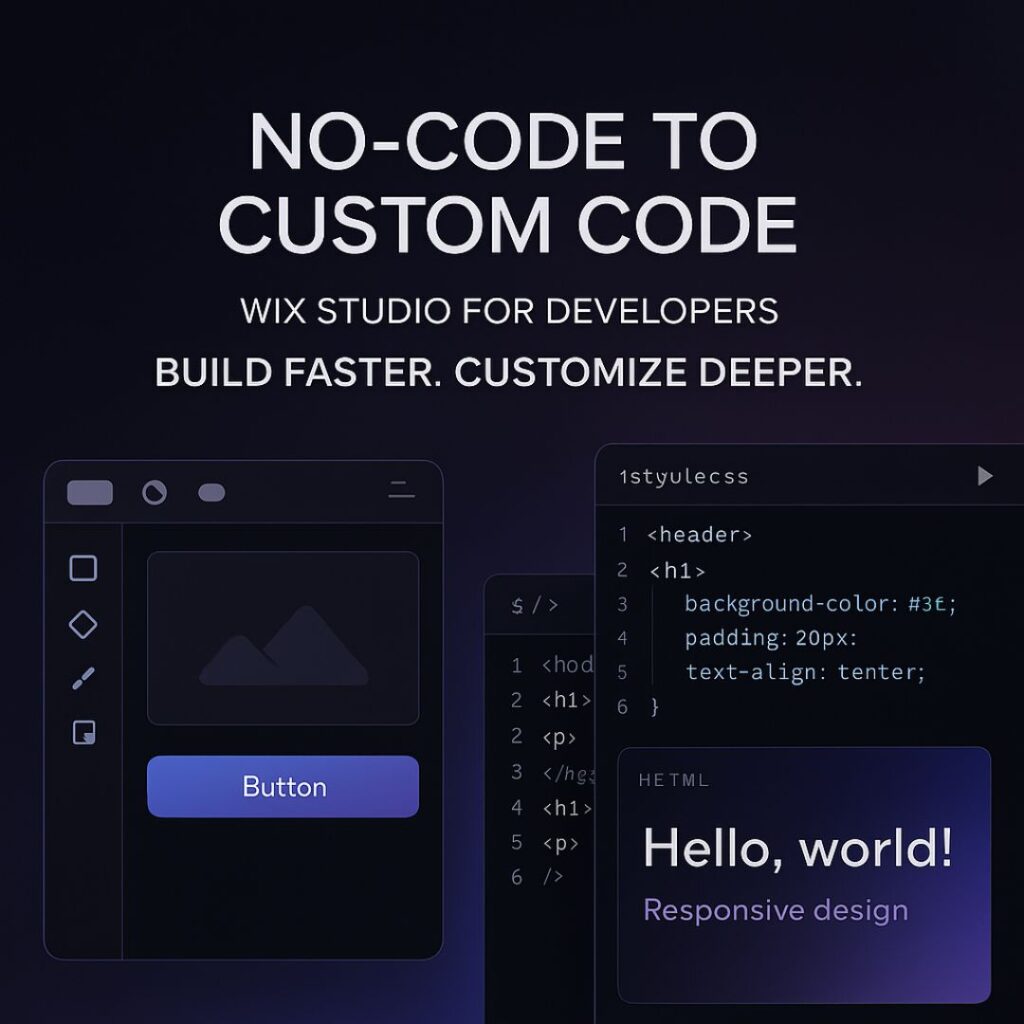
From No-Code to Custom Code: How Developers Can Fully Leverage Wix Studio

From No-Code to Custom Code: How to Leverage Wix Studio as a Developer

Wix Studio has rapidly evolved from a simple, drag-and-drop website builder into a powerful, developer-friendly platform that blends no-code convenience with custom code freedom. In 2025, it stands as one of the most balanced tools for developers who want speed, flexibility, scalability, and design control—all in one place.

Whether you’re a front-end developer, a full-stack developer, or a freelancer working with clients, Wix Studio helps you build websites faster while still allowing deep customization through CSS, JavaScript, APIs, and advanced integrations.

In this blog, we’ll explore how you can take a project from no-code simplicity to full custom-coded power using Wix Studio.

1. Why Wix Studio Is Perfect for Developers

Wix Studio is designed specially for professionals. It offers:

  • Full responsive design tools

  • Ability to add custom CSS

  • No-code animations

  • Integrated Wix CMS

  • Component-based design

  • Reusable layouts

  • Built-in business tools (eCommerce, bookings, events)

  • Developer-friendly workflows through Velo

This makes it ideal for developers who want to build fast without losing control.


2. Start With No-Code: Build Structure, Layout, and Visual Foundation

The no-code tools in Wix Studio are not “basic” — they are powerful and save hours of development time.

What you can do with no-code:

  • Create perfect responsive layouts with built-in breakpoints

  • Use modern sections (sticky, scroll effects, pinned elements)

  • Add animations without writing JS

  • Build mobile, tablet, and desktop variations

  • Use design libraries to keep branding consistent

This allows you to set up the entire visual foundation of the website quickly.

Instead of manually coding everything from scratch, you can focus your energy on the elements that truly need customization.


3. Add Custom CSS for Pixel-Perfect Design Control

Developers can go beyond presets by injecting CSS directly into Wix Studio.

Use cases of custom CSS:

  • Creating unique hover effects

  • Designing complex gradients

  • Customizing buttons, cards, and layouts

  • Adding dark mode styling

  • Fine-tuning animations

  • Improving typography and spacing

  • Overriding default Wix limitations

With CSS, your designs look premium, polished, and professional.


4. Use Velo (Wix’s Developer Tooling) for Advanced Logic

Velo allows you to add JavaScript and custom backend logic.

What you can build using Velo:

  • Dynamic pages pulling data from a CMS

  • Custom forms with validation

  • API integrations (payment gateways, CRMs, AI APIs, etc.)

  • Fetching external data with HTTP functions

  • Building user dashboards

  • Automated workflows and backend jobs

  • Connecting databases or creating your own collections

This is where Wix Studio becomes extremely powerful — it’s not just visual design, it’s full web application development inside one platform.


5. Integrate Third-Party APIs to Extend Functionality

For developers, API integration is essential.
Wix Studio + Velo allows:

  • Payment integrations

  • AI tools

  • Marketing automation

  • CRM tools

  • Custom analytics

  • Product databases

  • Shipping + logistics APIs

  • Social media interactions

You can turn a simple Wix site into a complete web platform using APIs.


6. Build Reusable Components to Speed Up Future Projects

One underrated feature in Wix Studio is Reusable Components.

You can create a design element once and re-use it across multiple pages or multiple client projects.
This saves time and maintains consistency.

Reusable components work especially well for:

  • Navigation bars

  • Hero sections

  • CTA buttons

  • Product cards

  • Forms

  • Footers

For agencies or freelancers, this is a massive productivity booster.


7. A Developer’s Workflow: No-Code → Custom CSS → Velo

Here’s a recommended workflow to maximize your efficiency:

Step 1: Start No-Code

Build the layout visually using Wix Studio’s modern design tools.

Step 2: Add Custom CSS

Enhance the design and create advanced styling.

Step 3: Add Logic Using Velo

Integrate dynamic data, backend logic, and external APIs.

Step 4: Optimize

  • Add SEO tags

  • Optimize images

  • Minify code

  • Improve performance settings

This workflow ensures your website is both beautiful and technically strong.


8. SEO in Wix Studio: How Developers Can Improve Rankings

Wix Studio provides advanced SEO tools:

  • Custom meta tags

  • Structured data markup

  • 301 redirects

  • Page indexing controls

  • Image optimization

  • Automatic caching + CDN

To rank on the first page, make sure you:

  • Add relevant keywords

  • Improve mobile performance

  • Use proper heading structure (H1, H2, H3)

  • Add internal links

  • Write high-quality long-form content

  • Optimize images with ALT tags

Wix Studio already handles speed, caching, and security — so your job is much easier.

FAQ's

1. Is Wix Studio good for developers?

Yes. Wix Studio includes custom CSS, JavaScript, API integrations, dynamic data, and the Velo development environment, making it highly developer-friendly.

2. Can I write custom code in Wix Studio?

Absolutely. You can add custom CSS for design and Velo JavaScript for logic, automation, and advanced functionality.

3. Is Wix Studio better than the classic Wix Editor?

Yes. Wix Studio offers advanced responsive design, custom code capabilities, and professional tools for developers and agencies.

4. Can I integrate APIs in Wix Studio?

Yes. With Velo, you can integrate external APIs, authentication systems, databases, CRMs, and more.

5. Does Wix Studio support dark-theme websites?

Yes. You can build dark-theme layouts using custom CSS, design tokens, gradients, and reusable design libraries.

Final Thoughts and Takeaways

Wix Studio is the perfect bridge between no-code simplicity and full-stack flexibility. Whether you’re a freelancer, a front-end developer, or an agency, you can build fast, customize deeply, and scale easily.

By combining responsive no-code design, custom CSS, Velo JavaScript, and powerful CMS tools, Wix Studio becomes a complete development ecosystem — ready for 2025 and beyond.

Wix Studio for Freelancers: The Ultimate Guide

Wix Studio for Freelancers: The Ultimate Guide to Building Client Websites Faster

Freelancers across the United States are turning to Wix Studio to design, develop, and deliver client websites with greater speed and precision. Thanks to seamless Figma integration, GitHub connectivity, and built-in marketing tools, the platform streamlines every stage of the workflow. As a result, freelancers can manage multiple projects efficiently, collaborate effortlessly, and launch high-performing websites without delays.

Unlike traditional builders, Wix Studio unites design freedom, developer tools, and marketing integrations within a single workspace. This unified approach helps you deliver polished, conversion-focused sites for American businesses—without switching between multiple tools.

In this complete guide, you’ll learn how to use Wix Studio end-to-end, featuring U.S.-specific workflows, SEO tips, and a seven-day launch checklist.


Key Wix Studio Features Every Freelancer Needs

Advanced Responsive Editor and Templates

Wix Studio includes a grid-based responsive editor that automatically adjusts layouts across desktop, tablet, and mobile screens. Moreover, it offers an extensive template library tailored to key U.S. industries such as law, real estate, dining, and local services.
By combining flexibility with industry-ready templates, freelancers can cut design time dramatically and publish client websites much faster.

Grid-Based Responsive Design

The built-in grid system keeps layouts visually consistent across all devices. Consequently, you’ll spend less time fixing mobile views and more time refining user experience.

Template Library for U.S. Niches

Choose a pre-designed layout that matches your client’s niche, then customize branding, copy, and visuals. This strategy not only saves time but also strengthens local SEO—for example, ranking for terms like “Austin hair salon website.”

Figma Integration and Design Handoff

For designers who rely on Figma, Wix Studio’s official plugin exports layouts directly into the editor while preserving layers, fonts, and hierarchy. Therefore, you can bridge the gap between design and development without rebuilding pages from scratch.

GitHub Integration and Developer Workflows

If you prefer hands-on coding, Wix Studio supports GitHub integration and the Wix CLI. These tools bring version control and team collaboration into your freelance environment, giving you an agency-level workflow while working solo.

Built-In Business and Marketing Tools

Wix Studio comes with everything you need to optimize and market client sites, including:

  • Google Analytics and Google Tag Manager

  • Meta Pixel, TikTok Ads, and Zapier connections

  • The Wix App Market for eCommerce, booking, and CRM solutions

Together, these integrations eliminate the need for multiple paid subscriptions and help you go live faster.

AI-Assisted Tools for Faster Delivery

The platform also provides AI-powered helpers such as wireframe generators, content assistants, and layout suggestions. With these, freelancers can brainstorm page structures and craft draft copy quickly—then fine-tune each element to match the client’s unique brand voice.


How Wix Studio Speeds Up Freelance Projects

Project Intake and Scoping

Begin each project with a clear intake form that collects logos, brand colors, target audiences, and example websites. Once gathered, outline milestones such as wireframe, design, development, quality assurance, and final launch.

Rapid Prototyping: From Figma to Wix Studio

First, create wireframes inside Figma.
Next, export them through the official plugin into Wix Studio.
Then, adjust responsiveness, add animations, and refine hover effects.
Finally, your prototype will be ready for client preview—saving hours of manual setup.

Real-Time Collaboration and Feedback

Clients can comment directly within Wix Studio’s interface, keeping feedback centralized and revisions organized. This real-time communication shortens review cycles and enhances transparency throughout the project.

QA, Testing, and Launch Automation

Before publishing, use staging URLs for review and connect analytics for performance tracking. After approval, Wix Studio’s automation features handle testing and deployment, making launches smoother and error-free.

FAQ's

Is Wix Studio good for freelancers?

Absolutely. It’s designed to streamline client website creation with integrated design and dev tools.

Can I import my Figma design into Wix Studio?

Yes. Use the official plugin to transfer your layout directly into Studio.

Does Wix Studio support GitHub?

Yes, it integrates with GitHub for version control and safer experimentation.

How much does Wix Studio cost?

Pricing varies by tier — check the latest plans on Wix’s official site.

Is Wix Studio SEO-friendly for U.S. businesses?

Yes. It supports schema markup, SEO metadata, and Google integrations ideal for U.S. markets.

Final Thoughts and Takeaways

Wix Studio gives freelancers a complete toolkit to design, develop, and launch client websites faster — without sacrificing quality or SEO. With features like Figma integration, GitHub, and AI assistance, it’s tailor-made for U.S. freelancers serving small businesses.

Start today: Export your next design from Figma into Wix Studio and experience how quickly you can deliver a polished, client-ready site.