Mastering Wix Studio Editor: A Pro’s Blueprint for Fast, Beautiful Sites

Mastering Wix Studio Editor: A Pro’s Blueprint for Fast, Beautiful Sites

In today’s digital world, speed, design, and user experience matter more than ever. Whether you’re a web designer, freelancer, or business owner, the website-building platform you choose can make or break your online presence. Wix Studio Editor is quickly becoming the go-to tool for professionals who want flexibility, power, and efficiency — all without needing to write complex code.

Wix Studio brings together powerful responsive tools, advanced grid layouts, AI-driven smart features, and a refined UI built specifically for creative teams and agencies. This guide will walk you through everything you need to know to master the Wix Studio Editor and create fast, beautiful, and high-converting websites with ease.

Let’s dive deep into how this editor works and how you can fully leverage it to build professional-grade websites.

1. What is Wix Studio Editor?

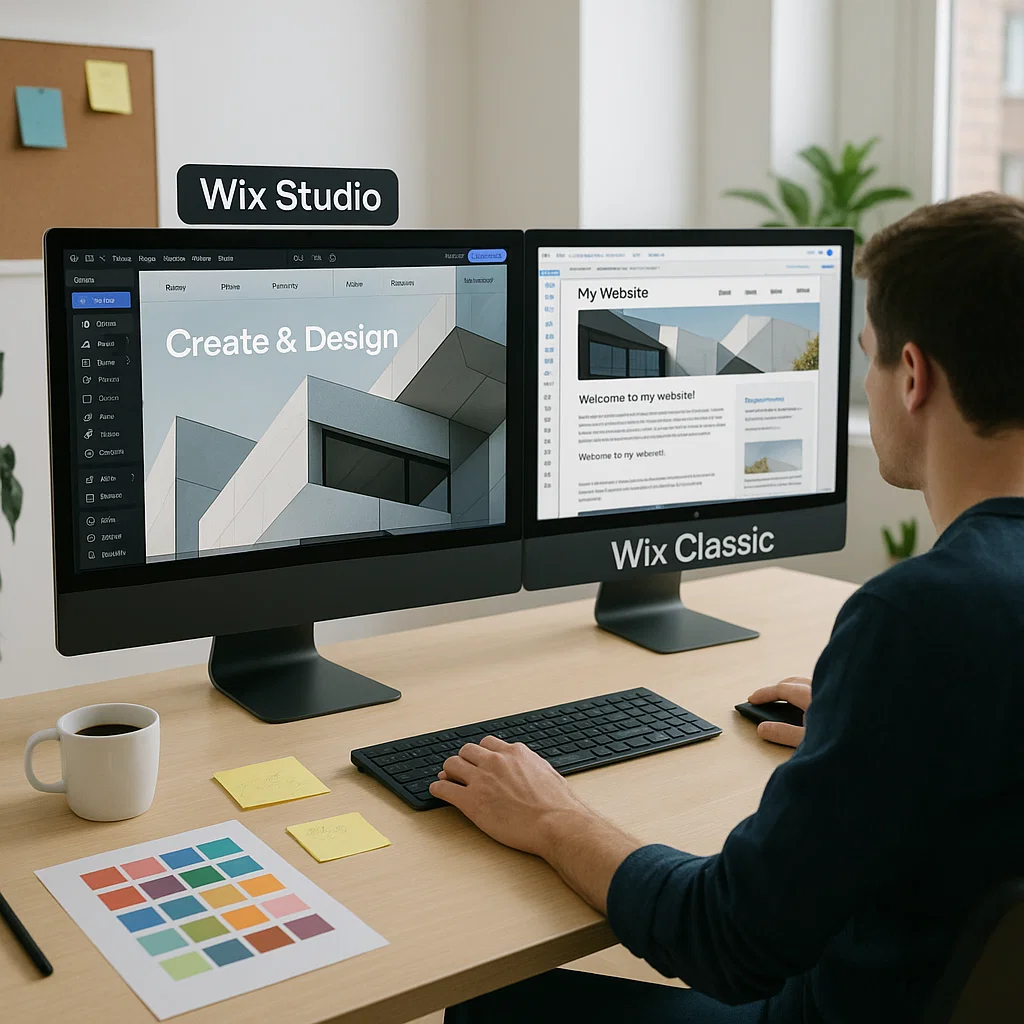
Wix Studio Editor is an upgraded, agency-level version of Wix’s classic editor. It is built for professional web designers who want more control over layouts, responsiveness, and performance.

Unlike the regular Wix Editor, Wix Studio offers:

  • A grid-based design system

  • Fluid responsive controls

  • A layer panel similar to Figma/Webflow

  • Component system for reusability

  • Advanced animation + motion tools

  • Built-in AI for design and content

  • Cleaner UI for faster work

Wix Studio essentially gives you the power of Webflow combined with the simplicity of Wix — making it ideal for both beginners and experts.


2. Why Professionals Prefer Wix Studio

2.1. Full Control Over Responsiveness

Responsiveness is the future of web design. With users browsing on thousands of screen sizes, your website must adapt perfectly.
Wix Studio allows you to:

  • Adjust docking for each screen

  • Customize grid behavior

  • Change sizes, margins, and padding individually

  • Set custom breakpoints

  • Scale elements fluidly

This level of precision allows you to create pixel-perfect tablet and mobile designs.


2.2. Advanced Grid Layout System

Wix Studio’s grid system makes layout building clean and efficient.
You can create:

  • Multi-column layouts

  • Fixed and fluid sections

  • Full-width containers

  • Overlapping designs with structured layers

This helps maintain alignment and improves visual consistency — essential for professional websites.


2.3. Component-Based Workflow

Components are one of the biggest time-saving features in Wix Studio.
They allow you to:

  • Reuse headers, footers, product cards, buttons

  • Update them globally in one click

  • Maintain design consistency across pages

This is especially helpful for agencies managing multi-page websites and multiple client sites.


2.4. AI-Powered Design Assistance

Wix Studio integrates AI tools that help you:

  • Generate text quickly

  • Create layout suggestions

  • Auto-fix alignment

  • Improve responsive behavior

This reduces manual work and speeds up your design process dramatically.


2.5. Developer Mode for Custom Logic

For users who want to add dynamic functionality or custom interactions, Dev Mode offers:

  • JavaScript support

  • Velo APIs

  • Custom events

  • Dynamic content features

This makes Wix Studio powerful enough for complex websites while staying beginner-friendly.


3. Key Features of Wix Studio You Must Learn

3.1. Structure & Layers Panel

Like design tools such as Figma, Wix Studio includes a layers panel where you can see each element of your layout.
This helps you:

  • Organize elements

  • Adjust z-index

  • Lock and hide layers

  • Create cleaner structures

For large websites, this is a game changer.


3.2. Fluid Sizing and Docking

Fluid sizing allows elements to scale as the screen widens or shrinks.
Docking ensures elements stay aligned properly (left, right, center, etc.).
These two together create a flexible, responsive design without breaking layout structure.


3.3. Section Presets & Layout Controls

Wix Studio includes beautifully designed presets for:

  • Hero sections

  • Grids

  • Product displays

  • Galleries

  • Contact sections

These presets speed up your workflow and keep designs professional.


3.4. Motion & Scroll Interactions

You can add modern animations such as:

  • Fade-in

  • Slide

  • Parallax

  • Scroll effects

  • Reveal animations

These make your website feel premium and interactive without slowing it down.


4. How to Build Fast Websites With Wix Studio

Speed matters for SEO, conversions, and user experience. Here’s how to keep your Wix Studio website fast:


4.1. Optimize Images Before Uploading

Use tools like TinyPNG or WebP conversion.
Large images are the biggest reason websites slow down.


4.2. Use Simple Animations

Heavy animations can drop performance.
Stick to:

  • Light fades

  • Subtle motions

  • Short durations

This keeps the UI smooth.


4.3. Use Components to Reduce Redundant Elements

Components reduce repeated elements and improve loading structure.
Cleaner structure = faster site.


4.4. Minimize Third-Party Scripts

Avoid unnecessary scripts like chatbots, popups, and external fonts.
The more scripts you add, the slower your site becomes.


4.5. Choose a Clean Homepage Layout

Your homepage should load within 2–3 seconds.
Avoid heavy videos or oversized galleries at the top.


5. SEO Best Practices for Wix Studio Websites

Wix Studio comes with strong SEO capabilities, but you must set them up correctly.


5.1. Set Your Site Structure Properly

Use clear, organized pages and subpages.
Example:

  • Home

  • About

  • Services

  • Services → Web Design

  • Services → Branding

  • Contact

A clean structure helps Google crawl your website faster.


5.2. Use Proper Heading Hierarchy

Google reads headings to understand page content.
Correct structure:

  • 1× H1

  • H2 for main sections

  • H3 for subsections

This improves keyword ranking.


5.3. Add Alt Text to All Images

Alt text describes your image for:

  • Google search

  • Screen readers

  • Accessibility tools

Example alt text for a hero image:
“Designer working on Wix Studio Editor interface on laptop.”


5.4. Optimize Page Speed

Use:

  • Compressed images

  • Minimal animations

  • Lightweight sections

  • Built-in Wix caching tools


5.5. Use Wix SEO Assistant

This feature guides you with keywords, metadata, structure, and content improvements.


6. Who Should Use Wix Studio?

Wix Studio is ideal for:

Designers & Creative Agencies

It offers the professional-level tools needed to deliver high-quality client websites.

Freelancers

Fast workflow + clean design options = more clients + more income.

Small Businesses

Build and manage your own site without hiring developers.

Beginners

Clean UI + presets + AI help make it easy to learn.

FAQ's

1. What is Wix Studio Editor?

Wix Studio Editor is an advanced website-building platform designed for professional designers, agencies, and freelancers. It offers full responsive control, grid-based layouts, reusable components, AI-assisted design, and optional developer mode for custom functionality.


2. Who should use Wix Studio Editor?

Wix Studio is perfect for:

  • Designers and creative agencies

  • Freelancers building client websites

  • Small business owners managing their own sites

  • Beginners who want professional results without coding


3. Can I make responsive websites with Wix Studio?

Yes. Wix Studio provides advanced responsive controls, allowing you to customize layouts for desktop, tablet, and mobile screens. You can adjust spacing, docking, scaling, and breakpoints to ensure a pixel-perfect design on all devices.


4. Do I need coding knowledge to use Wix Studio?

No. Wix Studio is beginner-friendly and most features can be used without coding. However, developer mode allows you to add custom JavaScript or APIs if needed for advanced functionality.


5. How can Wix Studio help improve website speed?

Wix Studio offers:

  • Optimized images and automatic compression

  • Lightweight sections and clean grid layouts

  • Subtle animations instead of heavy effects

  • Built-in caching tools
    Following these practices ensures fast-loading websites that perform well on Google.

Final Thoughts and Takeaways

Wix Studio Editor is a powerful platform that bridges the gap between simplicity and advanced design. Whether you’re building a personal portfolio or a large-scale business website, Wix Studio gives you the control, flexibility, and professional features required to build fast, beautiful, and modern websites.

By mastering its responsive controls, components, grid system, and SEO tools, you can create stunning websites that look polished on every device and perform exceptionally well.

If you’re aiming for efficiency, professionalism, and creative control — Wix Studio Editor is one of the best platforms available today.

Wix Studio vs Webflow (2025 Full Comparison)

Wix Studio vs Webflow (2025 Full Comparison)

Wix Studio vs Webflow: Which Platform Is Better for Designers & Agencies in 2025?

Choosing the best website-building platform is crucial for designers, freelancers, agencies, and business owners. In 2025, two platforms stand at the top: Wix Studio and Webflow. Both offer powerful design tools, strong performance, and advanced features — but they are built for different types of creators.

This comparison will help you decide which platform fits your workflow, business model, and design style.


1. Overview of Each Platform

Wix Studio

Wix Studio is a next-generation web creation platform made for agencies and professional designers. It offers AI-powered creation, flexible responsive tools, and a smooth UI.

Webflow

Webflow is a professional visual development platform with full CSS control, custom interactions, and advanced CMS structure.


2. Ease of Use

Wix Studio: Easy and Fast

  • Simple onboarding

  • AI tools assist layout creation

  • Short learning curve

  • Ideal for quick projects and agency workflows

Webflow: Complex but Powerful

  • Requires understanding CSS, box model, classes

  • Longer learning curve

  • Best for technical designers

Winner: Wix Studio for ease, Webflow for advanced users.


3. Design & Flexibility

Wix Studio

  • Full canvas freedom

  • Flexbox + CSS Grid

  • Reusable sections

  • Very friendly for creative designers

Webflow

  • Almost complete CSS control

  • Accurate, pixel-perfect design

  • Highly customizable interactions

Winner: Webflow for control, Wix Studio for speed and flexibility.


4. CMS Features

Wix Studio CMS

  • Easy for clients

  • Dynamic pages

  • Automated layouts

  • Real-time updates

Webflow CMS

  • Developer-level structure

  • Custom fields and relationships

  • Great for complex or data-heavy sites

Winner: Webflow CMS for large content systems.


5. SEO Capabilities

Wix Studio SEO

  • Server-side rendering

  • Auto-optimized performance

  • Schema markup options

  • Easy meta setup

Webflow SEO

  • Clean HTML structure

  • Custom SEO fields

  • Ideal for developers

Winner: Both — tie, depending on level of control required.


6. E-Commerce

Wix Studio

  • Strong built-in store features

  • Fast setup

  • Subscription products

  • Better for non-technical sellers

Webflow

  • Advanced design freedom

  • Limited built-in tools

  • Needs integrations for advanced stores

Winner: Wix Studio for e-commerce.


7. Animations & Interactions

Wix Studio

  • Scroll animations

  • Easy transitions

  • AI-assisted motion

Webflow

  • Industry-leading animations

  • Timeline-level control

  • Ideal for motion Web Designers

Winner: Webflow.


8. Pricing

Wix Studio

  • Affordable for agencies

  • Smooth client billing

  • Hosting included

Webflow

  • More expensive at scale

  • Separate hosting costs

Winner: Wix Studio.


9. Collaboration & Client Management

Wix Studio

  • Agency dashboard

  • Permissions control

  • Smooth handoff system

Webflow

  • Collaboration tools exist

  • But less agency-focused

Winner: Wix Studio.

FAQ's

1. Is Wix Studio better than Webflow for beginners?

Yes. Wix Studio has a much easier learning curve, built-in AI tools, and a smoother interface. Webflow requires understanding CSS and layout logic, making it better suited for advanced designers.


2. Which platform is more powerful for animations?

Webflow. It offers industry-leading interactions with precise timeline and motion control. Wix Studio has great animations too, but Webflow wins for advanced motion design.


3. Which one offers better SEO features — Wix Studio or Webflow?

Both platforms offer strong SEO options:

  • Wix Studio provides smart, automated optimization and SSR.

  • Webflow offers deeper manual control for developers.
    The best choice depends on your technical skill level.


4. Is Webflow more expensive than Wix Studio?

Yes. Webflow gets more costly as you scale because hosting and workspace plans add up. Wix Studio is more budget-friendly, especially for agencies handling multiple client sites.


5. Which platform is better for e-commerce?

Wix Studio. It has built-in store features, subscription options, and easy setup. Webflow allows custom designs but lacks many advanced e-commerce features without integrations.

Final Thoughts and Takeaways

Choosing between Wix Studio and Webflow depends on your skill level, project needs, and long-term goals. Wix Studio is built for speed, collaboration, and agency workflows, making it ideal for designers who want a powerful yet easy-to-use platform. Webflow, on the other hand, is best for creators who prefer deep control, advanced animations, and a developer-level CMS.

Both platforms are excellent — but they serve different types of professionals.

  • If you want faster workflows, AI-powered design, and affordable pricing, choose Wix Studio.

  • If you want maximum control, advanced interactions, and a fully customizable front-end, choose Webflow.

At the end of the day, the “best” platform is the one that fits your workflow, team, and project requirements. Understanding these differences will help you make the right choice and build a high-performing website that delivers results.

Voice Search & Conversational UX for Websites

Voice Search & Conversational UX for Websites

In today’s digital-first world, voice search and conversational UX are not merely fringe trends — they’re becoming essential for websites that want to stay relevant, accessible and visible. If you’re a developer, designer or website owner, understanding how to implement and optimise for voice search conversational UX can set you apart from the competition.

Why Voice Search & Conversational UX Matter

The shift in how users interact

  • Users increasingly replace typing with speaking. One article notes that as voice assistants become ubiquitous, the way we search online is evolving. 

  • Queries via voice tend to be longer, phrased in more natural language, and often in question form (e.g., “Where’s the best coffee shop near me?”) rather than keywords like “best coffee shop”. 

  • Websites with a good conversational UX design can provide more intuitive, human-like interactions, which improve engagement and satisfaction. 

Why this matters for SEO & UX

  • When users speak queries, they expect quick, relevant answers. If your website can’t deliver that, you risk losing the user.

  • For SEO, voice search optimisation helps you tap into a new and growing segment of traffic. Especially for mobile and local queries. 

  • Conversational UX isn’t just about voice commands — it’s about designing interfaces (voice + chat + UI) that behave more naturally, reducing friction and making tasks smoother

The Core Components of Voice Search Conversational UX

To get your website ready for voice search & conversational UX, focus on three key areas:

1. Conversational Content & Keywords

  • Use long-tail keywords phrased as full questions, not just single keywords. E.g., “How do I optimise my website for voice search?” rather than “voice search optimisation”

  • Write in a conversational tone: imagine you’re answering someone who just asked you the question out loud. This helps match how users speak their queries. 

  • Create FAQ-style sections that anticipate the questions your users will ask. These are especially effective for voice search.

2. Technical & UX Readiness for Voice

  • Ensure fast page loading, mobile-friendly design, and clear structure. Many voice queries come from mobile or smart-devices. 

  • Use structured data (schema markup) so that search engines (and voice assistants) can easily interpret your content and pull useful answers. 

  • Consider the conversational interface: if you implement voice or chat UI, guide users naturally, handle mis-recognition gracefully, and offer fallback options (text input).

3. Local & Contextual Optimisation

  • Many voice queries are “near me” or want local information: e.g., “Find a vegetarian restaurant near Karachi.” Optimise for local SEO to capture this. 

  • Understand user intent: Are they asking for information, navigation, or transaction? Tailor your content accordingly. 

  • Make your UX inclusive: voice search is especially useful for accessibility (users who prefer speaking over typing). Designing with accessibility in mind improves both UX and SEO. 


How to Optimise Your Website for Voice Search Conversational UX

Here’s a step-by-step actionable roadmap you can implement:

  1. Audit your current content:
    • Identify pages that answer questions.

    • Find opportunities to convert content into conversational Q&A format (e.g., “What is…?”, “How do I…?”, “Where can I…?”).

  2. Keyword research for voice:
    • Use tools like AnswerThePublic to find common question-based queries. 

    • Focus on longer phrases, natural language, and multiple ways people might ask the same thing.

  3. Rewrite or create content:
    • Use a conversational tone.

    • Provide direct, concise answers near the top of the content (ideal for featured snippets). 

    • Use headings with question-phrases, and answer clearly.

  4. Implement UX & technical improvements:
    • Ensure fast load times, mobile responsiveness, clear navigation.

    • Add schema markup to key pages (FAQ schema, LocalBusiness schema).

    • If using voice or chat UI: test voice recognition, fallback to text, provide confirmations/feedback for users.

  5. Local optimisation (if applicable):
    • Include location-specific phrases (“near me”, “in Karachi”, etc).

    • Ensure your Google Business Profile (or local listing) is up-to-date.

  6. Monitor results & iterate:
    • Use Google Search Console to track queries, especially those shown as “questions”.

    • Look at metrics: dwell time, bounce rate, conversion from voice-friendly content.

    • Refine based on what voice users are asking and how your site’s answering.


Mistakes to Avoid

  • Using only short, generic keywords: e.g., “best e-commerce platform” instead of “Which is the best e-commerce platform for small business 2025?”

  • Treating voice search the same as traditional search: voice search requires different phrasing, structure and tone.

  • Ignoring mobile and voice UI constraints: slow pages, complicated navigation hurt voice-driven UX.

  • Forgetting local & contextual factors: ignoring “near me”, assuming typing behaviour.

  • Not structuring content for quick answers: voice assistants favour content that directly answers a question.


Future Trends & What to Watch

  • The shift to voice is accelerating: content sources forecast nearly half of all online searches will be voice-based. 

  • Conversational UI (voice + chat) will become more standard in web applications and websites. 

  • Improved Natural Language Processing (NLP) will make assistants better at context, follow-up questions and handling multi-step queries — so your site should anticipate deeper conversational flows.

  • As voice and local search grow, expect more “zero-click” results (answers provided directly by assistants) — making it even more important to be structured and authoritative.

FAQ's

Q: What is the difference between voice search and conversational UX?

Voice search refers to the act of using spoken words (via smart-devices, assistants) to query content. Conversational UX refers to designing the overall experience (voice, chat, interface) that allows a natural, human-like conversation with a website or app.

Q: ill it take to see results from voice-search optimisation?

It depends on your site’s current state, competition and how well you implement. Some results (like improved engagement) can be seen quickly. But ranking for voice queries — especially featured snippets — can take several months of consistent effort.

Q: Do I need to build a voice assistant for my website to benefit?

No. Many benefits come from optimising content and UX for the way people speak and search. Building a full voice-assistant interface is optional and depends on your use-case.

Final Thoughts and Takeaways

If you still view voice search and conversational UX as optional extras for your website — it’s time to reconsider. The truth is that voice search conversational UX is changing how users find, interact with, and navigate websites. By adapting your content, UX design, technical foundation and SEO strategy now, you prepare your site for the future — and gain an edge today.

Start by making your website speak human. Use conversational questions, design your UX to listen and respond, optimise for voice and local search — and you’ll not only serve your users better, you’ll boost your ranking potential too.

AI-Powered Chat & Automation: The 2025 Trend for Wix Studio Websites

AI-Powered Chat & Automation: The 2025 Trend for Wix Studio Websites

In 2025, the way businesses connect with customers online has completely changed. With the rise of AI chat for Wix Studio websites, brands are moving beyond static designs — they’re creating smart, interactive experiences that engage visitors 24/7. This trend isn’t just popular; it’s shaping the future of web design and user interaction in the U.S. market.

Why AI Chat is Trending in Wix Studio

Wix Studio is already known for giving creators full design control and advanced performance. But now, AI-powered chat tools are taking center stage.
Here’s why they’re trending:

  • Instant Support: Users get quick answers without waiting for human help.

  • Lead Generation: Smart chatbots automatically capture user details for sales teams.

  • Personalized Experience: AI learns from visitor behavior and responds accordingly.

  • 24/7 Availability: Businesses never miss a potential customer — day or night.

With tools like Wix AI Site Chat, small businesses can now deliver enterprise-level support with just a few clicks.

Benefits of AI Chat Integration in Wix Studio

  1. Higher Engagement: Visitors stay longer when they can interact with your site.
  2. Improved Conversion Rates: Chatbots guide users to take actions like booking, buying, or subscribing.
  3. Lower Workload: Automate FAQs and basic support tasks.
  4. Better Insights: Track what customers ask most and improve your offerings.

Whether you’re a freelancer or agency, adding AI chat for Wix Studio websites can instantly boost your project’s value and attract modern clients.

How to Add AI Chat in Wix Studio

Adding an AI chatbot is simple:

  1. Go to the Wix App Market and open the Trending Now section.
  2. Search for AI Chat or Wix AI Site Chat.
  3. Click Add to Site and customize your chat style, greeting, and responses.
  4. Connect it with tools like email, CRM, or analytics for automation.

You can personalize every part of the chatbot — tone, script, and behavior — to match your brand vibe.


Why Freelancers Should Offer AI Chat Setup Services

If you’re a web designer or developer using Wix Studio, this trend is a goldmine.
Businesses are actively looking for professionals who can set up, style, and automate AI chat on their websites.
Offering an “AI Chat Setup Service” can make you stand out on Fiverr, Upwork, or even Wix Marketplace.


Future of AI Automation in Web Design

As AI continues to evolve, automation will become a standard part of every modern website. From chat to email sequences, personalization will define online success. Wix Studio developers who adapt early will lead the new wave of smart web experiences.

FAQ's

1. What is AI chat in Wix Studio?

AI chat in Wix Studio refers to intelligent chatbots that use artificial intelligence to communicate with website visitors. These bots can answer questions, guide users, and even collect leads — all without human help.


2. Why is AI chat trending on Wix Studio in 2025?

Because U.S. businesses are focusing on automation and customer experience. AI chat helps websites engage visitors 24/7, reduce support costs, and boost conversions — making it a must-have feature in 2025.


3. How do I add AI chat to my Wix Studio website?

You can install it directly from the Wix App Market. Go to Trending Now → choose Wix AI Site Chat → click Add to Site → customize your chat design and responses.


4. Can I customize the chatbot design and messages?

Yes! Wix Studio allows full customization — you can change the chatbot’s color, tone, greeting, and automated responses to match your brand’s style and voice.


5. Does AI chat help increase website sales?

Absolutely. AI chat guides visitors through the buying journey, recommends products, and answers questions instantly. This helps convert more visitors into paying customers.

Final Thoughts and Takeaways

The demand for AI chat for Wix Studio websites is growing rapidly in 2025. Whether you run a small business or design websites for clients, integrating AI chat and automation is the easiest way to boost engagement, improve conversions, and stay ahead in the competitive digital space.

Now is the time to embrace this trend — and turn your Wix Studio projects into smart, AI-driven experiences.

Why U.S. Freelancers Choose Wix Studio for Client Projects

Why U.S. Freelancers Are Switching to Wix Studio for Client Projects

The freelance web design industry in the U.S. is evolving rapidly, and Wix Studio has emerged as one of the most talked-about platforms in 2025. Built specifically for designers, developers, and digital agencies, Wix Studio provides freelancers with advanced tools that simplify client management, boost productivity, and improve overall project quality.

So, what’s behind this major shift? Let’s dive into the reasons why U.S. freelancers are switching to Wix Studio for client projects.

Tailored for Professional Freelancers

Unlike the traditional Wix editor, Wix Studio is designed with professionals in mind. It offers:

  • A flexible drag-and-drop builder with pixel-perfect precision

  • Custom responsive layouts for different screen sizes

  • Reusable design libraries to save time across multiple projects

Freelancers love that it combines the simplicity of Wix with the control and customization needed for professional-grade websites.

Advanced AI Tools That Save Time

Wix Studio’s AI-powered tools are a game changer. Freelancers can now:

  • Generate smart layouts and wireframes instantly

  • Auto-create blog content or SEO descriptions

  • Use AI design suggestions to enhance visual appeal

This reduces manual work, allowing freelancers to complete projects up to 50% faster and take on more clients — increasing income without increasing hours.

Seamless Collaboration with Clients

  • Wix Studio offers built-in collaboration features that simplify communication:

    • Clients can leave live comments directly on the design

    • Real-time edits keep everyone on the same page

    • Shared dashboards make it easy to track progress

    For U.S. freelancers handling multiple clients, this collaboration system reduces revisions and misunderstandings, leading to happier customers.

All-in-One Workflow Management

Freelancers no longer need to juggle multiple tools for project management, billing, and hosting. Wix Studio combines it all:

  • Project tracking and timelines

  • Invoicing and payments

  • Domain management and site publishing

This centralized setup streamlines business operations — perfect for solo freelancers who manage everything themselves.

Strong SEO and Marketing Features

SEO remains crucial for clients, and Wix Studio provides built-in optimization tools:

  • Automatic schema markup

  • Custom meta tags for each page

  • Fast loading and mobile optimization

These features help freelancers deliver SEO-ready websites that rank higher on Google, adding more value to their client projects.

Premium Performance for Enterprise Clients

For freelancers targeting larger businesses, Wix Studio scales beautifully:

  • Enhanced site speed and performance

  • API integrations and custom code options

  • Enterprise-level security and hosting reliability

This means freelancers can confidently pitch to high-paying corporate clients, expanding their business opportunities.

A Growing U.S. Community of Freelancers

The Wix Studio community in the U.S. is rapidly growing. Through forums, webinars, and online groups, freelancers share templates, client tips, and workflows.
This sense of support and collaboration helps new freelancers learn faster and establish stronger portfolios.

Better Earnings and Client Retention

By delivering faster results and higher-quality websites, freelancers using Wix Studio report increased client satisfaction and repeat business.
More clients mean steady income, and the ability to scale services makes Wix Studio an essential platform for 2025 freelancers.

FAQ's

1. What is Wix Studio?

Wix Studio is a next-generation website creation platform by Wix, designed specifically for professional freelancers, agencies, and developers. It combines advanced design flexibility, AI tools, and team collaboration features for managing multiple client projects efficiently.


2. Why are freelancers switching to Wix Studio?

Freelancers are switching to Wix Studio because it saves time with AI automation, offers professional design tools, supports team collaboration, and provides built-in SEO and performance features — all in one place.


3. Is Wix Studio better than the regular Wix Editor?

Yes. While the regular Wix Editor is great for beginners, Wix Studio is built for professionals. It offers more control over responsive design, reusable assets, client collaboration tools, and workflow automation.


4. Can I use custom code in Wix Studio?

Absolutely. Wix Studio allows developers and freelancers to add custom code, APIs, and integrations, giving full creative and technical freedom to build advanced, dynamic websites.


5. How does Wix Studio help with SEO?

Wix Studio comes with built-in SEO optimization tools, including meta tags, schema markup, mobile optimization, and fast-loading pages — helping your clients rank higher on Google and other search engines.

Final Thoughts and Takeaways

Wix Studio has become the go-to choice for U.S. freelancers looking to grow their businesses, streamline workflows, and impress clients.
With AI-driven tools, built-in collaboration, and enterprise-ready performance, it’s not just another builder — it’s a full professional ecosystem.

If you’re a freelancer aiming to stay competitive in 2025, it’s time to explore Wix Studio for Freelancers and see how it can transform your client projects.

Why Wix Studio is the Future of Website Design in the U.S.​

Why Wix Studio is the Future of Website Design in the U.S.​

Why Wix Studio is the Future of Website Design in the U.S.

Website design in the U.S. is evolving faster than ever. Businesses today don’t just need a website — they need a responsive, SEO-optimized, and conversion-focused digital hub. That’s where Wix Studio steps in.

For agencies like IZMHS, which specialize in U.S. web design and SEO services, Wix Studio is more than a tool — it’s the future of digital creation. Let’s dive into why Wix Studio is becoming the new standard for web design in the USA.


The Evolution of Website Design in the USA

In the past decade, web design in the U.S. has shifted from static pages to dynamic, mobile-friendly, and data-driven platforms. Small businesses now expect websites that:

  • Load fast on every device

  • Rank on Google

  • Convert visitors into leads

  • Look modern and professional

Wix Classic and other builders served their purpose well — but with growing SEO demands and responsive needs, U.S. agencies required something more advanced.
That’s how Wix Studio was born.

Why Wix Studio is the Future of Website Design in the U.S.​

What Makes Wix Studio a Game Changer

A Platform Built for the Modern Web

Wix Studio is not just another update — it’s a complete reimagining of professional web design. Built for agencies, freelancers, and businesses, it combines flexibility, speed, and smart SEO architecture.

Key Highlights:

  • Fully responsive grid-based design

  • Advanced animation timeline

  • Built-in SEO optimization

  • Real-time collaboration

  • Developer mode for custom integrations

In short, Wix Studio bridges the gap between creativity and technical performance — exactly what U.S. businesses need.


Wix Studio vs.

FeatureWix ClassicWix Studio
Design ControlBasic drag & dropFluid, grid-based layouts
SEO ToolsStandard meta setupAdvanced structured data & lazy loading
Mobile OptimizationManualAuto-responsive + custom breakpoints
CollaborationSingle userReal-time multi-user editing
AnimationBasic fadesScroll & timeline animations
PerformanceGoodExcellent (Core Web Vitals optimized)
Wix Studio gives U.S. web designers complete control over responsiveness, ensuring every site looks pixel-perfect on any screen — from mobile to widescreen monitors.
 

Why U.S. Small Businesses Love Wix Studio

Optimized for SEO and Local Visibility

Small businesses in the USA depend heavily on local visibility. Wix Studio’s built-in SEO features include:

  • Local business schema for Google Maps

  • Custom meta descriptions and titles per page

  • Automatic sitemaps and redirects

  • Optimized Core Web Vitals for higher U.S. search rankings

When paired with IZMHS’s SEO for small business USA services, Wix Studio websites gain even more visibility and conversions.

Responsive Websites that Drive Results

  • Did you know 60% of web traffic in the U.S. comes from mobile?
    Wix Studio’s fluid responsive design system ensures your site adapts beautifully to any screen, boosting user experience and reducing bounce rates — two critical factors for SEO and sales.


Collaboration Made Easy for Agencies and Teams

For digital agencies like IZMHS, collaboration is everything.
Wix Studio allows multiple team members — designers, marketers, and developers — to work simultaneously in real-time, just like Google Docs.
That means faster project delivery, fewer mistakes, and happier clients.


The SEO Advantage: Wix Studio for U.S. Rankings

Ranking high on Google USA isn’t just about keywords anymore — it’s about performance and structure.

Wix Studio includes:
✅ Customizable structured data for every page
✅ Automatic caching and image compression
✅ Fast CDN for U.S. and global users
✅ Optimized lazy loading for media

This makes Wix SEO USA more powerful than ever — a true game-changer for small business websites and digital agencies alike.


A Platform Built for Agencies Like IZMHS

As a leading U.S. web design and SEO agency, IZMHS has adopted Wix Studio to deliver faster, smarter, and more scalable web solutions.

With Studio, IZMHS can:

  • Manage multiple client projects under one dashboard

  • Offer branded client portals

  • Automate billing and approvals

  • Maintain design consistency with reusable components

This not only saves time but improves client satisfaction — and that’s exactly what defines the future of digital marketing in the U.S.


Performance That Converts

In today’s U.S. market, every second counts.
A 1-second delay in page load can reduce conversions by up to 7%. Wix Studio’s lightning-fast performance ensures that visitors stay longer, engage more, and convert faster.

With optimized caching, CDN delivery, and improved code efficiency, websites built on Wix Studio meet and exceed Google’s Core Web Vitals benchmarks — helping you dominate search results and keep users happy.


Future-Proof Features for U.S. Businesses

Wix Studio is constantly evolving with AI-driven tools, advanced integrations, and professional-grade UX features such as:

  • AI text & design suggestions

  • Custom APIs for CRM or eCommerce

  • Accessibility-ready design templates

  • Dynamic content integration for blogs and stores

These innovations make it a future-proof investment for any U.S. business that wants to scale without switching platforms later.


Real-World Example: IZMHS Success with Wix Studio

IZMHS has seen measurable growth after transitioning client projects to Wix Studio.

Results include:

  • ⚡ 40% faster website launches

  • 📈 30% improvement in organic rankings

  • 💬 Higher client retention due to collaborative workflows

It’s proof that when design meets performance and SEO, your website becomes a true business asset.


FAQ's

1. Is Wix Studio better for SEO than Wix Classic?

Yes. Wix Studio offers deeper SEO customization, structured data, and faster load times — key for ranking on Google USA.

2. Can small businesses in the U.S. afford Wix Studio?

Absolutely. While designed for professionals, its pricing is flexible and cost-effective when compared to traditional web development.

3. Can I migrate from Wix Classic to Wix Studio?

Yes, although it may require a redesign. Migration tools and templates make the process smooth.

4. Does Wix Studio support eCommerce?

Yes! You can build full eCommerce stores with advanced analytics, payment gateways, and SEO-ready product pages.

5. Why choose IZMHS for Wix Studio design?

IZMHS specializes in building SEO-optimized, responsive, and high-converting websites tailored for U.S. businesses — ensuring your brand stands out online.

Final Thoughts and Takeaways

The future of web design in the U.S. is all about speed, SEO, and scalability — and Wix Studio checks every box.

Whether you’re a small business, startup, or digital agency, this new platform gives you:

  • Smarter SEO tools

  • Superior design flexibility

  • Real-time collaboration

  • Faster site performance

At IZMHS, we believe that Wix Studio isn’t just the future — it’s the present of U.S. web design excellence.

Ready to build your dream website with Wix Studio?
👉 Contact IZMHS today to start your next U.S. web design project and turn your digital presence into measurable success.

2025.

Wix Studio vs. Wix Classic – The Ultimate Comparison for U.S. Businesses

Wix Studio vs. Wix Classic: Key Differences Explained

Wix Studio vs. Wix Classic: Key Differences Explained

Choosing the right website builder can make or break your online success. For U.S. small businesses, startups, and digital agencies, Wix has long been a go-to solution. But now there’s a new player in town — Wix Studio — and it’s making waves.

Let’s break down the real differences between Wix Studio and Wix Classic, so you can decide which fits your goals best.


Understanding Wix Classic

What is Wix Classic?

Wix Classic is the original website builder most people know. It’s designed for simplicity — perfect for beginners or small businesses looking to get online quickly without coding.

Core Features

  • Drag-and-drop editor

  • Hundreds of ready-made templates

  • Built-in SEO Wiz tool

  • App Market integrations

  • Basic mobile editor

Who Should Use Wix Classic?

Wix Classic works best for:

  • Personal websites or portfolios

  • Small businesses with basic needs

  • Users who prefer simplicity over control

It’s great if you want a beautiful site fast, but it can feel limiting when scaling or optimizing for advanced SEO.

Introducing Wix Studio

What is Wix Studio?

Wix Studio is the next generation of Wix — built for professionals, agencies, and advanced creators. It combines the simplicity of Wix with the flexibility of professional-grade design tools.

The Evolution from Classic to Studio

Think of Wix Studio as Wix Classic’s smarter, faster sibling. It’s not just a website builder — it’s a design and management platform.

With Studio, you get advanced layout controls, custom breakpoints, and collaborative tools — all while keeping Wix’s visual ease.

Key Innovations

  • Full responsive control

  • Advanced animation timeline

  • Client dashboards

  • Real-time collaboration

  • Structured data setup for SEO


Design Capabilities Comparison

FeatureWix ClassicWix Studio
Editor TypeDrag & DropResponsive & Grid-Based
AnimationBasicTimeline & Scroll Animations
CollaborationLimitedReal-time, Multi-user
Layout ControlFixedFluid, Adaptive
TemplatesStaticCustomizable Components

Wix Studio is like moving from Canva to Figma — it gives you total design freedom.


SEO and Performance

Wix SEO Tools

Both platforms support meta tags, structured data, and Google integration. But Studio takes it further.

Wix Studio’s SEO Advantage

  • Editable structured data per page

  • Advanced caching and lazy loading

  • Automatic sitemap generation

  • Enhanced Core Web Vitals performance

If your goal is ranking higher on Google USA, Wix Studio’s infrastructure provides the edge.


Collaboration and Workflow Tools

Wix Studio introduces real-time collaboration, a game-changer for agencies like IZMHS. Teams can work together — designers, developers, and marketers — without stepping on each other’s toes.

Client permissions make it easier to manage multiple accounts without confusion.


Responsive Web Design

In the mobile-first world, responsiveness is everything.
Wix Studio uses fluid grids, allowing perfect control over every breakpoint.

Classic’s editor, on the other hand, offers only a basic mobile editor, which can lead to inconsistent layouts on tablets or large screens.


Developer Features and Customization

Developers can now breathe easier.
Studio introduces Dev Mode, with advanced coding options, API integrations, and design tokens for consistency across projects.

Classic supports Velo (formerly Corvid), but Studio’s environment is cleaner and more agency-focused.


Pricing and Plans

Wix Classic pricing is simple — usually around $17–$35/month for business plans.
Wix Studio pricing, while still evolving, is tailored for agencies — offering client billing, team accounts, and project management tools.

It’s an investment that pays off when managing multiple client sites.


Best Use Cases

PlatformIdeal ForKey Benefit
Wix ClassicSolopreneurs, small storesSimple setup
Wix StudioAgencies, startups, designersAdvanced control & SEO

If you’re scaling or running an agency like IZMHS, Studio wins every time.


SEO for Small Business USA

Wix Studio aligns perfectly with U.S. SEO best practices.
It allows for:

  • Local business schema markup

  • Faster load times

  • Optimized metadata control

  • Custom 301 redirects

In short, Studio gives small U.S. businesses a real shot at competing in national search results.


Wix Studio for Agencies

Wix Studio is designed for agencies like IZMHS, offering:

  • Multi-client dashboards

  • Custom brand workspaces

  • Billing management

  • Collaboration tools

These features streamline workflow and boost agency productivity — making IZMHS a leading U.S. web design partner.


User Experience & Interface

The new Studio interface is sleek, intuitive, and professional.
You can switch between design, development, and preview modes effortlessly — unlike Classic’s slower editor.

It’s built for speed, clarity, and collaboration.


Real-World Example – IZMHS Insights

IZMHS, a U.S.-based web design and SEO agency, has adopted Wix Studio for all new projects.
They’ve seen:

  • 45% faster project delivery

  • Improved Core Web Vitals scores

  • 30% higher SEO ranking improvements

This shows how Wix Studio transforms agency operations and results.

FAQ's

1. Is Wix Studio better for SEO than Wix Classic?

Yes — Wix Studio offers advanced SEO customization, structured data, and better performance for Google USA.

2. Can I move my site from Wix Classic to Wix Studio?

Yes, though it may require redesigning. Studio offers migration tools and templates to ease the process.

3. Does Wix Studio cost more than Classic?

It can, depending on your plan. However, agencies benefit from bulk management and client billing features.

4. Is Wix Studio suitable for beginners?

It’s more advanced, but intuitive enough for users familiar with Wix Classic.

5. Why should U.S. small businesses switch to Wix Studio?

Better SEO, faster load times, responsive control, and professional-level design flexibility make it ideal for growth

Final Thoughts and Takeaways

If you’re a U.S. business owner, designer, or agency, the choice is clear.
Wix Classic is great for simple, quick websites — but Wix Studio is the future of professional web design, SEO, and collaboration.

It’s not just a website builder. It’s a complete digital growth platform.

If you’re ready to launch or redesign your startup website, let IZMHS help you make the most of Wix Studio’s capabilities — and turn your online presence into a lead-generating machine. For businesses seeking creative and technical excellence without the bloat of legacy systems, partnering with a Contra-vetted agency like IZMHS might just be the smartest move in 2025.

Top 10 Reasons U.S. Startups Should Choose Wix Studio

Top 10 Reasons U.S. Startups Should Choose Wix Studio

Launching a startup in the U.S.? You already know how tough the competition is. To stand out, your online presence needs to look professional, load fast, and rank high on Google. That’s where Wix Studio comes in — a game-changing platform designed for modern U.S. startups that need results without the headache of coding or maintenance.

Let’s dive into the top 10 reasons U.S. startups should choose Wix Studio for their website and brand growth.

Introduction


Running a startup in the U.S. means balancing innovation, speed, and visibility. You can’t afford to waste months or thousands of dollars on a complex site that doesn’t perform. Wix Studio delivers a full suite of web design, SEO, and branding tools that empower U.S. entrepreneurs to launch strong and scale fast.

Built for U.S. Web Design Standards

Wix Studio’s framework is tailored for modern U.S. audiences, ensuring your website looks premium, professional, and trustworthy. It supports American design trends — from bold typography and interactive layouts to smooth scrolling animations.

Why it matters:
Your U.S.-based customers expect high-quality, fast-loading, visually stunning websites. Wix Studio helps your brand meet those standards easily.


3. SEO Optimization Tailored for U.S. Search Engines

Search visibility is everything. With Wix Studio SEO, startups can optimize every page for Google USA, Bing, and Yahoo. The platform includes:

  • Built-in SEO Wizard for step-by-step optimization

  • Schema markup support for better search appearance

  • Local SEO tools to rank for city-specific keywords

If you’re a small business in Texas or a startup in New York, Wix Studio helps you get found locally and nationally.


4. Responsive Design for All Devices

Did you know over 60% of U.S. traffic comes from mobile devices? Wix Studio ensures your website looks flawless across desktops, tablets, and smartphones.

Benefits:

  • Automatic mobile optimization

  • Custom breakpoints for advanced responsiveness

  • Improved SEO ranking from Google’s mobile-first index

That means your startup site not only looks great — it performs great.


5. Cost-Effective for Startups

Startups don’t have unlimited budgets. Wix Studio understands that.

Unlike traditional development, there are:

  • No server fees

  • No plugin updates

  • No maintenance costs

You pay for what you need, and that’s it. This makes it ideal for bootstrapped U.S. entrepreneurs who want enterprise-level results without breaking the bank.


6. Scalable as You Grow

Start small. Scale big. Wix Studio grows with you.

Whether you’re launching a landing page or building a full eCommerce store, it’s easy to:

  • Add new pages or products

  • Integrate marketing tools

  • Connect third-party apps for automation

The flexibility ensures your site keeps up as your startup scales and expands across the U.S. market.


7. Creative Freedom for Branding

Wix Studio provides complete creative control with design flexibility that rivals custom-coded sites.

You can:

  • Adjust layouts, colors, and typography

  • Use AI-powered design tools

  • Start with industry-specific templates

That means you can launch a unique brand identity that connects emotionally with your U.S. audience — without hiring multiple designers.


8. Security and Reliability

U.S. startups can’t risk downtime or data breaches. Wix Studio includes:

  • SSL encryption

  • 24/7 security monitoring

  • Automatic updates

Everything is hosted on secure, high-speed U.S. servers, giving your users confidence every time they visit.


9. All-in-One Solution (Hosting + CMS + SEO)

Why juggle multiple platforms when Wix Studio gives you everything in one place?

You get:

  • Built-in hosting

  • Powerful content management system (CMS)

  • Native SEO and analytics tools

It’s an all-in-one ecosystem built for digital marketing in the U.S., so you can focus on running your business, not your website.


10. Collaboration Tools for Teams

If your startup has designers, marketers, or developers, Wix Studio makes teamwork seamless.

Collaboration features include:

  • Real-time editing

  • Role-based permissions

  • Developer tools and APIs for customization

Perfect for remote U.S. teams or agencies managing multiple clients.


11. Backed by Professional Support

Wix Studio doesn’t leave you hanging. You get:

  • 24/7 live chat and phone support

  • Dedicated success managers (for premium users)

  • Access to the Wix Studio community — full of U.S. experts and partners

That means your startup gets professional help whenever you need it.


12. Bonus: Partnering with IZMHS for Professional Setup

While Wix Studio gives you the tools, agencies like IZMHS bring the expertise.

IZMHS is a U.S.-focused web design and SEO agency that helps startups launch high-performing, SEO-optimized websites on Wix Studio. From branding to technical SEO, IZMHS ensures your site ranks higher, loads faster, and converts better.

FAQ's

Q1: Is Wix Studio good for SEO in the U.S.?
Absolutely. Wix Studio is optimized for Google USA and supports features like schema markup, metadata editing, and page speed optimization.

Q2: Can I integrate my startup’s CRM or marketing tools?
Yes. Wix Studio integrates with popular U.S. tools like HubSpot, Mailchimp, and Zapier.

Q3: How much does Wix Studio cost for startups?
Pricing starts affordably, with options for eCommerce, business, or portfolio websites — perfect for small U.S. startups.

Q4: Can Wix Studio handle eCommerce websites?
Definitely. You can sell products, manage inventory, and accept payments with built-in tools for the U.S. market.

Q5: Why choose IZMHS for my Wix Studio project?
IZMHS specializes in Wix SEO USA, ensuring your site ranks well and delivers measurable results.

Final Thoughts and Takeaways

For U.S. startups, choosing Wix Studio is more than a design choice — it’s a growth strategy. With its SEO power, creative flexibility, and scalability, it’s the smartest investment you can make for your brand’s digital success.

If you’re ready to launch or redesign your startup website, let IZMHS help you make the most of Wix Studio’s capabilities — and turn your online presence into a lead-generating machine. For businesses seeking creative and technical excellence without the bloat of legacy systems, partnering with a Contra-vetted agency like IZMHS might just be the smartest move in 2025.

Wix Studio Velo & CMS

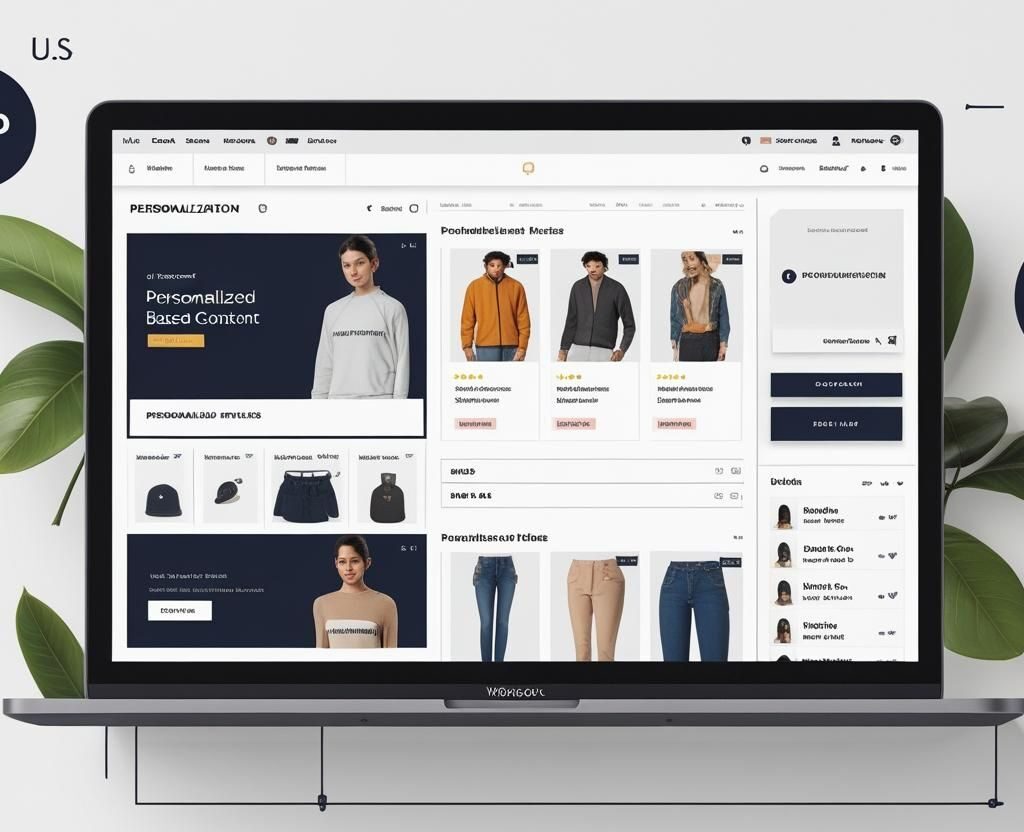
Personalize US Shopping with Velo & CMS | Wix Studio Guide

How to Personalize the US Brands Shopping Experience Using Velo + CMS in Wix Studio.

💡 Introduction

In today’s ever-evolving digital landscape, U.S. shoppers expect more than just a sleek website—they want an experience that feels tailor-made for them. That’s where Wix Studio, CMS, and Velo come into play. This trio is revolutionizing how eCommerce brands in the U.S. connect with their audiences.

🔧 Understanding the Wix Studio Ecosystem

What is Wix Studio?

Wix Studio is Wix’s advanced web creation platform designed for pros. It offers flexibility, scalability, and pro-level design tools tailored for web agencies and brands alike.

Wix Studio Velo & CMS

Role of CMS in Wix Studio

The CMS (Content Management System) acts like your store’s brain—it holds all your products, blogs, customer preferences, and dynamic content.

What is Velo and Why Should You Care?

Velo is a full-stack development tool built into Wix. It allows you to write JavaScript directly into your Wix site, making your eCommerce experience smart, flexible, and responsive.


🛍️ How Personalization Impacts U.S. Consumer Behavior

The Psychology of Personalized Shopping

When shoppers see content made just for them—based on their interests, location, or shopping history—they’re more likely to convert. It’s like walking into a store where the salesperson knows your name, style, and size.

Key Benefits for U.S. Retail Brands

  • Increased conversion rates

  • Better customer retention

  • Higher cart values

  • More repeat customers


📦 Laying the Foundation with CMS Collections

Structuring Product Data Smartly

Organize your products into collections with fields like category, color, size, region, etc. Think ahead—what kind of personalized filters will you use?

Adding Dynamic Fields for Personalization

Let’s say you want to show different products for California vs. New York. Add a “region” field in your CMS. That way, you can display content based on the user’s location.

Examples of Dynamic Fields:

  • Gender-Based (Men/Women)

  • Location-Based (East/West Coast)

  • Behavior-Based (Recently Viewed, Cart Activity)


🔌 Powering Interactions with Velo Code

Collecting User Data through Forms and Actions

Want to capture their skin type or favorite color? Use custom forms and store this data in a private database.

Writing Custom Logic for Personalized Displays

javascript
if(userRegion === "California") { $w("#productRepeater").data = californiaProducts; }

Conditional Rendering with Velo + CMS

Use Velo to render different sections dynamically, like geo-specific banners or sales promotions.


🎯 Personalization Strategies in Wix Studio

1. Personalized Product Recommendations

Use user behavior data to recommend products directly in their dashboard or homepage.

2. Geo-Targeted Offers and Notifications

Display special discounts or free shipping based on user location.

3. Smart Search & Filtering

Custom filters like “best for oily skin” or “popular in Texas” using CMS and Velo search APIs.

4. User-Based Landing Pages

Greet returning visitors with “Welcome back, Sam! Here’s what you might love today!”


📍 Real-World Examples from U.S. Brands

Fashion Stores – Tailored Outfits

A male shopper from NYC may see winter jackets, while a Florida user sees light summer wear.

Beauty Brands – Skin-Type Products

Users with oily skin are shown mattifying products based on prior data input.

Electronics – Usage-Based Recommendations

Gamers are shown high-refresh monitors; business users get ergonomic keyboards.


🛠️ Tools and Plugins to Extend Functionality

Third-Party API Integration

Connect with personalization APIs like Segment, Algolia, or Bloomreach via Velo.

Using Wix Automations

Send automated personalized emails like “Still thinking about these shoes?”

CRM Integration

Sync user data with HubSpot, Salesforce, or Mailchimp for deeper insights.


🧑‍💻 Design Considerations for Personalized UX

  • Keep mobile experience top-notch

  • Use dynamic CMS templates

  • Apply subtle animations to reveal personalized content


📊 Testing and Optimization

A/B Testing with Wix

Create two versions of personalized pages and compare the results.

Use Behavior Analytics Tools

Tools like Hotjar or CrazyEgg help understand how users interact with personalized elements.

Refine, Test, Repeat

Make small updates. See what sticks. Iterate.


🔍 SEO Best Practices

  • Use canonical tags on dynamic pages

  • Add structured data using Velo

  • Don’t block personalized URLs from being indexed


🚫 Common Mistakes to Avoid

  • Over-personalization that feels invasive

  • Forgetting fallback content for new users

  • Slow load times due to excessive dynamic loading


🔮 Future of Personalized eCommerce in Wix

  • AI-driven dynamic layout changes

  • Voice personalization

  • Ultra-targeted micro content across entire funnels

FAQ's

Q1: How can Velo and CMS in Wix Studio help personalize the shopping experience for U.S. brand customers?

Wix Studio, combined with Velo (Wix’s JavaScript-based development environment) and its built-in CMS (Content Management System), enables deep customization and personalization of shopping experiences. For U.S. brands, this means tailoring content, product recommendations, and offers based on user behavior, location, preferences, and device type.

Using CMS, you can manage vast amounts of dynamic content (like product categories, customer types, and regions), while Velo lets you build the logic behind personalized content delivery. For example, a clothing store can show winter jackets to users in Chicago and tank tops to those in Los Angeles—all on the same template. This personal touch increases relevance, conversions, and brand loyalty.


Q2: What are some real-world personalization tactics U.S. brands can implement using Wix Studio?

Here are some practical personalization tactics using Wix Studio + Velo:

  • Geo-targeted Offers: Show region-specific promotions or shipping discounts based on a user’s IP address.

  • User-Based Landing Pages: Greet logged-in users with their name and past purchase history.

  • Smart Product Recommendations: Dynamically suggest related products based on the customer’s cart or browsing habits.

  • Personalized Content Blocks: Use CMS to display tailored blogs, testimonials, or videos that match a user’s profile.

  • Birthday or Loyalty Discounts: Automatically send or display exclusive deals based on stored customer milestones.

These tactics don’t require huge technical overhead but create big results when used wisely.


Q3: Is it difficult to implement personalization in Wix Studio for non-developers?

It depends on how deep you want the personalization to go. Wix Studio has intuitive tools for simple personalization—like showing different content based on location or user login status—without needing to write code. However, for advanced scenarios such as behavior-based product suggestions, dynamic filtering, or integrating third-party APIs, you’ll need to use Velo.

The good news is Velo is beginner-friendly compared to other coding environments. It uses JavaScript (widely supported and documented), and Wix offers tutorials, documentation, and an active developer community to help. You don’t need to be a full-stack developer—but having basic coding knowledge will certainly expand your personalization potential.


Q4: What kind of user data can be used for personalization, and is it compliant with U.S. data privacy laws?

Personalization relies on collecting and using various types of data, such as:

  • Geographic data (via IP)

  • Browsing behavior

  • Purchase history

  • Gender or age (if collected with consent)

  • Custom preferences input by users (e.g., favorite colors, sizes)

U.S. brands must comply with data privacy regulations like CCPA (California Consumer Privacy Act) and other state-level laws. Always:

  • Obtain user consent before collecting personal data.

  • Clearly disclose what data is being collected and how it will be used.

  • Provide an easy way for users to opt-out or delete their data.

  • Use encrypted databases (Wix supports this) for storing sensitive information.

By handling data responsibly, you not only comply legally but also build trust with customers.


Q5: How can I measure the effectiveness of personalization in my Wix eCommerce store?

Personalization without analytics is like sailing without a compass. Here’s how you can measure its impact:

  • Conversion Rate Changes: Track how personalized pages vs. generic ones perform.
  • Engagement Metrics: Look at time spent on site, bounce rate, and click-through rates on personalized elements.

  • Sales Lift: Monitor average order value and repeat purchase rate before and after implementing personalization.

  • Heatmaps and Session Recordings: Tools like Hotjar or Crazy Egg help visualize user behavior on dynamic pages.

  • A/B Testing: Use A/B or multivariate testing to compare different personalization strategies.

Wix Studio supports integration with Google Analytics 4, Facebook Pixel, and custom tracking using Velo. With the right setup, you’ll be able to draw actionable insights and iterate for better performance.

🔚 Final Thoughts and Next Steps

Personalizing your U.S. brand’s eCommerce experience using Wix Studio, CMS, and Velo is a game-changer. It creates a connection that drives sales, boosts loyalty, and sets you apart in a crowded market. Whether you’re a fashion boutique or a tech giant—it’s time to start building shopping experiences that feel like they were made just for them.

For businesses seeking creative and technical excellence without the bloat of legacy systems, partnering with a Contra-vetted agency like IZMHS might just be the smartest move in 2025.

Dynamic Lookbook Wix Studio

Build a Dynamic Lookbook with Wix Studio CMS for US Fashion Brands

How to Build a Dynamic Lookbook with Wix Studio CMS for US Fashion Brands

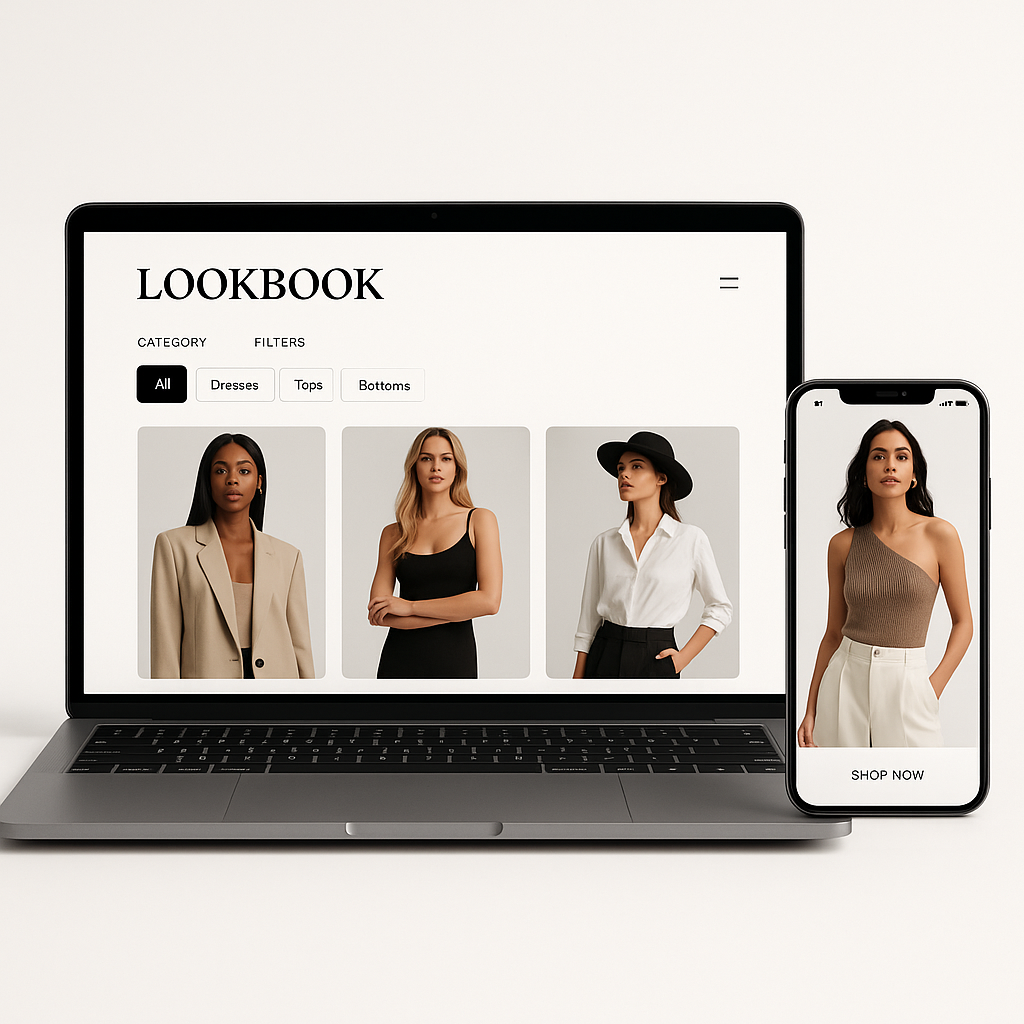
You’ve seen them — those sleek, magazine-style digital pages that showcase a brand’s best fashion pieces. That’s a lookbook. But today’s top US fashion brands aren’t just putting images on a page — they’re building dynamic lookbooks that change, filter, interact, and most importantly, sell. Thanks to Wix Studio CMS, building one isn’t just for big-budget designers anymore.

Let’s walk through exactly how you can build one for your own fashion brand.

Dynamic Lookbook Wix Studio

Getting Started with Wix Studio CMS

Overview of Wix Studio

Wix Studio is an advanced design platform tailored for agencies, designers, and creatives. It’s like Wix on steroids — more freedom, more features, and crucially, a powerful CMS that makes building dynamic content like lookbooks a breeze.

Why Use CMS for Lookbooks?

A CMS (Content Management System) allows you to manage and structure data—think of it as a spreadsheet of fashion items that magically appears styled on your website. Want to update a product or add a new collection? Do it once in the CMS, and it updates everywhere.


Planning Your Lookbook Content

Identifying Your Brand Aesthetic

Before jumping into design, get clear on your vibe. Are you minimalist chic? Bold and urban? Boho and floral? Your lookbook should scream your brand identity from the first scroll.

Deciding on Categories

Start by planning out what you want to showcase:

  • Seasons (Spring/Summer, Fall/Winter)

  • Collections (Resort, Capsule, Runway)

  • Colors (Neutral, Bold, Monochrome)

Creating a Content Structure

You’ll want to plan fields like:

  • Collection name

  • Item name

  • Image(s)

  • Description

  • Price (if shoppable)

  • Tags (style, occasion, color)

  • Release date


Setting Up Your CMS in Wix Studio

Creating a CMS Collection

In the Wix Studio dashboard, create a new CMS collection and call it something like “Lookbook Items” or “Fashion Collections.”

Fields to Include in a Fashion Lookbook

  • Title (Item name)

  • Images (Main & Additional Views)

  • Category

  • Color & Size

  • Price

  • Product Description

  • Tags

  • Slug (URL)

Sample CMS Structure for US Brands

TitleCategoryPriceSeasonImageDescription
Linen Wrap DressDresses$145SS25Image URLLight linen for summer

Designing the Lookbook Layout

Using Wix Studio’s Responsive Tools

Start by choosing a clean section layout or gallery. Use grids or masonry layouts to mimic editorial designs.

Choosing the Right Gallery Layout

  • Grid for clean, modern brands

  • Masonry for artsy, boutique vibes

  • Slider for featured collections

Adding Filtering & Sorting Options

Give users control — they should be able to filter by season, color, or style easily.


Connecting CMS to Your Lookbook Page

Dynamic Pages vs Static Pages

  • Dynamic pages are created automatically for every CMS item (collection, piece, etc.).

  • Static pages are manually created.

For lookbooks, dynamic pages are gold.

Using Repeaters & Dataset Connections

Use repeaters to loop through each fashion item in your CMS, and connect them via the Dataset tool.

Customizing Each Item Page

Create a custom template for your product details — images, text, and even videos can be pulled directly from your CMS.


Enhancing User Experience

Mobile Optimization

Over 70% of users view lookbooks on mobile. Use Wix Studio’s tools to tweak every element per screen size.

Hover Effects and Animation

Add smooth hover effects for a luxury feel. Use fade-ins, slide-ins, and zooms to grab attention.

Quick View and Product Zoom

Let users hover to zoom or click to see detail — just like online shopping.


Adding Filters and Search Options

Category Filters

Let users filter:

  • By Season (SS25, FW25)

  • By Style (Casual, Streetwear)

  • By Price Range

Tagging System

Use CMS tags like “Luxe,” “Eco-Friendly,” “Made in USA” for enhanced searchability.

Using Wix Studio’s Filtering Tools

Use multi-reference fields in CMS to tag items and set up filter buttons or dropdowns.


Embedding Videos and Lookbook Stories

Behind-the-Scenes Content

Embed videos of photoshoots, fittings, or model interviews to deepen the brand story.

Runway Shows or Model Interviews

Pull in YouTube, Vimeo, or Wix Video content easily.

Storytelling Through Design

Think like a magazine editor. Mix text, imagery, and motion to create mood and emotion.


SEO Optimization for Your Lookbook

Adding SEO-Friendly Titles & Alt Text

Label your images clearly — “Spring 2025 White Linen Dress” beats “IMG_2025.jpg”

Schema Markup

Use Wix’s structured data capabilities to tell Google what your content is.

Speed Optimization

Compress images, use lazy loading, and test with Google’s PageSpeed Insights.


Integrating E-commerce with Lookbooks

Linking to Product Pages

Turn lookbook items into sales pages with a “Shop Now” button linked to your Wix Store.

Buy the Look

Bundle multiple items from a lookbook into one “Buy the Look” collection.

Syncing Inventory

Use Wix’s inventory tools so your lookbook updates when stock changes.


Testing and Launching

  • Test on mobile, tablet, desktop

  • Ask for feedback from real users

  • Then hit publish and start promoting!


Promoting Your Lookbook

  • Share teaser clips on Instagram Reels

  • Use influencers for lookbook walkthroughs

  • Launch with a limited-time offer to boost traffic


Updating the Lookbook Regularly

  • Add seasonal updates (SS, FW)

  • Use the same CMS, just update/add new items

  • Archive older collections to keep things clean

FAQ's

1. How do I make my lookbook interactive?

You can add filters, hover effects, animations, videos, and dynamic product links using Wix Studio’s visual editor and CMS connections. Add a “Quick View” or “Buy Now” feature to boost interaction.

2. Can I track performance analytics on Wix Studio?

Yes! Wix Studio integrates with Google Analytics and Wix Analytics. You can track page visits, clicks on items, bounce rates, and even filter performance data by region or campaign.

3. Is Wix Studio better than traditional Wix for fashion brands?

Definitely. Wix Studio offers better responsive controls, advanced CMS features, and cleaner layout customization — perfect for fashion-forward, image-heavy sites like lookbooks.

4. How often should I update my lookbook?

Ideally, every season or new collection. At a minimum, refresh your lookbook 2–4 times per year to keep your content current and SEO-friendly.

5. Can I use Wix Studio CMS without coding skills?

Absolutely. Wix Studio is built for designers and creators without coding experience. Drag, drop, connect — it’s all visual, intuitive, and super user-friendly.

🔚 Final Thoughts and Next Steps

A dynamic lookbook isn’t just pretty — it’s practical. With Wix Studio CMS, you can design, manage, and update your brand’s showcase faster than ever. For US fashion brands trying to stand out online, this isn’t a luxury — it’s a must.

For businesses seeking creative and technical excellence without the bloat of legacy systems, partnering with a Contra-vetted agency like IZMHS might just be the smartest move in 2025.