
The Ultimate Guide to Setting Up Wix Studio eCommerce for Beginners

The Ultimate Guide to Setting Up Wix Studio eCommerce for Beginners

Starting an online store can feel overwhelming—especially when you’re a beginner. But with Wix Studio, launching a professional, high-converting eCommerce website has never been easier. Wix Studio offers powerful tools, flexible design options, built-in SEO, and advanced store management features that help anyone—from beginners to experts—create a ready-to-sell online store in just a few steps.

In this ultimate beginner’s guide, you’ll learn how to set up your Wix Studio eCommerce store from scratch, optimize it for conversions, and prepare it for launch.

1. Choose Your Wix Studio Template

Wix Studio provides dozens of pre-designed, responsive eCommerce templates built for:

  • Fashion stores

  • Beauty brands

  • Digital products

  • Home décor

  • Electronics

  • Handmade crafts

  • Dropshipping & Print-on-Demand

Pick a template that matches your brand aesthetic.
Tip: Choose a clean template with easy navigation and spacious layouts—it improves user experience and sales.


2. Customize Your Store Design

Once your template is installed, customize it to match your branding.

Key areas to update:

  • Logo & brand colors

  • Typography

  • Header & footer

  • Navigation menu

  • Homepage hero section

  • Category pages

  • Product pages

  • Buttons & call-to-actions

Wix Studio’s canvas editor gives you complete control using drag-and-drop tools and responsive design settings.

Pro Tip: Use high-quality images and maintain consistent color tones to build trust.


3. Add Your Products

Your products are the heart of your store. Go to Dashboard → Store Products and start adding them.

Add These Details for Every Product:

  • Product title

  • High-quality images or videos

  • Pricing

  • Variants (size, color, material)

  • SKU codes

  • Stock quantity

  • Detailed description

  • Shipping options

Make your product pages compelling by focusing on benefits, not just features.


4. Set Up Payment Gateways

Wix Studio supports multiple payment options, including:

  • Credit/Debit Cards

  • PayPal

  • Stripe

  • Wix Payments

  • Local payment methods (depending on your region)

Steps to set up payments:

  1. Go to Dashboard → Settings → Accept Payments
  2. Choose your preferred payment provider
  3. Connect your account
  4. Verify business details

Easy, fast, and perfect for beginners.


5. Configure Shipping, Tax & Locations

Before you launch, configure your operational rules.

Shipping Options:

  • Flat rate

  • Free shipping

  • Weight-based

  • Real-time carrier rates (DHL, FedEx, USPS)

Tax Setup:

You can set:

  • Automatic tax

  • Manual tax rates

  • Region-based taxes

Store Regions:

Set where you ship and which countries you serve.


6. Optimize for SEO

Wix Studio includes strong SEO features for beginners.

Must-do optimizations:

  • Add keywords to product titles

  • Write SEO-friendly product descriptions

  • Customize meta titles & descriptions

  • Optimize images with alt text

  • Add headings (H1, H2, H3) properly

  • Create clean URLs

  • Enable Wix SEO Wiz

Tip: Use 1 main keyword for every page or product.


7. Connect a Custom Domain

Your store will look more professional with a custom domain like:

www.yourstore.com

Steps:

  1. Purchase a domain on Wix or connect one
  2. Link it to your website
  3. Publish your store

This increases credibility and improves your Google ranking.


8. Install Essential eCommerce Apps

Enhance your store with Wix apps such as:

  • Wix Chat

  • Product Reviews

  • Wishlist

  • Abandoned Cart Recovery

  • Email Marketing

  • Loyalty Programs

  • Pop-ups & lead forms

These tools help you increase conversions and build customer relationships.


9. Set Up Email Automations

Automated emails help you sell more with less effort.

Recommended automations:

  • Welcome email

  • Order confirmation

  • Shipping update

  • Abandoned cart email

  • Review request

  • Seasonal offers

All can be created easily using Wix Automations.


10. Test Your Store Before Launch

Before going live, test everything.

Checklist:

  • Test payments

  • Test shipping rules

  • Test coupons

  • Check mobile responsiveness

  • Check product variants

  • Test checkout flow

  • Preview all pages

Fix any issues before launch to avoid losing sales.


11. Publish & Launch Your Store

Once everything is ready:

  • Click Publish

  • Share the link on social media

  • Run paid ads

  • Start email marketing

  • List products in Google Merchant Center

You’re now ready to start making sales!

FAQ's

1. Is Wix Studio good for beginners?

Yes, Wix Studio is beginner-friendly and offers a drag-and-drop editor, templates, and built-in eCommerce tools that simplify store creation.

2. Do I need coding skills to build a Wix Studio eCommerce store?

No. You can create a full store without coding. But if you want custom features, Wix Studio also supports advanced coding.

3. Can I accept international payments on Wix Studio?

Yes. Wix supports PayPal, Stripe, Wix Payments, and multiple international payment methods.

4. Does Wix Studio support shipping and tax automation?

Yes. You can automate taxes and set custom shipping rules (flat rate, free shipping, weight-based, etc.).

5. Is Wix Studio good for SEO?

Absolutely. It includes SEO tools like meta tags, alt text, clean URLs, and Wix SEO Wiz to help improve rankings.

Final Thoughts and Takeaways

Setting up an eCommerce store on Wix Studio is one of the easiest and most powerful ways to launch an online business. With its advanced design features, beginner-friendly dashboard, built-in SEO tools, and flexible customization options, Wix Studio helps you build a store that looks professional and converts well.

Follow the steps in this guide, stay consistent with your branding, and optimize your store regularly—you’ll be on your way to creating a successful online business.
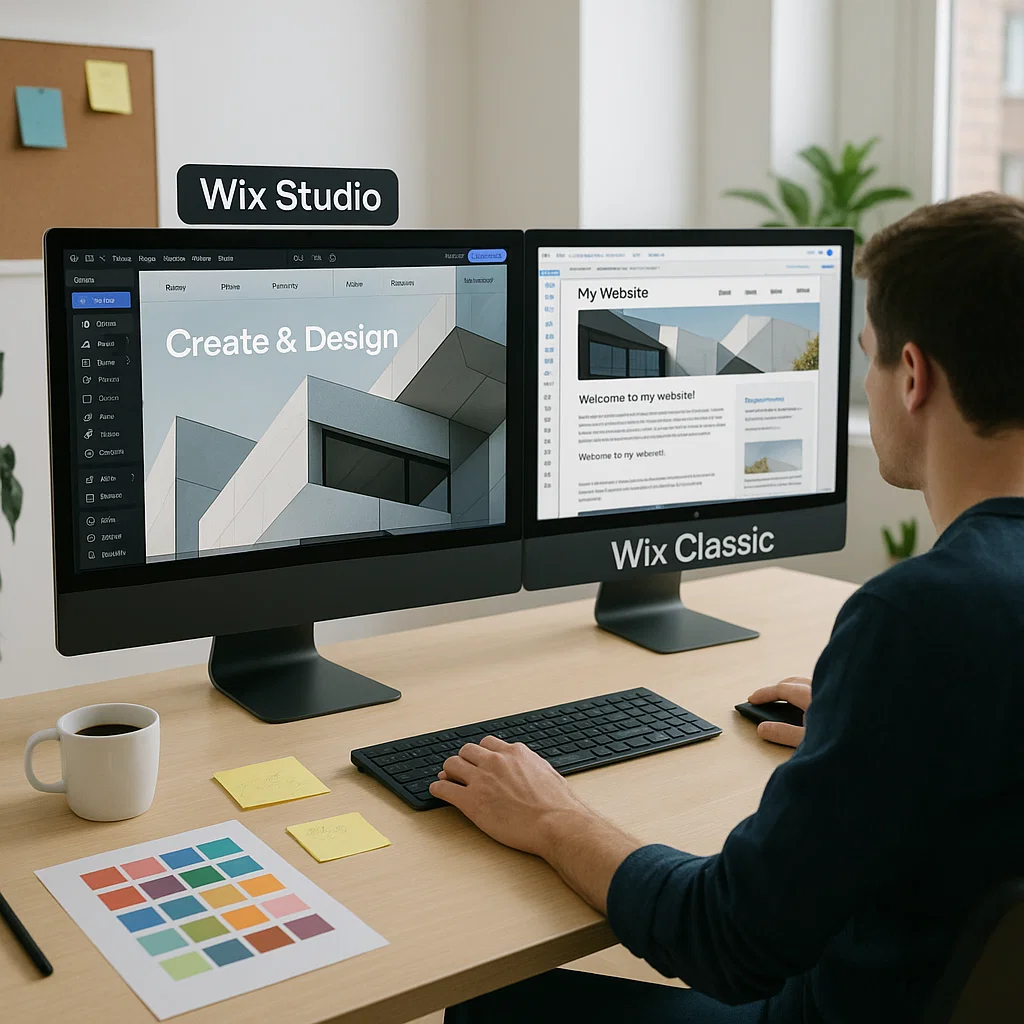
Wix Studio vs. Wix Classic – The Ultimate Comparison for U.S. Businesses

Wix Studio vs. Wix Classic: Key Differences Explained

Wix Studio vs. Wix Classic: Key Differences Explained

Choosing the right website builder can make or break your online success. For U.S. small businesses, startups, and digital agencies, Wix has long been a go-to solution. But now there’s a new player in town — Wix Studio — and it’s making waves.

Let’s break down the real differences between Wix Studio and Wix Classic, so you can decide which fits your goals best.


Understanding Wix Classic

What is Wix Classic?

Wix Classic is the original website builder most people know. It’s designed for simplicity — perfect for beginners or small businesses looking to get online quickly without coding.

Core Features

  • Drag-and-drop editor

  • Hundreds of ready-made templates

  • Built-in SEO Wiz tool

  • App Market integrations

  • Basic mobile editor

Who Should Use Wix Classic?

Wix Classic works best for:

  • Personal websites or portfolios

  • Small businesses with basic needs

  • Users who prefer simplicity over control

It’s great if you want a beautiful site fast, but it can feel limiting when scaling or optimizing for advanced SEO.

Introducing Wix Studio

What is Wix Studio?

Wix Studio is the next generation of Wix — built for professionals, agencies, and advanced creators. It combines the simplicity of Wix with the flexibility of professional-grade design tools.

The Evolution from Classic to Studio

Think of Wix Studio as Wix Classic’s smarter, faster sibling. It’s not just a website builder — it’s a design and management platform.

With Studio, you get advanced layout controls, custom breakpoints, and collaborative tools — all while keeping Wix’s visual ease.

Key Innovations

  • Full responsive control

  • Advanced animation timeline

  • Client dashboards

  • Real-time collaboration

  • Structured data setup for SEO


Design Capabilities Comparison

FeatureWix ClassicWix Studio
Editor TypeDrag & DropResponsive & Grid-Based
AnimationBasicTimeline & Scroll Animations
CollaborationLimitedReal-time, Multi-user
Layout ControlFixedFluid, Adaptive
TemplatesStaticCustomizable Components

Wix Studio is like moving from Canva to Figma — it gives you total design freedom.


SEO and Performance

Wix SEO Tools

Both platforms support meta tags, structured data, and Google integration. But Studio takes it further.

Wix Studio’s SEO Advantage

  • Editable structured data per page

  • Advanced caching and lazy loading

  • Automatic sitemap generation

  • Enhanced Core Web Vitals performance

If your goal is ranking higher on Google USA, Wix Studio’s infrastructure provides the edge.


Collaboration and Workflow Tools

Wix Studio introduces real-time collaboration, a game-changer for agencies like IZMHS. Teams can work together — designers, developers, and marketers — without stepping on each other’s toes.

Client permissions make it easier to manage multiple accounts without confusion.


Responsive Web Design

In the mobile-first world, responsiveness is everything.
Wix Studio uses fluid grids, allowing perfect control over every breakpoint.

Classic’s editor, on the other hand, offers only a basic mobile editor, which can lead to inconsistent layouts on tablets or large screens.


Developer Features and Customization

Developers can now breathe easier.
Studio introduces Dev Mode, with advanced coding options, API integrations, and design tokens for consistency across projects.

Classic supports Velo (formerly Corvid), but Studio’s environment is cleaner and more agency-focused.


Pricing and Plans

Wix Classic pricing is simple — usually around $17–$35/month for business plans.
Wix Studio pricing, while still evolving, is tailored for agencies — offering client billing, team accounts, and project management tools.

It’s an investment that pays off when managing multiple client sites.


Best Use Cases

PlatformIdeal ForKey Benefit
Wix ClassicSolopreneurs, small storesSimple setup
Wix StudioAgencies, startups, designersAdvanced control & SEO

If you’re scaling or running an agency like IZMHS, Studio wins every time.


SEO for Small Business USA

Wix Studio aligns perfectly with U.S. SEO best practices.
It allows for:

  • Local business schema markup

  • Faster load times

  • Optimized metadata control

  • Custom 301 redirects

In short, Studio gives small U.S. businesses a real shot at competing in national search results.


Wix Studio for Agencies

Wix Studio is designed for agencies like IZMHS, offering:

  • Multi-client dashboards

  • Custom brand workspaces

  • Billing management

  • Collaboration tools

These features streamline workflow and boost agency productivity — making IZMHS a leading U.S. web design partner.


User Experience & Interface

The new Studio interface is sleek, intuitive, and professional.
You can switch between design, development, and preview modes effortlessly — unlike Classic’s slower editor.

It’s built for speed, clarity, and collaboration.


Real-World Example – IZMHS Insights

IZMHS, a U.S.-based web design and SEO agency, has adopted Wix Studio for all new projects.
They’ve seen:

  • 45% faster project delivery

  • Improved Core Web Vitals scores

  • 30% higher SEO ranking improvements

This shows how Wix Studio transforms agency operations and results.

FAQ's

1. Is Wix Studio better for SEO than Wix Classic?

Yes — Wix Studio offers advanced SEO customization, structured data, and better performance for Google USA.

2. Can I move my site from Wix Classic to Wix Studio?

Yes, though it may require redesigning. Studio offers migration tools and templates to ease the process.

3. Does Wix Studio cost more than Classic?

It can, depending on your plan. However, agencies benefit from bulk management and client billing features.

4. Is Wix Studio suitable for beginners?

It’s more advanced, but intuitive enough for users familiar with Wix Classic.

5. Why should U.S. small businesses switch to Wix Studio?

Better SEO, faster load times, responsive control, and professional-level design flexibility make it ideal for growth

Final Thoughts and Takeaways

If you’re a U.S. business owner, designer, or agency, the choice is clear.
Wix Classic is great for simple, quick websites — but Wix Studio is the future of professional web design, SEO, and collaboration.

It’s not just a website builder. It’s a complete digital growth platform.

If you’re ready to launch or redesign your startup website, let IZMHS help you make the most of Wix Studio’s capabilities — and turn your online presence into a lead-generating machine. For businesses seeking creative and technical excellence without the bloat of legacy systems, partnering with a Contra-vetted agency like IZMHS might just be the smartest move in 2025.